


Choosing between Glide and Bolt is not a simple comparison of features; it is a fundamental choice between two different software procurement strategies. Glide represents the no-code database-to-app paradigm, designed to turn spreadsheets into structured interfaces.
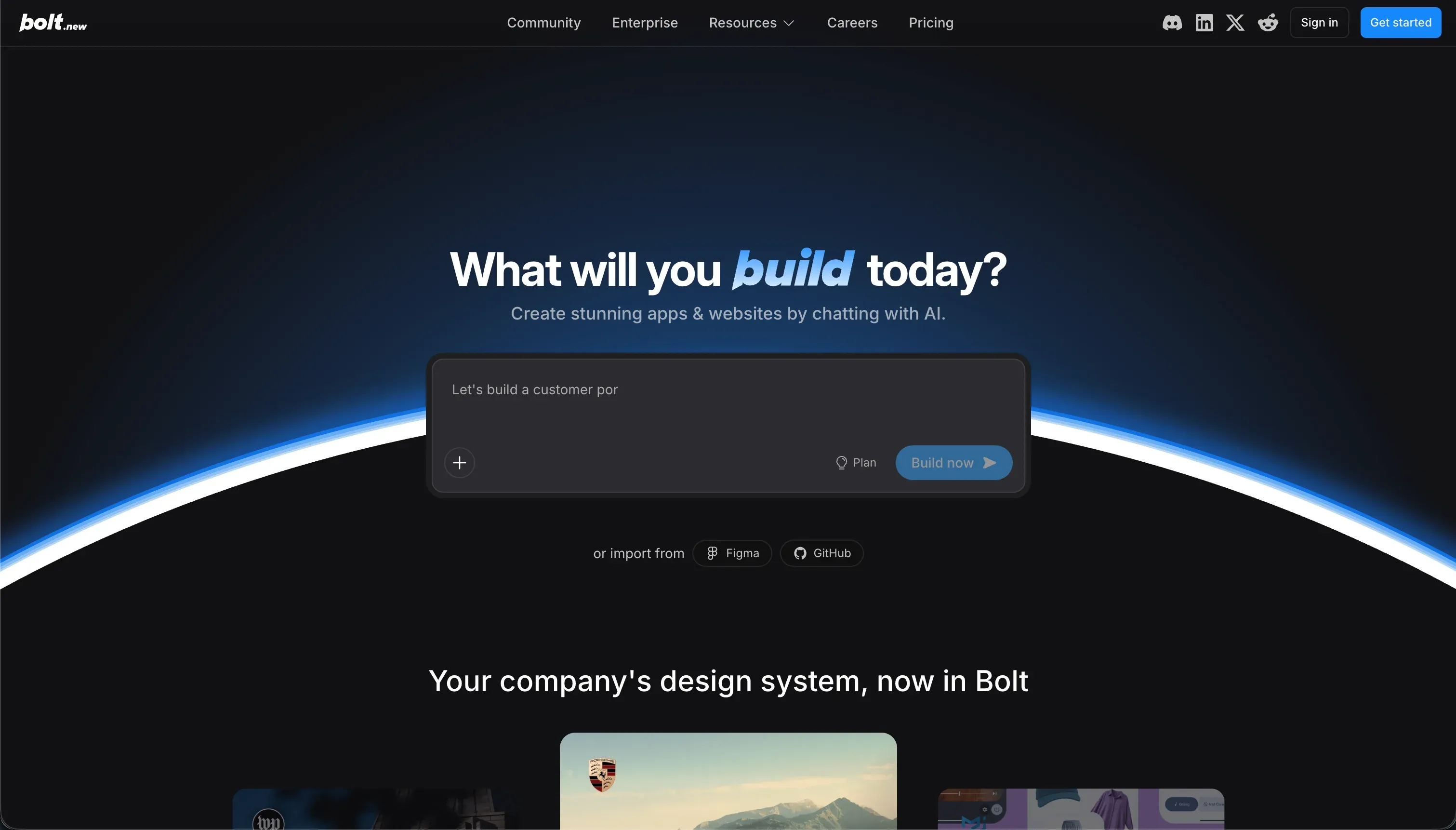
Bolt represents the raw code generation paradigm, using an iterative browser-based IDE to generate react and Node.js codebases from text prompts.
Glide wins this matchup on aggregate, scoring 6.3 against Bolt’s 5.1. The scorecard shows Glide winning handily on production readiness, maintainability, and security because it uses managed visual components instead of hallucinated code. Choose Bolt only when your primary requirement is total front-end design freedom and you have a developer prepared to manage the codebase.
The decision in 30 seconds
| If your priority is… | Pick | Why |
|---|---|---|
| Speed from sheet to structured layout | Glide | Scaffolds interfaces directly from Google Sheets or Airtable in minutes, scoring 8.5 on ease |
| Unlimited UX design customizability | Bolt | Generates unconstrained React and Vite components with Figma and Tailwind support, scoring 8.0 |
| Granular user permissions for portals | Neither | Glide lacks deep portal security (5.5) and Bolt requires manually auditing generated code (3.5) |
| Complete code export & ownership | Bolt | Direct git integration and zero platform lock-in for standard web framework outputs |
| A stable app that doesn’t break in month two | Glide | Pre-built, reliable components abstract away hosting conflicts and compile regressions |
What each platform is
What is Glide?
Glide is a low-code application builder designed to sit directly on top of structured data files. It connects directly to Google Sheets, Airtable, Microsoft Excel, or its own internal Glide Tables to instantly scaffold matching layouts.
Instead of drawing a design pixel-by-pixel, builders select from a directory of polished, pre-configured cards, lists, maps, forms, and charts that automatically adapt to mobile and web viewports.
This structural focus makes the platform highly popular with logistics operators, field services, and teams needing clean internal CRMs. The tool has evolved to include database-level automation, such as Glide AI, which acts as a field in your tables to summarize notes, transcribe audio files, or classify images.
It is built to keep software production-ready from the start of the build, avoiding infrastructure configuration entirely.
What is Bolt?
Bolt is a browser-native development workspace powered by StackBlitz WebContainers. Rather than offering a visual interface where elements are clicked into place, it operates through a prompt-based editor.
Builders describe what they want, and an AI agent writes React code, TypeScript state management, styling, and PostgreSQL schemas, displaying a live preview in a simulated server container directly inside the browser tab.
This architecture is built for rapid SaaS prototyping and developers who want to bypass local environment setups, NPM configurations, and repository plumbing. It supports importing Figma assets, importing frameworks via standard configuration files, and syncs directly with GitHub.
By generating standard application frameworks, it gives builders an unconstrained canvas but expects them to understand modern web framework logs.
- Sits on Google Sheets, Airtable, Excel or Glide Tables
- Pre-configured cards, lists, maps, forms, charts
- Adapts to mobile and web automatically
- Glide AI runs as fields in your tables
- No infrastructure configuration
- StackBlitz WebContainers in the browser tab
- Prompt-driven: AI writes React, TypeScript, PostgreSQL
- Live preview from a simulated server container
- Figma imports, config-file frameworks, GitHub sync
- Unconstrained canvas, expects framework fluency
The core difference
The core line dividing these tools is the choice between managed layout templates and raw code generation.
- Glide constrains your application to pre-configured layout blocks that are completely hosted, managed, and immune to code regressions.
- Bolt provides an AI assistant that writes a complete multi-file React codebase, offering limitless style variations at the expense of infrastructure stability.
Where the scores diverge
Design flexibility: Glide 4.0, Bolt 8.0. Bolt wins decisively with an 8.0, leaving Glide at 4.0. Bolt operates with standard React components, CSS layouts, and Tailwind structures, giving you complete brand match possibilities alongside Figma or Storybook imports.
Glide is highly constrained by its templated system: builders cannot freely adjust layout margins, implement custom page alignments, or use drag-and-drop structures. Standard templates often look identical, and custom CSS modifications are locked away in Glide’s highest enterprise-level billing tiers.
Ease of build: Glide 8.5, Bolt 5.5. Glide scores 8.5 against Bolt’s 5.5. Glide’s data-to-layout engine is incredibly fast: connecting a spreadsheet scaffolds a working, mobile-optimized tool in a single action. Even critics on Reddit acknowledge how easy it is to learn.
Bolt lets you describe an app in plain English to generate a mockup in minutes, but because it is a browser-native IDE running actual WebContainers, the builder must eventually configure environment variables, debug NPM setup logs, and make actual development-style decisions once the initial prompt loop finishes.
Maintainability: Glide 6.5, Bolt 3.5. Glide scores 6.5, whereas Bolt logs a 3.5. Glide apps are updated directly by shifting components or editing databases visually, which is simple and reliable.
Deductions come from users reporting that Glide has moved features behind higher paid tiers mid-project and from the hard limit builders face when they need highly complex, bespoke backend logic.
Bolt scales poorly on maintenance: its iteration loops consume heavy amounts of tokens, and builders report that prompt adjustments frequently cause the AI to rewrite fully functional blocks or revert previous changes (prompt whack-a-mole), requiring manual developer repairs.
Production readiness: Glide 6.5, Bolt 4.0. Glide wins with a 6.5, whereas Bolt scores 4.0. Glide’s pre-configured blocks are fully managed, and hosting is abstract, meaning elements don’t crash due to system dependencies.
However, Glide’s score is lowered because users report system lags five to ten times a year during critical business hours, and free plans offer zero real human support.
Bolt’s 4.0 reflects the instability of running containers in a browser: users report out-of-memory errors, VM cracks on larger repositories, and hitting a hard ‘Project too large’ cap that halts prompting entirely.
Security & access control: Glide 5.5, Bolt 3.5. Glide scores 5.5, while Bolt struggles at 3.5. Glide handles internal team directory routing well, but setting up multi-tenant portals with granular column visibility parameters for thousands of external clients is fragile compared to dedicated portal systems.
Bolt has no security or access control layer in the builder UI: authentication, path permissions, and SQL Row-Level Security policies must be coded via prompting. This puts the burden of auditing security entirely on the builder’s ability to read and verify raw code.
Data & integrations: Glide 7.0, Bolt 6.0. Glide scores 7.0 against Bolt’s 6.0. Glide integrates natively with major spreadsheet platforms and Airtable, handling lookup fields, rollups, and structured mathematical calculations efficiently, as well as offering direct Glide AI database columns.
Bolt is highly flexible because code can theoretically access any API, and it can structure schemas for databases like PostgreSQL, but it leaves the actual database hosting to the developer. Because Bolt lacks a visual database admin UI, teams must use generated code blocks or set up external platforms like Supabase manually to browse their data.
Cost comparison
Glide operates on a seat-licensed model paired with data-row limits. The Maker plan is $49/mo (billed annually) for 25 shared users, but moving up to the Team ($99/mo) or Business ($249/mo) plan for higher row capacities can become quickly expensive.
Because plans restrict the number of users who can sign in, launching an external partner directory or customer portal for hundreds or thousands of clients will push the company’s software spend into Glide’s custom enterprise pricing model.
Bolt starts at a lower base pricing point of $25/mo for 10 million tokens under its Pro tier, with scaling plans that can run up to $2,000/mo for high-volume generation needs. However, Bolt is a browser development space, not a hosted full-stack infrastructure system.
Buyers must add hosting fees for backends like Vercel, Supabase, or Netlify, along with database storage costs. The largest financial unknown with Bolt is iteration: because maintaining, updating, or fixing bugs requires continually re-prompting the AI container, buyers frequently spend heavy amounts of tokens on basic debugging loops.
Lock-in and the exit path
Glide has a high lock-in factor: there is no option to export the underlying application code. If a business outgrows the capabilities of Glide’s visual components, the entire interface must be completely rebuilt from scratch in another system, though data remains portable via spreadsheet sync.
Bolt is the inverse, offering complete codebase export and automatic GitHub synchronization. Because Bolt produces clean React and Vite codebases, developers can easily download the project files and host them independently on any traditional server setup, making Bolt the cleanest possible exit path in this comparison.
Who should pick Glide
Pick Glide if:
- Operations teams who want to build a internal field service tool, inventory tracker, or team CRM directly on top of existing Excel, Google, or Airtable databases
- Builders who need an application running in hours without dealing with authentication setups, deployment files, or package compilation
- Organisations that favor extreme stability over branded, custom front-end styling and do not require custom CSS modifications
Do not pick Glide if you are building an online client-facing portal designed to scale to thousands of external users, as the per-external-user seat pricing structure becomes prohibitively expensive.
Who should pick Bolt
Pick Bolt if:
- SaaS founders who want to quickly generate an initial frontend prototype or MVP to validate visual designs and display to potential investors
- Teams demanding absolute freedom over UI themes, Figma imports, Tailwind layout spacing, and visual styling conventions
- Technical builders who want the AI to write the initial code blocks but intend to export the React library and host the system independently
Do not pick Bolt if you do not have someone on your team who understands web development concepts, as you will inevitably hit browser container crashes, build failures, or AI-reversion bugs.
What neither platform answers
Both Glide and Bolt are built for specific use cases but fall short for buyers launching functional client or vendor portals. Glide’s templates restrict your brand guidelines, and its user caps make public portals expensive. Bolt creates beautiful layouts with absolute visual freedom but leaves you with a codebase to look after, undocumented security configurations, and no visual portal admin panels out of the box.
For businesses that need robust, secure client portals, internal dashboards, or vendor platforms, Softr offers the perfect alternative. Softr scores 8.5 on production readiness and 9.0 on maintainability because its systems are built entirely on unified, pre-authenticated components.
It pairs perfectly with native Softr Databases and connects easily with tools like Airtable or HubSpot. With flat-rate pricing, unlimited collaborators, role restrictions, and the visual power of its conversational Co-Builder alongside custom Vibe Coding blocks, Softr provides the exact mix of code-level freedom and no-code safety.
For teams with heavy mobile-app needs, Adalo acts as a strong native builder alternative.
Analyst verdict
The scorecard settles this head-to-head on the side of operational stability: Glide wins with an aggregate score of 6.3 against Bolt’s 5.1, taking four of the six criteria. Glide dominates on ease of build (8.5 vs 5.5), production readiness (6.5 vs 4.0), maintainability (6.5 vs 3.5), and security (5.5 vs 3.5).
By relying on standard database layouts, Glide protects teams against regression bugs, hosting issues, and database-level security holes.
Bolt takes a decisive and predictable victory in design flexibility (8.0 vs 4.0) because it generates raw React and Vite structures, completely bypassing the rigid templates Glide enforces on its builders.
If you are building a custom landing page or a visual mobile prototype where design is critical and you have a developer on call to manage backend deployment and code handoff, Bolt is the correct selection. For all operational business apps, Glide is the higher scoring, safer procurement choice.
Related reading: the Glide scorecard, the Bolt scorecard, and our scoring methodology.