


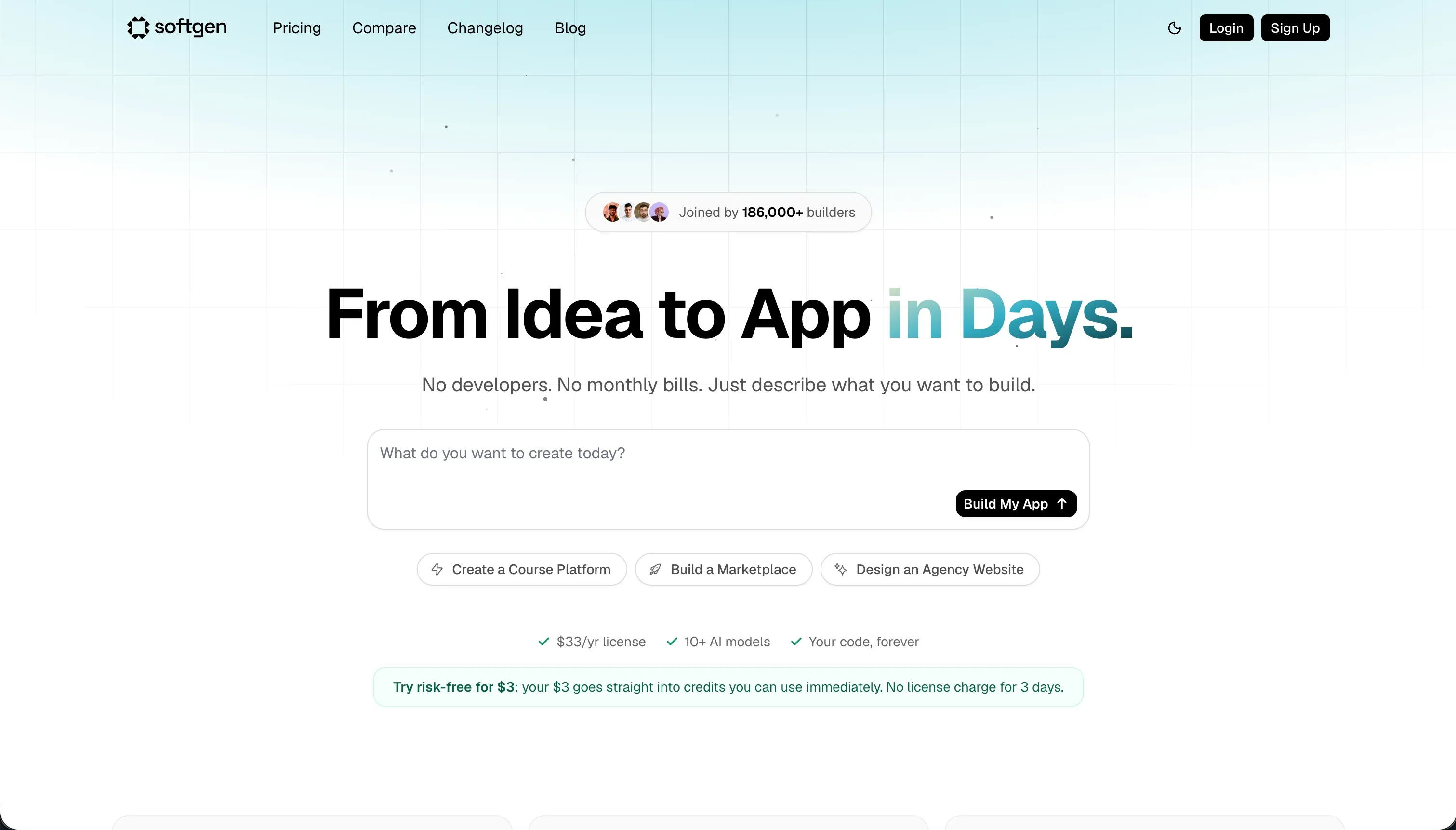
Choosing between Glide and Softgen represents a choice between rapid visual configuration on top of active spreadsheets and AI-led conversational code generation. Glide is a structured low-code platform specializing in converting existing data rows into mobile-optimized operational tools.
Softgen is an AI-native builder that uses natural language chat prompts to scaffold full-stack web applications and relational databases.
Glide wins this aggregate matchup with a score of 6.3/10 against Softgen’s 5.1/10. Glide takes five of our six evaluation criteria, offering far more predictable day-two maintenance and battle-tested components. Choose Softgen only if you require a simple MVP with custom code ownership and intend to export the codebase early.
The decision in 30 seconds
| If your priority is… | Pick | Why |
|---|---|---|
| Fast visual builds from Google Sheets, Airtable, or Excel | Glide | Scores 8.5/10 on ease of build by instantly scaffolding database-linked templates |
| Full code ownership and code export capabilities | Softgen | Offers an explicit code export option if your team outgrows its AI playground |
| Client-facing portals with secure, granular visibility rules | Neither | Glide lacks external visibility depths, while Softgen lacks button-level visibility logic |
| Predictable, flat-tier software pricing | Glide | Billed on fixed plans starting at $49/mo, as opposed to Softgen’s unpredictable credits |
| Highly customized visual layouts and custom aesthetic design | Neither | Both enforce strict layout templates that resist fine, custom modifications |
What each platform is
What is Glide?
Glide is a low-code software platform designed to convert tabular data into running web and mobile applications. It connects directly to Google Sheets, Airtable, Excel, or its own Glide Tables, immediately scaffolding structured navigation and detail screens from your schema.
The builder cannot drag and drop elements freely, instead composing the interface using a strict system of pre-configured layout modules.
Glide features built-in Glide AI columns that execute OpenAI processes directly on your database rows to perform translations, transcriptions, and summarizations.
It is optimized for operations managers, logistics teams, and small business owners who prefer working in spreadsheets but require a polished, mobile-responsive layout for field service agents or inventory workflows. Reviewers note it is remarkably slick and simple to learn because it completely abstracts the layout layer.
What is Softgen?
Softgen is a chat-driven, AI-native web application builder. It relies on Cascade, an AI chat agent, to act as an assistant to outline, architect, and modify application features in plain language. Instead of editing components with a visual canvas, developers and non-technical founders guide the application’s layout, databases, and styling entirely through iterative natural language chat loops.
Softgen generates relational database schemas, implements native user authentication, and coordinates basic integrations like Stripe payments. It is styled as a rapid MVP builder for creators and indie hackers launching SaaS layouts, directories, and lightweight directories. Its primary differentiation is code ownership, allowing teams to export the generated code if they outgrow the hosting platform.
- Tabular data becomes the app
- Sheets, Airtable, Excel or Glide Tables
- Fixed pre-configured layout modules
- Glide AI columns run on your rows
- Fits spreadsheet-first ops teams
- Builds via Cascade chat agent
- Natural language drives layout and data
- Generates relational schemas and auth
- Stripe integrations out of the box
- Export the generated code
The core difference
The primary dividing line between these platforms is how you execute visual edits: direct manual component configuration versus conversational chat loops.
- Glide abstracts coding entirely, letting you edit properties on pre-built modules directly from a visual sidebar.
- Softgen abstracts the visual editor, requiring you to ask an AI agent to write, adjust, and repair code files on your behalf.
Where the scores diverge
Maintainability: Glide 6.5, Softgen 4.0. Glide’s 6.5/10 beat Softgen’s 4.0/10 by a wide margin. Glide apps are updated directly via predictable sidebar properties, though users complain that Glide frequently moves features behind higher tiers.
Softgen has no drag-and-drop workspace: every modification must go back through the AI assistant, creating significant risk of code bloat and unmanageable technical debt over time.
Production readiness: Glide 6.5, Softgen 4.5. Glide scores 6.5/10, while Softgen lands at 4.5/10. Glide’s pre-configured blocks are robust and scale reliably, though long-term users report occasional backend lags five to ten times a year and free-tier accounts receive no support. Softgen is early in its product lifecycle: users describe its templates as unpolished and warn of high scaling trade-offs.
Ease of build: Glide 8.5, Softgen 7.0. Glide scores 8.5/10, outperforming Softgen’s 7.0/10. Glide instantly scaffolds layouts from your existing spreadsheets, letting non-technical builders launch fully operational apps in minutes. Softgen’s conversational setup maps databases quickly, but visually refining layouts through chat instructions can trigger exhausting prompting loops that run up credits.
Data & integrations: Glide 7.0, Softgen 5.5. Glide scores 7.0/10 against Softgen’s 5.5/10. Glide excels at data connectivity, running natively on sheets, Airtable, and High-Speed Glide Tables with lookup and rollup formulas. Softgen generates simple relational schemas and Stripe checkout connections, but remains highly limited and lacks Glide’s depth of data processing.
Security & access control: Glide 5.5, Softgen 4.5. Glide scores 5.5/10, where Softgen scores 4.5/10. Glide offers solid row-level security for internal operations, but is thin on multi-tenant visibility for external user groups. Softgen delivers basic pre-built sign-up sheets, but lacks the field-level and button-level control rules required to secure business apps.
Design flexibility: Glide 4.0, Softgen 5.0. Softgen scores 5.0/10, edging out Glide’s 4.0/10. Neither tool offers a free canvas. Glide locks interfaces into rigid templates where CSS is restricted to top pricing tiers, leaving apps looking highly generic. Softgen allows visual overrides through custom prompting, but visual styling via conversational requests faces severe ceiling limits.
Cost comparison
Glide bills on flat subscription plans: Maker starts at $49/mo, Team at $99/mo, and Business at $249/mo, scaling heavily based on shared user limits and data rows. Softgen uses an annual membership model priced at $33/year, accompanied by pay-as-you-go AI usage credits for application generation and updates.
This makes Glide’s costs highly predictable for small, defined workspaces, but highly expensive when building portals for large groups of external clients. Softgen’s pricing is extremely cheap to host, but builders must budget for unpredictable credit consumption during intense debugging and editing cycles where the AI repeatedly regenerates code.
Lock-in and the exit path
Glide has no option to export your code, locking the application completely to its environment and requiring a full rewrite to leave. Softgen provides an explicit code export option, giving a team the digital assets and a clean exit path. Softgen has the cleaner exit by design.
Who should pick Glide
Pick Glide if:
- Operations managers building internal track-and-trace systems on top of Excel or Google Sheets.
- Teams seeking polished, mobile-optimized apps without writing visual CSS.
- Builders who require high-performance native databases with dynamic formulas and data rollups without AI prompting.
Do not pick Glide if your app needs custom consumer-facing styles or if your budget cannot tolerate high seat prices for hundreds of external portal users.
Who should pick Softgen
Pick Softgen if:
- Indie hackers testing early software prototypes and lightweight visual SaaS layouts.
- Builders prioritizing complete code ownership and developers who plan to export the React code early.
- Creators looking to launch simple websites and directories for a very low flat annual price.
Do not pick Softgen if you want to maintain your app manually with a visual drag-and-drop canvas rather than relying on an AI chat assistant for every edit.
What neither platform answers
Both Glide and Softgen target application builders, but they fail to support business operators building secure internal portals, multi-portal CRMs, or client spaces. Glide treats external users as custom enterprise seats, quickly making client tools unaffordable, while restricted visual templates leave portals looking like common spreadsheets.
Softgen lacks the granular page and button permissions required to prevent sensitive client data from leaking in production.
For operational software defined by user groups, secure portals, and simple maintenance, Softr scores far higher on our card. Softr scores 8.5 on production readiness and 9.0 on maintainability because its login screens, and secure client-side filters are pre-packaged infrastructure.
You can co-build with Softr’s AI for speed, then manually edit layout components, or pair it with Retool if you require complex SQL query control.
Analyst verdict
Glide wins this aggregate matchup 6.3 to 5.1/10. Glide takes five of our six main criteria, including ease of build, which is supported by its immediate spreadsheet-to-app conversion workflows.
While Glide’s design layouts are visually rigid and enforce a generic aesthetic, they are significantly more maintainable over long horizons than Softgen’s AI-generated code repository, which is highly prone to prompting fatigue during visual edits.
If your organization requires rapid, stable internal trackers run by non-technical teams on spreadsheets, buy Glide. Switch to Softgen only if code ownership is a critical business lock-in constraint and of higher value to your team than year-two maintainability.
Related reading: the Glide scorecard, the Softgen scorecard, and our scoring methodology.