

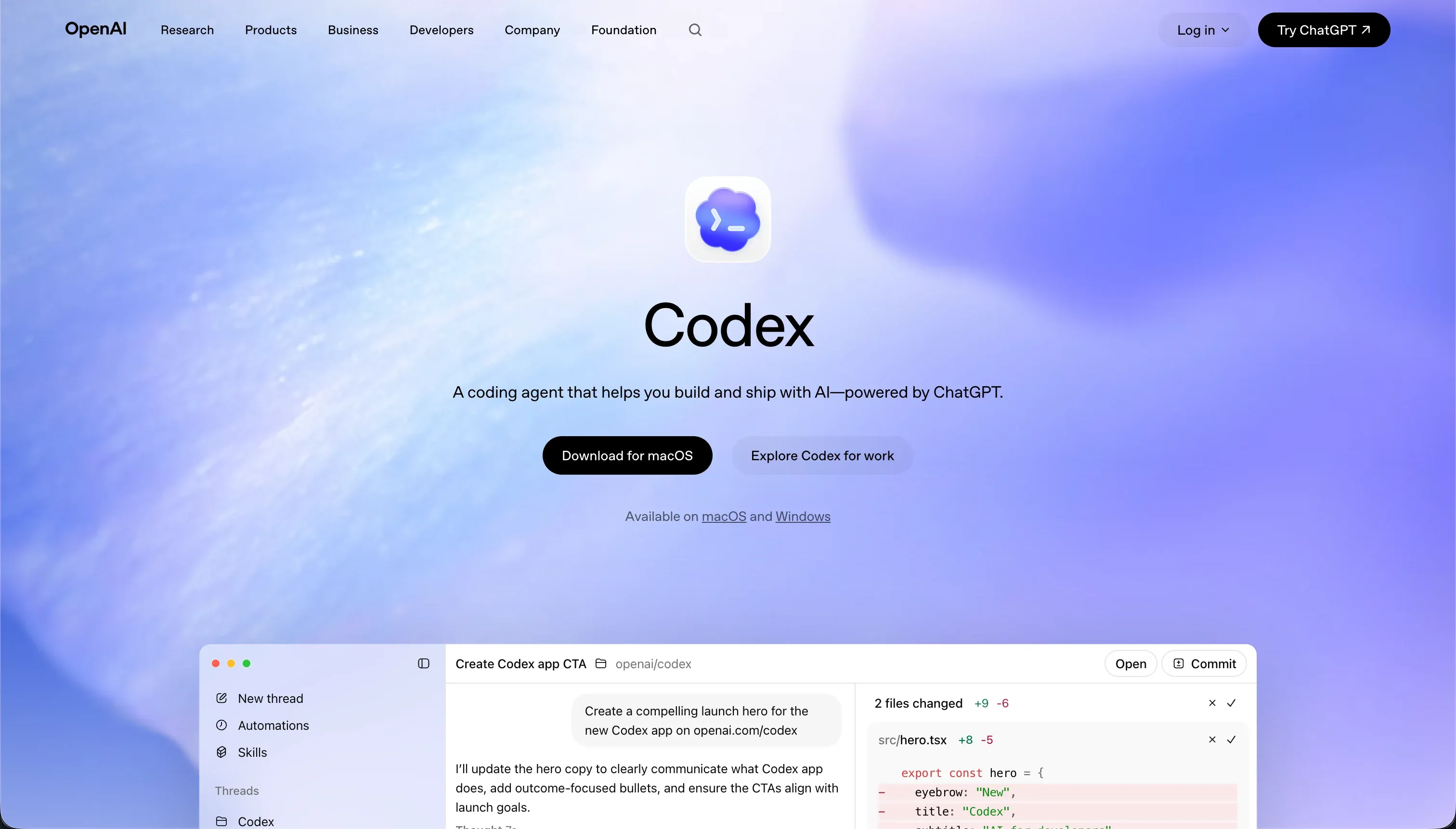

Choosing between Codex and Bubble is a procurement exercise that pits an advanced engineering agent against a classic, full-stack visual development platform.
Codex belongs to the category of terminal-based AI coding agents, designed to run directly within local software repositories to draft changes and execute command line loops. Bubble runs on a proprietary, hosted visual runtime where all database tables, user authentication paths, and functional logic are configured by hand in a dense drag-and-drop workspace.
Codex wins the aggregate score 7.1 to 6.8 on our comparison card. This scoring outcome is decided by Codex’s raw code output, which grants developers infinite layout flexibility and native version control.
This decision flips entirely if you do not have a full-time software developer on the team; non-technical builders get nowhere in a terminal interface and must allocate their budget to Bubble’s visual programming environment.
The decision in 30 seconds
| If your priority is… | Pick | Why |
|---|---|---|
| Visual editing with zero terminal CLI setup | Bubble | scores 5.0 on ease of build with a pixel-level editor, while Codex has no visual interface |
| Software version control and Git branches | Codex | scores 8.0 on maintainability, utilizing native git workflows and isolated containerized workspaces |
| Pre-wired marketplace with 8,000+ plugins | Bubble | features a massive ecosystem that handles integrations visually, despite community dependency risks |
| Infinite layout and framework freedom | Codex | scores 9.0 on design flexibility because the raw code output matches the developer’s framework of choice |
| Secure client portals built with no code | Neither | requires a dedicated business app platform like Softr to avoid complex terminal code or Bubble’s workload fees |
What each platform is
What is Codex?
Codex is a terminal-based AI coding agent and desktop application designed to run locally within a team’s Git repositories. Unlike assistive ide code-completion windows, Codex functions as an autonomous terminal agent.
It reads your codebase, checks out new branches, writes code templates, and executes command line scripts directly in containerized workspaces before staging commits and packaging pull requests.
The desktop command application organizes these concurrent engineering runs into clear visual logs, allowing developers to inspect worktrees and parallel execution branches. Codex is built precisely for senior developers and engineering leads who want to automate standard scripting runs, perform bulk refactors, and manage pull request workflows without leaving their local terminal and Git ecosystems.
What is Bubble?
Bubble is a proprietary, visual programming platform built to construct and run web applications without writing code. Instead of producing code that runs elsewhere, Bubble behaves as a managed runtime.
Builders design relational models, configure multi-step workflow logic step-by-step, draft server-side rules, and draw interfaces inside a dense visual editor where everything is compiled and hosted on Bubble’s cloud.
The editor features a responsive design engine for desktop and mobile layouts, an API Connector for REST endpoints, and a community marketplace numbering over 8,000 plugins. It is built for founders, builders, and business operations departments seeking to scale transactional web apps and custom logic databases on a single hosted system without developer help.
The core difference
The defining divide between these tools is how they compile and manage the final software asset.
- Codex acts as an autonomous CLI engineer that writes raw, standard code in local repositories and relies on normal Git procedures for tracking and deployment.
- Bubble merges database, backend logic, and visual styling into a single, closed visual runtime where changes are edited directly on proprietary canvas layouts.
Where the scores diverge
Maintainability: Codex 8.0, Bubble 6.0. Codex scores 8.0, its strongest performance on our card, because all code output lives in native Git branches and is handled using standards-based commits and branches that technical teams can audit cleanly.
Bubble scores 6.0 because while updates do not require code compilation, large projects suffer from dense, un-auditable workflow sprawl, editor lag on high-RAM browsers, and the persistent threat of community plugin updates breaking key features.
Ease of build: Codex 4.0, Bubble 5.0. Bubble scores 5.0, reflecting its steep mastering curve for database normalization, custom APIs, and backend scheduling.
However, its visual approach remains light-years ahead of Codex, which scores 4.0 because it operates entirely through the command line; without engineering expertise to navigate repositories and evaluate code scripts, a non-technical manager will stall immediately.
Security & access control: Codex 6.0, Bubble 6.5. Bubble scores 6.5 because role-based rules and server privacy parameters are mature and built straight into the database dashboard, though misconfigurations fail silently and Trustpilot reviews stress that securing permissions requires developer-mindset logic.
Codex scores 6.0; while isolated workspaces shield local directory structures during agent tasks, running CLI commands locally introduces sandbox vulnerabilities, and any role authorization must be hand-coded by an engineer.
Data & integrations: Codex 8.5, Bubble 8.0. Codex scores 8.5 because operating directly inside a code file unlocks the entire development ecosystem, and your data limits correspond to the database you choose to connect.
Bubble scores 8.0 because it couples a built-in relational database with a flexible API connector, but users are exposed to third-party plugin dependency risks and restrictive row limits on the starter tier.
Design flexibility: Codex 9.0, Bubble 8.5. Codex scores 9.0 since raw code places no boundaries on the frontend design frameworks or styling tools an engineer selects. Bubble scores 8.5, which is highly competitive for a visual builder, providing pixel-level freeform placement and visual responsiveness, although it cannot replicate custom code design systems without some custom styling workarounds.
Production readiness: Codex 7.0, Bubble 7.0. Both tools score 7.0 but introduce opposite risk profiles. Bubble provides native user authentication, server routing, and scheduled workflows out of the box, although performance lags on heavy database operations and memory leaks in the editor are frequently reported on complex builds.
Codex produces real code on standard stacks that can be tested and easily integrated into enterprise CI/CD gates, but it requires developers to review every single generated line to catch scope bloat and missing nuances.
Cost comparison
Codex is included as a component of OpenAI’s core ChatGPT Pro and Enterprise subscription models, costing $200 per month for Pro-tier prioritized model access, with actual token consumption averages running $100 to $200 per developer monthly. Bubble features standard tiers starting at $69 per month for Starter and climbing to $649 per month for Team.
However, Bubble’s billing relies on Workload Units (WU), which measure database operations and visual queries, meaning unoptimized workflows can cause bills to rise into the thousands without prior notification.
Buyers evaluating total cost must forecast developer review hours for Codex, alongside subscription bills that rise aggressively during parallel agent runs. Bubble buyers face unpredictable workload overages when scaling customer traffic, and must anticipate monthly support costs to debug payment and plugin inconsistencies.
- $200/mo ChatGPT Pro tier
- Tokens run $100 to $200 per dev monthly
- Must forecast developer review hours
- Bills rise during parallel agent runs
- Starter $69/mo, Team $649/mo
- WU billing for database and visual queries
- Overages can hit thousands, no warning
- Budget for support debugging plugins
Lock-in and the exit path
The lock-in comparison represents a clear divide. Codex features no platform lock-in; it outputs standard code in your repository, and if you leave Codex, you keep the code and continue normal deployment. Bubble represents a complete walled garden where source code and underlying relational databases cannot be exported, meaning migrating off Bubble requires a total application rewrite from scratch.
Who should pick Codex
Pick Codex if:
- Engineering organizations that require standard code, version-controlled updates, and git-based deployment paths.
- Projects with complex architecture where code must be audited by senior developers before merging.
- Teams that refuse platform lock-in and demand native code ownership from Day One.
Do not pick Codex if no one on your team can write, run, or debug local code scripts.
Who should pick Bubble
Pick Bubble if:
- Non-technical founders who want to build a highly custom transactional database app with server logic without developers.
- Teams comfortable trading database migration portability for an integrated drag-and-drop system.
- Applications that require custom multi-step automation sequences linked to native database tables.
Do not pick Bubble if you want an exportable codebase, predictable pricing bills, or need to run lightweight sites under 200 records.
What neither platform answers
Both Codex and Bubble operate on the assumption that you are building unique, highly complex software structures from scratch. This demands that your team either masters local command-line Git agents with Codex or spends months climbing Bubble’s complex database and logic workflow learning curve.
For teams building operational business software - such as client portals, company CRMs, internal directory tools, or vendor boards - a business platform like Softr presents a far more practical path.
Softr scores 8.5 on production readiness, 9.0 on maintainability, and 8.5 on security & access control because user authentication, permissions, and database connectivity are native platform parameters, not custom code routines.
When complex automation is required, it integrates with Retool or native automation platforms, providing flat seat-based budgets that are easy to forecast.
Analyst verdict
Codex wins the scored comparison 7.1 to 6.8 over Bubble. Codex takes the lead in maintainability, data integration, and design flexibility because it outputs raw code managed in native GitHub branches and tested within standard CI/CD networks. For technical departments that want to coordinate multiple parallel branches without losing code ownership, Codex is the more maintainable framework.
The comparison flips entirely if the application must be maintained by business operators. Bubble’s visual programming canvas, built-in database tools, and visual logic trees are superior for non-technical teams, making it the safer allocation for solo founders who accept walled-garden trade-offs.
Related reading: the Codex scorecard, the Bubble scorecard, and our scoring methodology.