


Choosing between WeWeb and Cursor represents a procurement choice between two entirely different software development paradigms.
WeWeb operates as a decoupled visual frontend builder designed to assemble frontend layouts that hook into external APIs, while Cursor is an AI-first code editor designed to help engineers write and refactor standard raw code inside their own repositories.
Numbers before adjectives define this matchup: both platforms score an identical 6.2/10 on our aggregate card, but the path to that number is highly divergent. While WeWeb visualizes state management and layouts for frontend teams, Cursor acts as an accelerator for developers who read and manage real files, making the correct choice highly dependent on your team’s code literacy.
The decision in 30 seconds
| If your priority is… | Pick | Why |
|---|---|---|
| Visual layout editing with direct CSS control | WeWeb | It features a visual layout engine with CSS flexbox, grids, and absolute positioning scoring 8.5 on design flexibility |
| Accelerating raw code writing and tests in an existing repo | Cursor | It operates directly as an AI-first fork of VS Code with smart autocomplete and codebase indexing |
| No-code business database setup with built-in auth | Neither | WeWeb has no native database, and Cursor requires manual coding of databases and auth layers |
| Connecting to any language-supported library or API | Cursor | As a real IDE, it connects to any backend or service the underlying code supports, scoring 7.5 on integrations |
| Full code export to migrate off the platform | Cursor | You own the raw source code in your own repository, representing the cleanest possible exit path |
What each platform is
What is WeWeb?
WeWeb is a visual frontend builder built on a decoupled architecture. Instead of managing a full stack, it acts as a visual interface layer that connects dynamically to external backends like Xano or Supabase via REST or GraphQL APIs, allowing teams to build complex layouts without writing standard React or Vue files from scratch.
Key features include a visual state management engine where builders configure variables and conditional routing, along with an AI assistant that generates JavaScript snippets inside the editor. The layout engine provides granular design controls based on flexbox and grid, targeting teams that want to build complex, consumer-grade interfaces without losing pixel-level control.
What is Cursor?
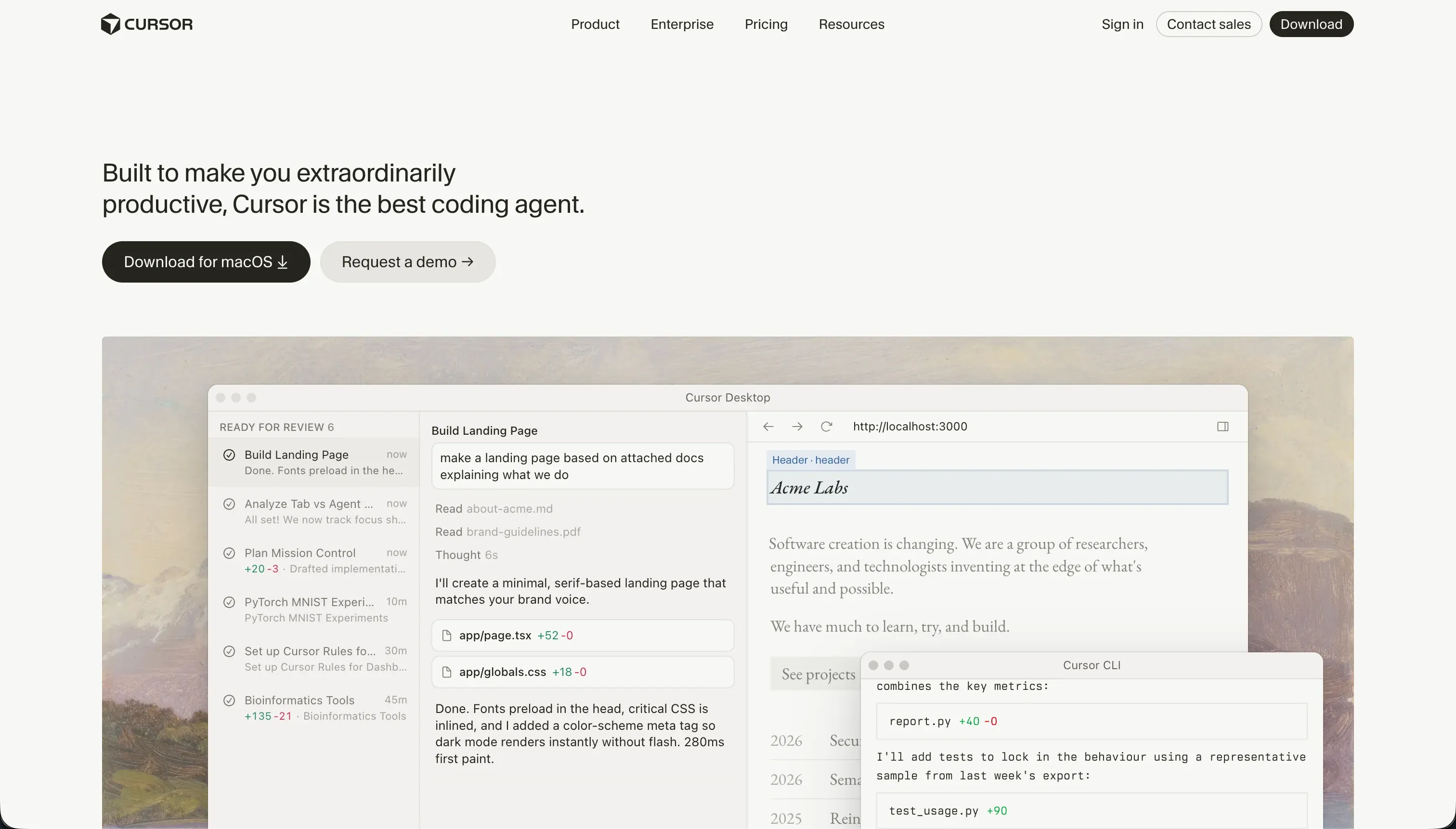
Cursor is an AI-first integrated development environment (IDE) built as a fork of VS Code. It indexes your entire project repository locally to provide context-aware code generation, refactoring, and inline completions, allowing the AI to understand your imports, types, and logic structures.
Its defining developer workflows are Cursor Composer and Agent mode, which allow builders to describe multi-file edits in natural language while the AI opens, edits, and writes the required code. It is designed explicitly for software engineers, technical founders, and builders who run local terminal builds, execute package installations, and manage their own code deployments.
The core difference
The primary axis of difference is how each tool exposes the application structure: one compiles visual configurations, while the other accelerates the editing of standard code files.
- WeWeb organizes your frontend visually inside a browser-based state editor, compiling your steps into static Single Page Applications.
- Cursor is a development environment wrapper that lets you prompt an AI to write, refactor, and manage raw framework files directly in your codebase.
Where the scores diverge
Ease of build: WeWeb 4.0, Cursor 3.0. WeWeb scores a 4.0 because it has no built-in database, meaning a builder cannot make an app function without configuring and paying for a separate backend like Supabase or Xano. However, Cursor scores even lower at 3.0 because it is a professional development IDE.
For a non-engineer, Cursor is unusable: it assumes you can write terminal commands, debug compiler errors, and understand framework configurations, making it the most complex entry point on this site.
Maintainability: WeWeb 6.0, Cursor 6.5. Cursor takes a slight edge at 6.5 because it keeps your application in standard git-managed source code, allowing you to run automated tests and track version history cleanly. It is held back because Agent mode can occasionally get stuck in dependency loops or modify peripheral configuration files.
WeWeb scores 6.0 because its decoupled stack means simple logic changes can require syncing visual states in WeWeb alongside backend API payloads in Xano, and some user documentation has lagged behind platform updates.
Data & integrations: WeWeb 7.0, Cursor 7.5. Cursor leads with a 7.5 since it operates in raw code, enabling connections to any library, SDK, or database protocol the language supports, though you must write all connection code yourself.
WeWeb scores 7.0; it shines at connecting to external SQL databases and REST endpoints which is the heart of its architecture, but it stores nothing natively and integration with headless CMS options can be friction-heavy.
Production readiness: WeWeb 6.0, Cursor 6.0. Both tools score a 6.0 but for opposite reasons. WeWeb delivers compiled, SEO-friendly single-page apps, but your production stability depends entirely on how well you secure and manage the external backend you wired up yourself, with some reviewers flagging lags in mobile performance.
Cursor projects are manually configured and hosted by the developer, meaning production readiness is bounded only by the engineer’s skill, though its Agent mode can introduce unintended multi-file mutations that require careful code review before shipping.
Security & access control: WeWeb 5.5, Cursor 5.5. Both platforms score 5.5 because they provide no native, pre-built security layers, forcing the builder to configure the entire access architecture.
WeWeb authentication runs on token-based flows you set up against your external backend databases, while deep enterprise SSO requires upgrading to their Enterprise tier.
Cursor gives you a blank canvas to code any auth structure you want, but this means there is zero out-of-the-box protection, and enterprise buyers frequently report corporate compliance teams blocking local codebase scanning.
Design flexibility: WeWeb 8.5, Cursor 8.5. Both tools tie at an exceptional 8.5 score. WeWeb offers a powerful, visual flexbox and grid editor backed by an AI assistant that writes inline custom CSS and JS classes. Cursor matches this because you are writing raw CSS, Tailwind, or React styling from scratch; the restriction lies strictly in the developer’s mastery of frontend frameworks, not in the editor itself.
Cost comparison
WeWeb starts on a Starter tier at $39/month billed annually ($59 billed monthly) for one published app, rising heavily to Scale at $199/month ($249 billed monthly) for staging environments.
Cursor works on a per-user seat model, starting on a Hobby free tier before rising to Pro at $20/month for 500 fast AI queries, and Teams at $40/month per user with privacy controls. WeWeb scales by published app volume and page views, whereas Cursor escalates by query volume and seats.
For hidden costs, WeWeb requires budgeting for a separate backend service such as Xano, Supabase, or Airtable to handle data and auth, which can double the base monthly software spend. Cursor requires budgeting for external hosting frameworks (like Vercel, Railway, or AWS) along with developer hours spent debugging framework versions, managing environments, and running manual deployments.
- Starter $39/mo annual, one published app
- Scale $199/mo annual, adds staging
- Scales by apps and page views
- Separate backend like Xano, Supabase or Airtable
- That backend can double monthly spend
- Hobby free tier to start
- Pro $20/mo for 500 fast AI queries
- Teams $40/mo per user, privacy controls
- Scales by seats and query volume
- Hosting (Vercel, Railway, AWS) plus dev hours
Lock-in and the exit path
WeWeb allows you to export your compiled code as Vue.js/Nuxt.js files, but this feature is locked behind their premium Scale and Enterprise tiers, and leaving still requires you to rebuild the visual state logic to mutate backend data.
Cursor has zero platform lock-in; you own the raw source code in your GitHub repository and can run, edit, or host it with any standard code editor on the market immediately, giving it the cleanest exit path possible.
Who should pick WeWeb
Pick WeWeb if:
- Frontend design teams who want visually controlled CSS layouts without writing raw code for divs and columns.
- Projects where the backend has already been architected in a service like Xano or Supabase and only needs a frontend.
- Agencies building web apps where the client demands visual design handoff and editor access to modify content.
Do not pick WeWeb if you want an all-in-one database and hosting solution built natively into the platform without paying for separate backend services.
Who should pick Cursor
Pick Cursor if:
- Professional software engineers who want context-aware AI autocomplete and multi-file code editing directly in VS Code.
- Teams that demand raw code ownership and need to deploy using standard git repositories and CI/CD pipelines.
- Technical founders building highly custom applications where pre-built no-code components run out of architectural runway.
Do not pick Cursor if you do not know how to write code, configure database schemas, debug terminal scripts, or manage manual deployments.
What neither platform answers
Both WeWeb and Cursor require you to architect and stitch together your own systems. WeWeb forces you to buy and connect a third-party backend database and auth provider, while Cursor requires you to manually code, host, and coordinate your own infrastructure.
For buyers who need to quickly deploy client portals, vendor portals, or internal business tools, this approach creates high integration overhead and unnecessary technical debt.
If your goal is to build secure, operational software rather than codebases from scratch, Softr offers a superior architecture.
Softr comes complete with its own native, relational database, secure user authentication, and granular visibility rules out of the box, scoring a 6.0 on ease of build and a high 8.5 on production readiness on our card.
To maintain structural flexibility, you can pair Softr with a visual backend like Airtable or use its native database directly without managing separate hosting, auth APIs, or environment variables.
Analyst verdict
This comparison ends in an aggregate tie at 6.2, but the target buyers do not overlap. WeWeb wins the comparison for visual teams who want pure styling controls over a decoupled backend, taking ease of build by a full point (4.0 vs 3.0) and avoiding raw terminal configurations.
Cursor is the winner only if you are an active software engineer who already owns and maintains a standard development pipeline. If you have no programmers on your team, buying Cursor will only land your organization with raw code files nobody can deploy, maintain, or secure, making WeWeb the higher-scoring purchase for visual frontend assembly.
Related reading: the WeWeb scorecard, the Cursor scorecard, and our scoring methodology.