
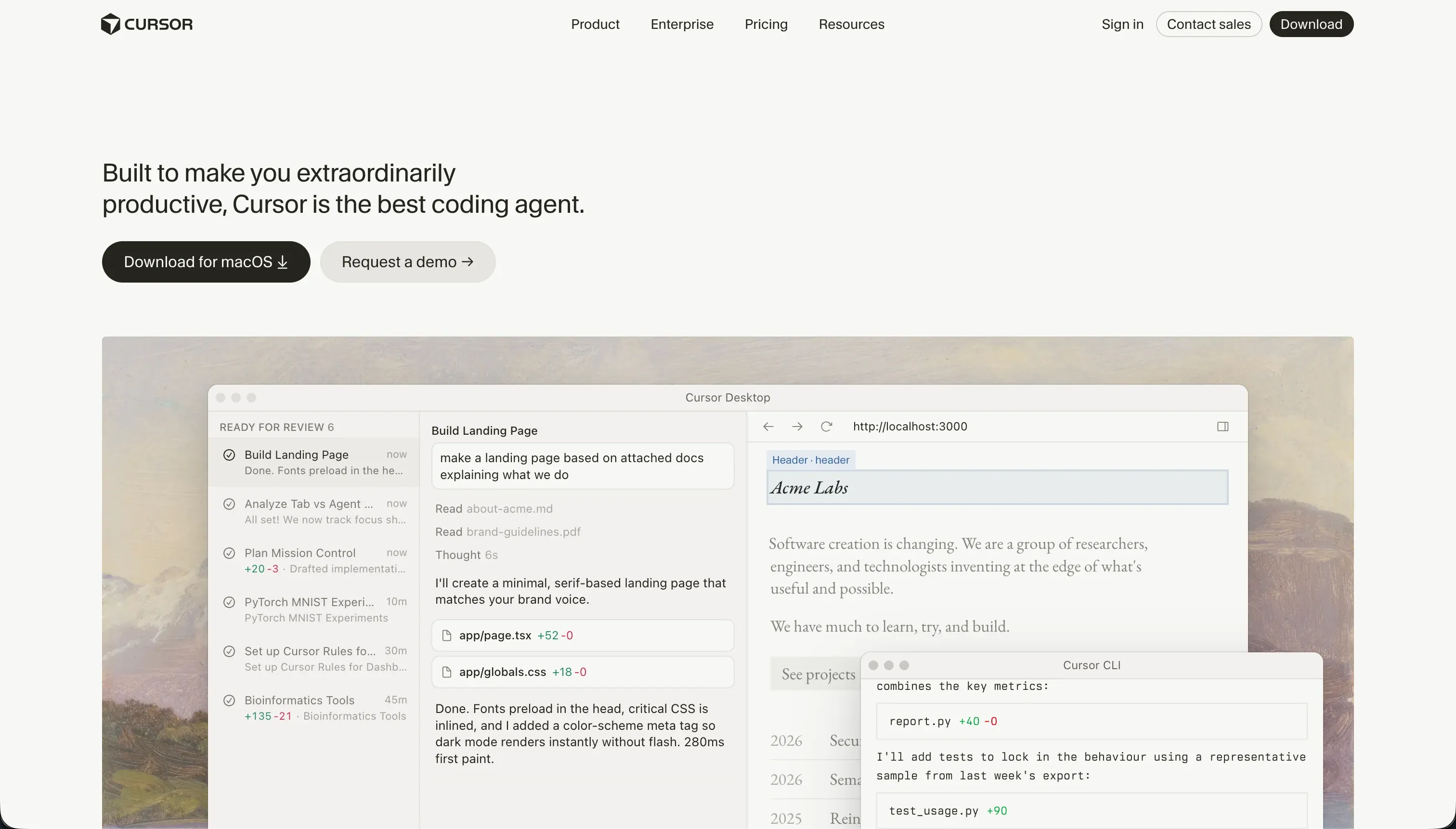
What Cursor is
Cursor is an AI-first code editor built on a fork of VS Code. It indexes an entire codebase, answers natural-language questions about it, autocompletes edits in real time, and through Composer (its agent mode) can plan and write changes across multiple files at once.
Because it inherits the VS Code extension ecosystem, it provides a highly familiar workspace that working developers can adopt instantly with zero learning curve.
The build model is code-first; this is not a no-code tool or visual application builder. To build an app in Cursor, you write raw code using standard web frameworks like React, Node, or Python, with the AI acting as a highly context-aware co-pilot. This means the user is entirely responsible for setting up the environment, installing packages, configuring databases, running compilers, and resolving syntax errors.
The trade is absolute. Cursor provides unbounded design and data ceilings because you own the raw source code. However, it drops the ease-of-use floor completely by offering no turnkey hosting, database, or authentication out of the box. For a working developer, this trade-off is incredibly empowering, but for non-technical builders looking to ship functional business apps, it is a highly structural barrier.
- You own the raw source code
- Unbounded design and data ceilings
- VS Code extensions, zero learning curve
- AI co-pilot across the whole codebase
- No turnkey hosting, database or auth
- Set up environment and packages yourself
- Run compilers, fix syntax errors
- Raw code in React, Node or Python
Where the scores come from
Cursor’s average score reflects a razor-sharp division between its unbounded engineering ceiling and its total lack of visual abstractions. It scores near the top of our rating system where professional flexibility is evaluated, but sits at the bottom where non-technical entry barriers are measured.
Ease of build: 3.0/10
Ease of build scores a 3.0/10 because Cursor is built exclusively for people who can write and debug code. While the AI assists with code generation, semantic search, and autocomplete, the user still faces a high technical setup barrier including configuring compilers, managing package dependencies, and resolving command-line build errors.
Unlike no-code visual visual editors, Cursor has no graphical drag-and-drop interface or visual canvas. If you cannot read code or lack a development background, you cannot build an app here. The low score directly reflects this lack of visual scaffolding for the average business user.
Production readiness: 6.0/10
Production readiness scores 6.0/10 because shipping a Cursor app is a completely customized, manual process. The platform provides zero hosting infrastructure, built-in deployment pipelines, or turnkey servers; you must set up your own AWS, Vercel, or Fly.io environments and manually configure all production dependencies yourself.
Furthermore, actual users report that Cursor’s Composer agent mode can sometimes create unintended multi-file changes or modify peripheral configuration files in runaway loops. This requires developers to carefully inspect and test every script before pushing to production, meaning deployment safety relies entirely on human code review.
Maintainability: 6.5/10
Maintainability scores 6.5/10. Cursor earns credit because the output is standard, framework-compliant code stored in your own Git repository, which is the healthiest possible long-term exit path for any digital product. The editor is also highly competent at refactoring, helping write unit tests, and documenting complex logic across files.
The score is held back because the automated agent work can introduce codebase drift. Users cite instances where Cursor’s agent gets stuck in infinite loops trying to resolve package dependencies, occasionally breaking local Tailwind or build configurations and requiring manual developer intervention to restore stability.
Security & access control: 5.5/10
Security & access control scores 5.5/10. Because Cursor functions inside a plain text codebase, the application-level security has an unbounded custom logic ceiling. You can write whatever custom authorization, encryption, or row-level policies your framework supports without platform-imposed limitations.
However, the platform scores lower because it provides absolutely zero built-in auth, user management, or pre-configured security tables. Additionally, enterprise compliance teams frequently raise red flags concerning IP safeguards, as getting codebases cleared for AI scanning remains a strict corporate privacy hurdle in regulated environments.
Data & integrations: 7.5/10
Data & integrations scores 7.5/10 because it operates with the ultimate compatibility of raw code. Your application can connect to any database, trigger any REST or GraphQL API, and use any SDK supported by the language ecosystem, leaving no technical constraints on where your data lives.
The deduction is simply that nothing is pre-integrated or configured for you. Unlike platforms that offer simple toggle connections to databases, every database link, API connection, and webhook in Cursor must be written, authenticated, tested, and secured manually by the developer.
Design flexibility: 8.5/10
Design flexibility scores 8.5/10, matching the highest tiers on this site. Since the output is standard CSS, HTML, and modern frontend frameworks like React or Vue, your styling, animations, and visual layouts are bounded only by developer skill.
The single reason it does not score a perfect ten is that this absolute visual freedom is not structured or facilitated by Cursor itself. There are no visual preview windows, native style editors, or WYSIWYG interfaces; all design work is written as code, meaning styling is a manual process.
What types of apps you can build with Cursor
Cursor is ideal for highly custom software architectures where off-the-shelf SaaS integrations and standard UI components are insufficient. It is strongest for building bespoke SaaS platforms, custom algorithmic engines, complex developer tools, and consumer-facing applications that demand unique page transitions, animations, or highly optimized client performance.
Because of the heavy coding requirement, it is less suited for standard workplace applications like CRUD databases or simple internal company dashboards.
If your project is a localized business tool - such as a client portal, intranet, or an internal CRM - using a structured business portal platform like Softr will yield a faster, safer, and easier to maintain result without writing a single line of backend code.
However, if the goal is to build a highly unique multi-file software product with custom libraries and full repository ownership, Cursor is the a focused accelerator for professional engineers.
Who should not use Cursor?
Do not use Cursor if your team lacks technical engineering skills, as the tool has no visual canvas and assumes you can read code and resolve local compiler errors.
Do not use Cursor if you are looking for an all-in-one builder that provides turnkey deployment hosting, databases, and auth, since all infrastructure must be architected from scratch.
Do not use Cursor if you operate inside a highly regulated enterprise with strict corporate compliance restrictions that prohibit third-party AI agents from indexing proprietary code repositories.
Analyst verdict
With an average score of 6.2, Cursor is a focused platform for professional engineers looking to write code faster. It offers unrivaled codebase-wide indexing and context that drastically accelerates refactoring and prototyping for teams that already possess software development expertise.
Its structural drawbacks are explicit: there is no visual builder, and no hosting or user utilities are provided. If you lack coding resources, you should look toward no-code app options like Softr, or explore full-stack visual builders like Bubble or FlutterFlow. Read our comprehensive scorecard evaluations on our methodology page.