

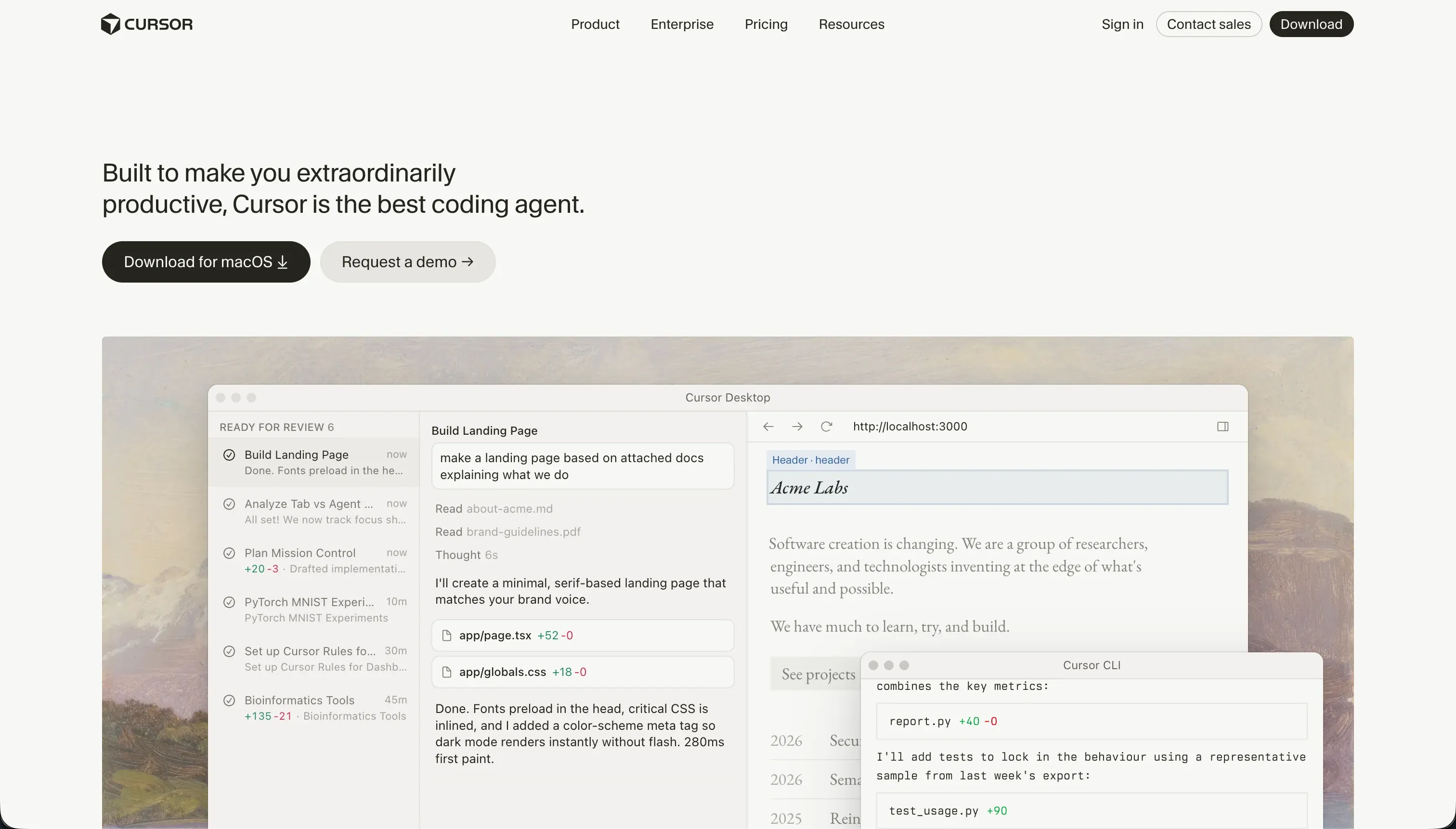
Developing business software today forces teams to decide between two distinct AI developer paradigms. On one side is Cursor, an AI-first IDE designed for professional engineers who want to generate, refactor, and manage raw source code.
On the other side is Base44, a conversational no-code app builder designed to scaffold client-facing applications, databases, and hosting instantly from a single text prompt.
Cursor wins this comparison on aggregate, scoring 6.2/10 against Base44’s 5.2/10 on our scorecard. While Base44 is dramatically faster to start with for a non-technical manager, Cursor provides the structural robustness and codebase ownership required to keep an application in production.
The decision hinges entirely on whether you have a developer on the team to manage Cursor’s complete database and hosting overheads.
The decision in 30 seconds
| If your priority is… | Pick | Why |
|---|---|---|
| Fast prototyping with zero setup | Base44 | Scaffolds DB, auth, and hosting from one prompt, scoring 7.5 on ease |
| Codebase ownership and no vendor lock-in | Cursor | Outputs standard source code in your own repository, scoring 6.5 on maintainability |
| Complex, custom backend logic and custom databases | Cursor | Enables unrestricted access to standard database engines and packages, scoring 7.5 on data |
| Granular data isolation and button-level permissions | Neither | Cursor requires you to code auth entirely from scratch, and Base44 lacks field-level or button-level role control |
| Predictable billing with zero credit-limit worries | Neither | Cursor relies on fast-query quotas and Base44 uses a volatile dual-credit model for message prompts and integration runs |
What each platform is
What is Cursor?
Cursor is an AI-first code editor built on a fork of VS Code, engineered to put LLM generation and editing agents directly inside the standard software development environment. It functions as a professional Integrated Development Environment (IDE) that utilizes codebase indexing, semantic search, and multi-file editing capabilities.
It compiles no proprietary elements, operating instead on standard code files in languages like TypeScript, Python, or Go.
Key capabilities of Cursor include Cursor Composer (Agent Mode), which delegating multi-file refactoring tasks to an AI that reads context across the entire repository. Built for professional software engineers, Cursor assumes complete mastery of compiler runtimes, package configurations, and dependency trees. It provides no turnkey features like pre-wired databases, visual auth toggles, or deployment networks.
What is Base44?
Base44 is an AI-powered conversational no-code builder designed to generate full-stack web applications from text descriptions. The platform bundles a PostgreSQL database, user authentication screens, and automatic cloud deployments behind a singular prompt interface. It is engineered to allow business users and operations teams to establish digital workflows with minimal setup.
Base44 provides a click-to-tweak visual editor for spacing and visual accents alongside its primary chat panel, with a GitHub integration for frontend code export. It is built explicitly as a managed ecosystem where backend business logic, database tables, and communication flows are orchestrated via conversational updates.
The core difference
The primary dividing line between these tools is codebase ownership versus managed conversational abstractions.
- Cursor is a professional developer environment that helps an engineer write, refactor, and manage standard code blocks speedier without hosting dependencies.
- Base44 is a closed, conversational wrapper that orchestrates hosted databases, auth blocks, and UI elements directly from text chat for non-programmers.
Where the scores diverge
Ease of build: Cursor 3.0, Base44 7.5. Base44 wins this category cleanly because it scaffolds the database schema, frontend layout, user login screens, and cloud deployment in one pass from a conversational prompt. A beginner can have a working application running on a live domain in minutes.
In contrast, Cursor is a professional IDE designed for engineers; it assumes you know how to run builds, debug terminal packages, configure server hosting, and connect database libraries. For a non-technical buyer, Cursor is the wrong platform, representing the highest entry barrier on this site.
Maintainability: Cursor 6.5, Base44 3.5. Cursor holds the advantage by outputting vanilla code inside your personal GitHub repository, allowing complete refactoring freedom and standard unit testing.
Points are docked only because the AI can occasionally modify peripheral configuration files or run into package dependency loops that demand developer intervention. Base44 scores poorly due to its editing agent inducing destructive regression loops where resolving one layout or logic flaw creates several more.
Multiple builders report spending hours and burning through hundreds of credits without fixing the core structural faults.
Production readiness: Cursor 6.0, Base44 4.0. Cursor takes this category because the output is standard code compiled, tested, and deployed to your own professional infrastructure, limited only by the developer’s architectural skill.
However, points are deducted because Cursor has no native security, auth, or DB features, and its Composer mode is prone to unintended multi-file edits that require manual rollbacks. Base44 is severely compromised here: users report frequent server downtime of roughly once a week and apps breaking for existing live users.
Repeated loop iterations are cited as making Base44 sites completely unusable.
Data & integrations: Cursor 7.5, Base44 5.5. Cursor wins here on the merit of open-code capabilities, since an engineer can programmatically connect the codebase to any existing API, enterprise SQL database, or external library. It falls short of a perfect score because every connection must be manually written from scratch.
Base44 provides a managed PostgreSQL database out of the box, but all external connections run through LiteLLM. This architecture imposes restrictive API limits, caps PDF processing, and causes noticeable latency on large business datasets.
Design flexibility: Cursor 8.5, Base44 6.5. Cursor enables full, pixel-level visual freedom because the outputs are raw React, HTML, and CSS layouts, meaning your design ceiling is identical to the capability of professional frontend engineering.
Base44 relies on standardized tokens and a click-to-tweak visual helper, which are highly effective for rapid adjustments of colors, text, and general alignments. However, Base44 restricts the overall structural layout and auth pages to its platform defaults, preventing highly specialized modifications.
Security & access control: Cursor 5.5, Base44 4.0. Both tools present significant security friction points. Cursor provides zero built-in auth, meaning the developer is tasked with safely architecting NextAuth or Supabase rules, and enterprise procurement teams cite security-compliance bottlenecks with codebase scanning.
Base44 includes built-in authentication, but it falls short because registration and login portals cannot be custom branded, user permissions stay basic with no button-level or field-level controls, and users report it is completely unsuited for per-user data isolation.
Cost comparison
The billing structures for these tools reflect entirely different consumption patterns. Cursor charges flat subscriptions of $20 per month for Pro (with 500 fast queries) up to $200 per month for Ultra.
While Cursor limits are occasionally updated, building code is fundamentally a labor cost; what makes your software spend move is the hour of developer time spent configuring database architectures or hosting environments.
Base44 introduces a volatile dual-credit billing model, ranging from $16 per month for Starter to $160 per month for Elite, billed annually. Buyers must forecast both ‘Message credits’ consumed while directing the AI agent and ‘Integration credits’ used when active users query databases or trigger workflows in production.
When Base44’s conversational agent gets trapped in a bug loop, it quickly drains hundreds of credits for zero actual progress, making operational costs highly unpredictable.
Lock-in and the exit path
Cursor features the absolute healthiest exit path on the market: because the code is standard React, Node, or Python stored in your GitHub repository, you can quit the tool at any time and continue editing with any other IDE.
Base44 is highly restrictive; while frontend layouts can be exported to GitHub, the database structure and backend logic stay locked inside Base44’s proprietary visual cloud. Leaving Base44 requires a total rewrite of all database triggers, authentication loops, and schema structures, ensuring Cursor has the cleaner exit path.
- Standard React, Node or Python
- Code lives in your GitHub repo
- Keep editing in any IDE
- Quit the tool anytime
- Frontend layouts export to GitHub
- Database stays in Base44's cloud
- Backend logic stays locked in
- Total rewrite of triggers, auth and schema
Who should pick Cursor
Pick Cursor if:
- Companies with an active developer on the team who can write real code and manage packages.
- Projects requiring true codebase ownership, standard repository versioning, and zero vendor lock-in.
- Complex applications that must connect to proprietary SQL databases or scale on custom cloud networks.
Do not pick Cursor if you cannot read code, compile terminal outputs, or configure databases manually, as it will act as a standard text editor you cannot use.
Who should pick Base44
Pick Base44 if:
- Makers who need a rapid, prompt-generated full-stack MVP running on a domain within 24 hours.
- Operations managers building highly basic text-run internal workflows with low compliance risks.
- Non-developers seeking an integrated sandbox with PostgreSQL, file storage, and hosting pre-wired.
Do not pick Base44 if your business cannot tolerate weekly server downtimes, unpredictable credit consumption during debug loops, or restrictive database limit boundaries.
What neither platform answers
Both tools assume your organization wants to maintain a custom-built, generative-code application. Many business operators reading this matchup do not actually need to manage codebases or prompt-reliant databases; they need to ship client portals, vendor directories, internal asset managers, or CRMs defined by secure logins and zero structural maintenance risks.
For those operational requirements, a specialized platform like Softr is the higher-scoring purchase. Softr scores 6.0 or higher across all development dimensions, specifically leading with robust visual permissions, native multi-step onboarding blocks, and instant Server-Side CRUD security rules.
Rather than debugging raw codebase files with Cursor or managing unstable conversational agents in Base44, Softr composes secure web layouts on top of a visual, MCP-ready native database.
If your project has strict mobile-responsiveness constraints, pairing Softr’s flat SaaS rules with an editor like Glide serves those specific use cases with superior visual certainty.
Analyst verdict
Cursor wins this comparison on aggregate, scoring 6.2 over Base44’s 5.2. Under the hood, Cursor dominates on production readiness (6.0 vs 4.0) and maintainability (6.5 vs 3.5), proving that outputting standard, repository-managed code is a safer architecture than placing your business data on a closed conversational runtime prone to loop bugs and weekly server disruptions.
Choose Base44 (7.5 on ease) only if you cannot write a single line of code and require a fast-compiled MVP mockup with no long-term stability requirements. For all long-horizon professional applications where software must scale safely, investing in Cursor’s engineering parameters is the superior allocation.
Related reading: the Cursor scorecard, the Base44 scorecard, and our scoring methodology.