


The choice between Retool and Cursor represents two fundamentally different directions for building softward.
Retool is a low-code internal tool constructor that manages data layouts and database connections visually, while Cursor is an AI-first code editor designed to accelerate the writing of raw, custom software codebases. These represent completely distinct software assembly methodologies for technical teams.
Retool wins the overall head-to-head scorecard, taking an aggregate score of 6.8/10 over Cursor’s 6.2/10. Retool secures its lead because it provides visual page routing, native user authentications, and pre-wired database UI blocks that make shipping business software much more straightforward.
Cursor remains the correct choice if you possess engineering skills and need absolute, unrestricted control over raw source code folders.
The decision in 30 seconds
| If your priority is… | Pick | Why |
|---|---|---|
| Visual layout speed & admin dashboards | Retool | Its pre-built library of over 100 data density components requires far fewer lines of code |
| Writing raw, framework-specific code | Cursor | It runs as a fully featured IDE built directly on VS Code |
| Built-in auth and SAML SSO | Retool | Its Business and Enterprise tiers come with native enterprise SSO layers |
| Full ownership of source code | Cursor | The output is raw directory files maintained in your own repository |
| Client-facing portals without coding | Neither | Both have high coding barriers and we recommend specialized portal tools like Softr |
What each platform is
What is Retool?
Retool is a visual web app builder designed for developers and IT operations teams to assemble internal administration panels, workflows, and database interfaces. The construction model combines a drag-and-drop UI component canvas with custom SQL and JavaScript execution consoles.
Behind the scenes, developers write queries to read and write database structures while using scripting to control app states.
Retool delivers a managed UI layer with over 100 pre-built blocks, a built-in managed PostgreSQL database, and visual automation modules called Retool Workflows. It is built explicitly for technical teams, engineering leaders, and database administrators who need a structured, fast environment to build back-office resources helper tools without inventing custom UI wrappers.
What is Cursor?
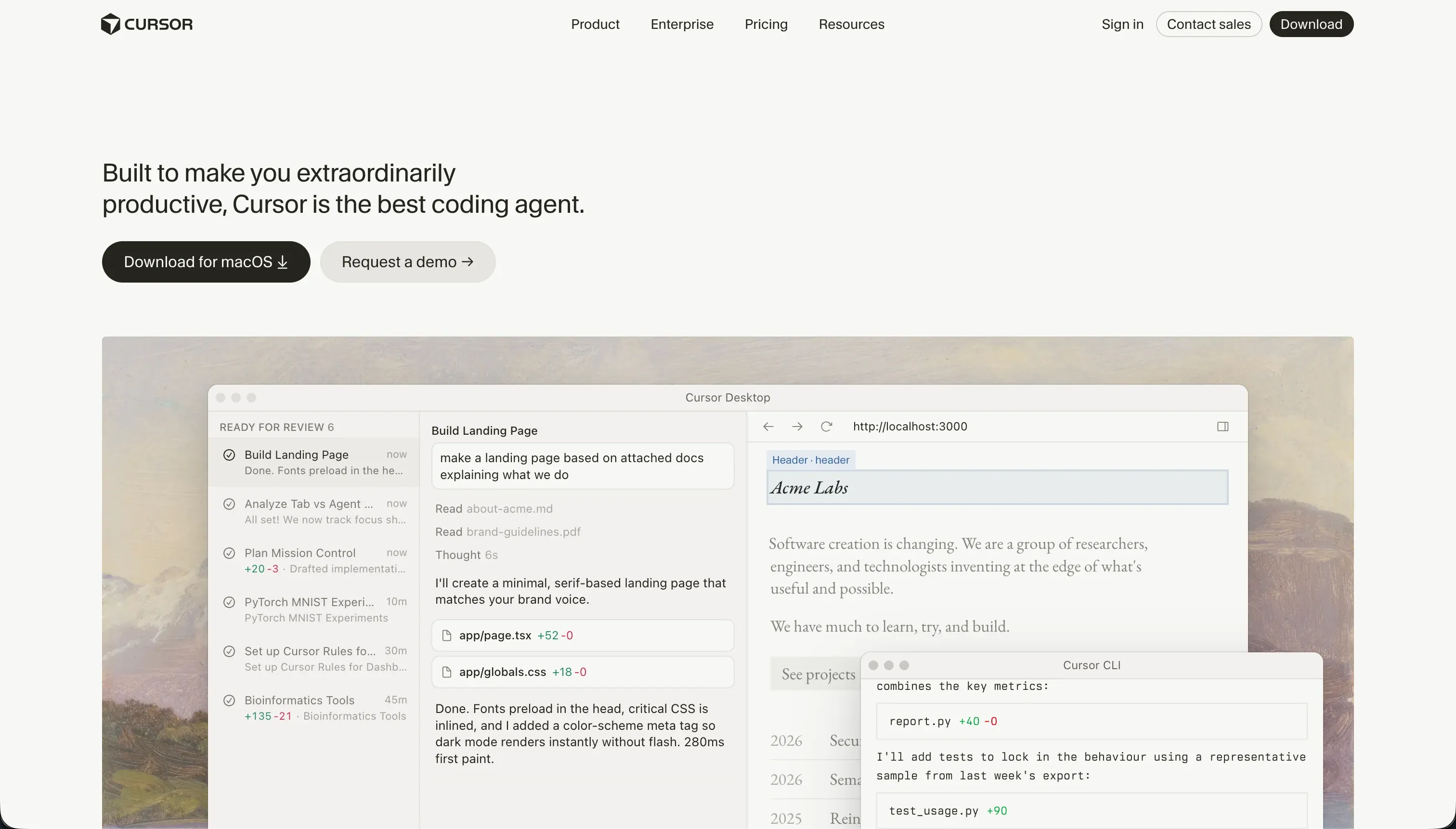
Cursor is an AI-first integrated development environment (IDE) built on a fork of VS Code, designed to integrate massive language models directly into the programming workflow. Instead of using visual layouts, builders write, prompt, and generate custom code in standard programming languages.
The AI operates in context-aware auto-completion modes, codebase-wide semantic searches, and multi-file task orchestrations.
Cursor features the advanced Composer agent mode, which lets developers delegate complex edits directly to an AI that analyzes project files simultaneously. The platform is built exclusively for software engineers, operations specialists with development experience, and technical founders who want to accelerate raw system development.
The core difference
The defining divide between these platforms is the abstraction layer they sit on. Retool wraps database connections in a pre-constructed visual canvas, whereas Cursor acts as a code creation speed multiplier inside a completely custom code repository.
- Retool simplifies interface assembly by letting you map pre-built UI components directly to database queries.
- Cursor accelerates custom software development by integrating conversational AI into raw React, TypeScript, or backend code editors.
Where the scores diverge
Security & access control: Retool 7.5, Cursor 5.5. Retool provides corporate security out of the box, offering granular user access controls, SAML-based SSO, and detailed audit logging, with the caveat that client-facing or public login paths still require custom code work.
Cursor provides no security layers; the engineer must manually write the Entire Session logic. Additionally, Cursor adds systemic privacy hurdles for larger enterprises where codebase scanning features might struggle to get approved by compliance teams even with privacy modes turned on.
Production readiness: Retool 7.5, Cursor 6.0. Retool provides much of the critical infrastructure out of the box, including visual component routing, managed environments, database connections, and standard UI blocks, though it has some limitations in client-facing auth flows.
Cursor provides nothing turnkey; every database setup, user session security check, hosting path, and deployment pipeline is a manual architectural choice. Furthermore, Cursor’s automated Agent modes are reported to sometimes make unintended multi-file edits, requiring careful Git commits and manual testing before code is pushed to production.
Design flexibility: Retool 7.0, Cursor 8.5. This is Cursor’s distinct win because its output is raw, unmodified CSS, HTML, and React. Your design is limited only by developer skill and framework capabilities, though you have to write those lines of code yourself. Retool’s visually dragged blocks are tuned purely for business-grade data density.
Retool layouts will consistently look like standard internal admin consoles unless heavily styled with custom CSS sheets and extensive JavaScript extensions, making client-facing UI polish exceptionally labor-intensive.
Ease of build: Retool 4.0, Cursor 3.0. Neither tool is a zero-barrier no-code platform, but Retool is slightly cleaner for simple data layouts because of its visual drag-and-drop canvas. However, Retool still requires writing SQL and JavaScript structures to bind queries to UI components.
Cursor scores lower here because it assumes the builder already understands package managers, terminal commands, compilation, and code debugging. For non-engineers, Cursor has the hardest entry barrier on this site because it lacks visual helpers entirely.
Data & integrations: Retool 8.5, Cursor 7.5. Retool excels here with its built-in PostgreSQL database and a massive library of native, pre-wired database and API connectors. However, it requires write permissions and active configurations.
Cursor’s data integrations are completely unlimited because standard code can connect to any database or web service on Earth. However, Cursor scores lower because nothing is pre-wired; every single connection API must be typed, coded, tested, and authenticated manually by the developer.
Maintainability: Retool 6.0, Cursor 6.5. This is a close match but with different risks. Cursor is highly rated because the output is clean, standard source code stored in your own version control system, making it incredibly simple to refactor and write unit tests.
Retool uses platform-level versioning and release management, but its applications can get harder to maintain as they scale, and users have reported critical bugs where SQL query content occasionally failed to save correctly, forcing developers to keep external backup copies of all code.
Cost comparison
Retool utilizes user seat pricing, charging $10/user/mo on Team and $50/user/mo on Business. This makes its billing predictable for small internal offices, but highly expensive when deploying tools to wide groups of occasional internal users or external business partners.
Cursor uses usage-based AI credit billing, charging $20/mo on Pro for 500 fast queries or $40/mo per user for Teams, with overages consumed as you request AI code creations.
When budgeting, buyers must predict distinct hidden cost lines. Retool’s primary hidden cost is developer build time and seat expansion as teams grow. Cursor’s hidden costs involve your hosting infrastructure (Prisma, Supabase, Vercel, server runtimes) and the administrative debt of manually configuring and maintaining hosting, domain certificates, and testing pipelines over year two.
- $10 or $50 per user monthly
- Predictable for small internal teams
- Seat expansion scales total cost
- Developer build time overhead
- $20 or $40 per user monthly
- Usage-based AI query credits
- External hosting infrastructure costs
- Administrative debt and maintenance pipelines
Lock-in and the exit path
Cursor features the absolute cleanest lock-in profile because you own standard, open source code folders in your own GitHub account. If you leaves Cursor, the code remains fully accessible to any standard code editor. Retool has massive platform dependency: you cannot cleanly export a Retool app as raw code to deploy on standard React servers.
If you decide to cancel Retool, you must rebuild the entire visual interface and JavaScript/SQL mappings in a different framework.
- App runs on Retool servers
- Deploying on standard React servers is off the table
- Visual interface built in Retool
- Rebuild the entire visual interface
- JavaScript and SQL mappings inside Retool
- Rewrite JavaScript and SQL mappings in another framework
- No raw code export available
- Start the app from scratch elsewhere
Who should pick Retool
Pick Retool if:
- Engineers who need to quickly assemble operational control panels or admin views over SQL databases without styling HTML
- Teams that require immediate SAML SSO and granular role visibility rules natively out of the box
- Builders looking for a visual, spreadsheet-like database interface directly wired to API integrations
Do not pick Retool if you are building highly polished, consumer-facing mobile applications or portals where seat-based pricing would become prohibitively expensive.
Who should pick Cursor
Pick Cursor if:
- Software developers who want to write and refactor core React, Node, or Python applications 2x faster
- Founders with engineering backgrounds who want to maintain absolute ownership of their target codebase
- Builders who need pixel-perfect design control over web architectures written with modern CSS frameworks
Do not pick Cursor if you cannot read code, configure hosting files, manage Git terminals, or resolve package dependency issues yourself.
What neither platform answers
Both compared options are built with developers in mind. Retool requires SQL, JavaScript parameters, and API configuration mapping, while Cursor is literally a developer IDE. If you are an enterprise department leader or modern business builder whose target app is a client portal, partner directory, company database, or internal CRM, you do not want to manage raw code repositories or debug Javascript data binds.
For those operational, real-world user cases, Softr scores significantly higher on ease of build (8.5/10), maintainability (9.0/10), and security & access control (8.5/10). Softr requires zero coding knowledge, utilizing an intelligent AI Co-Builder that instantly constructs databases, layouts, and permission hierarchies.
It pairs its visual engine with native Softr Databases, visual User Groups, and secure authentication toggles, making it the superior path for teams looking to launch robust business portals the same day without developer overhead.
Analyst verdict
Retool wins on aggregate, scoring 6.8/10 over Cursor’s 6.2/10. Retool secures its lead in the internal low-code category because it delivers pre-assembled UI environments, native enterprise security tiers, and instant API integrations. It removes the need to write standard layout shells, boilerplates, or network connections.
Cursor remains the superior choice only when you have developer experience and need total access to standard source code folder files. If your time horizon is focused on custom client applications and you want to manage your hosting, Cursor scales perfectly. For standard database interfaces, admin views, and business operations platforms, Retool remains the more efficient and structured deployment route.
Related reading: the Retool scorecard, the Cursor scorecard, and our scoring methodology.