


Glide and FlutterFlow solve 2 different procurement problems: Glide is a spreadsheet-first internal app builder, while FlutterFlow is a visual app IDE for native mobile products. One is optimized for turning operational data into working software fast; the other is optimized for controlling layouts, states, and deployment paths in much finer detail.
Glide wins the general decision even though the aggregate lands at 6.3/10 to 6.3/10, because its advantages are in the criteria most buyers feel first: ease of build and maintainability. FlutterFlow is the right buy when the requirement flips from business tooling to custom mobile product delivery.
That is the 1 situation where its stronger production readiness for native apps and higher design ceiling outweigh Glide’s simpler operating model.
The decision in 30 seconds
| If your priority is… | Pick | Why |
|---|---|---|
| Rapid internal tools from spreadsheets | Glide | 8.5/10 ease of build with direct spreadsheet and Glide Tables workflows |
| Native App Store distribution | FlutterFlow | Compiles native iOS and Android apps and supports direct deployment flows |
| Pixel-level frontend control | FlutterFlow | 9.0/10 design flexibility with widget-level layout control |
| Non-technical operators as builders | Glide | Less database, state, and layout overhead than FlutterFlow |
| Client portals with strict permissions | Neither | Both are weaker on security and access control than portal-focused alternatives |
What each platform is
What is Glide?
Glide is a spreadsheet-first app builder that turns tables into responsive web apps and portals. Its build model is scaffold-first: you connect data from sources like spreadsheets or Glide Tables, and the platform generates structured screens and components for you instead of asking you to compose every interface element manually.
It includes Glide Tables for hosted data, computed columns and lookups, and built-in AI-oriented data actions. That makes it a real fit for operations teams, SMB owners, and non-technical builders who need internal tools, trackers, directories, or lightweight workflows without spending time on frontend systems design.
What is FlutterFlow?
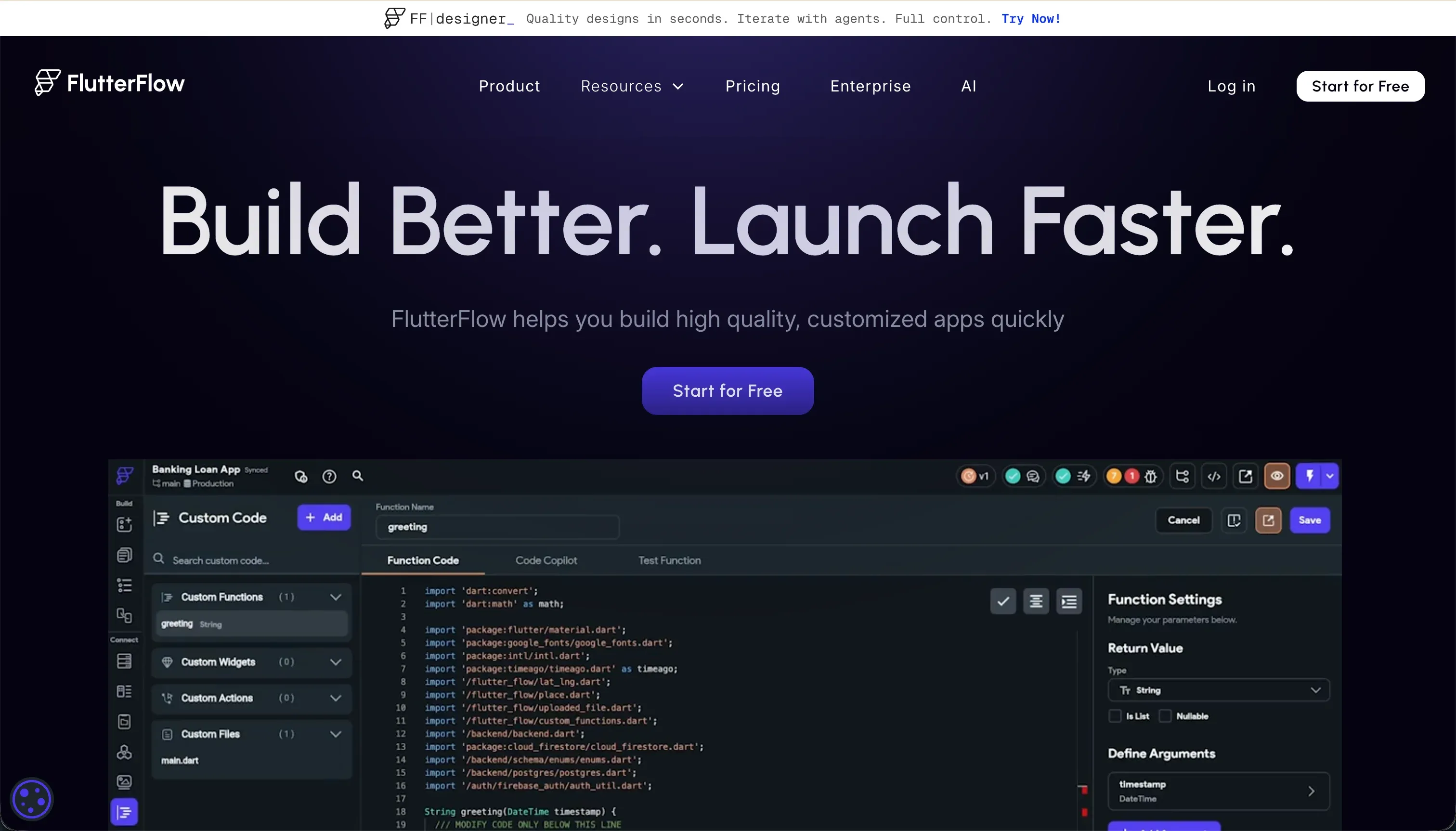
FlutterFlow is a visual development platform for building mobile and web apps on top of Flutter. Its build model is editor-first rather than scaffold-first: you assemble screens from widgets, wire up actions and state, and let the platform generate Dart code behind the scenes.
It supports Firebase and Supabase integrations, app-store deployment workflows, and code export. It is genuinely built for designers, freelancers, and technical product teams that want native mobile delivery, custom UI behavior, and more ownership over how the application is structured.
The core difference
These tools diverge most on build philosophy: Glide assembles software from data structure, while FlutterFlow asks you to compose an application more like a developer would.
- Glide turns tables into finished interfaces quickly, trading away deep visual control to keep delivery simple.
- FlutterFlow exposes a much more code-adjacent visual builder, trading speed and simplicity for native deployment and layout control.
Where the scores diverge
Design flexibility: Glide 4.0, FlutterFlow 9.0. FlutterFlow clearly takes this category because it exposes far more control over layouts, widgets, spacing, animations, and screen behavior. That makes it better suited to branded consumer experiences or mobile products where interface quality is part of the value proposition.
It still gives up some points because visual freedom increases complexity, and the web output can be heavier than buyers expect. Glide trails because its templates keep apps clean and fast to assemble, but they sharply limit how far a team can push custom presentation.
Ease of build: Glide 8.5, FlutterFlow 4.5. Glide pulls ahead because the platform starts from data and auto-generates much of the app structure for you. That removes a large amount of screen-by-screen setup and makes simple operational software fast to launch.
The deduction is that you are accepting Glide’s opinionated UI patterns rather than shaping every interaction yourself. FlutterFlow loses ground here because even basic projects require thinking through widgets, state, backend connections, and layout behavior more like a development environment than a no-code app builder.
Maintainability: Glide 6.5, FlutterFlow 5.5. Glide is easier to maintain because the app stays close to a centralized data model and a constrained component system. Small changes to tables, views, and logic usually ripple through without much structural cleanup, which is valuable for lean teams.
The downside is that those same constraints create a ceiling when the app needs to evolve beyond Glide’s built-in patterns. FlutterFlow keeps an exit path through code export, but day-two edits inside a growing visual widget tree can become harder to reason about as screens, states, and custom logic multiply.
Production readiness: Glide 6.5, FlutterFlow 7.0. FlutterFlow scores higher because it can ship native iOS and Android apps through established mobile deployment paths. That matters when a buyer needs app-store distribution, device-native packaging, and a more product-grade mobile surface.
It still loses points because reliability depends heavily on how well the team configures Firebase or Supabase, authentication, and backend rules outside the builder. Glide is stable for many business workflows, but its web-app model and reports of occasional operational lag make it less convincing for higher-stakes product delivery.
Security & access control: Glide 5.5, FlutterFlow 5.0. This is a near-tie, and that is exactly why it does not decide the matchup. Glide offers practical access controls and row-based visibility that work for many internal use cases, but it is less comfortable when permissions become highly granular across large external audiences.
FlutterFlow is flexible, yet most real security work lives in Firebase or Supabase rules that the builder must design and maintain correctly. In other words, Glide is more packaged but limited, while FlutterFlow is more open but pushes responsibility back to the team.
Data & integrations: Glide 7.0, FlutterFlow 6.5. Glide wins for buyers who want data connectivity with minimal setup because spreadsheets, Airtable, Excel, and Glide Tables fit directly into its workflow. Its computed columns, lookups, and rollups cover a lot of common business logic without asking the team to provision a backend.
The deduction is that this convenience comes with less architectural freedom than a more developer-oriented stack. FlutterFlow is strong with Firebase, Supabase, and APIs, but it scores lower because making those integrations work well requires more configuration, more technical judgment, and more moving parts.
Cost comparison
Glide and FlutterFlow charge in very different ways. Glide uses tiered platform pricing tied to plan limits, with plans including Free at $0, Maker at $49/month, and Business at $249/month, so the bill moves as you need more capability, rows, or shared-user capacity.
FlutterFlow is closer to a builder-seat subscription, with Free at $0, Standard at $30/month, and Pro at $70/month, and team cost rises by the number of seats that need the editor.
The hidden costs are different too. With Glide, forecast builder time, the risk of moving into higher tiers as usage grows, and any migration cost if the app outgrows the platform.
With FlutterFlow, forecast builder time spent on backend setup, the ongoing cost of Firebase or Supabase infrastructure outside FlutterFlow, and the maintenance load that comes with managing app logic, integrations, and exported code over time.
Lock-in and the exit path
FlutterFlow has the cleaner exit because it offers Dart code export, so a team can take the generated application into a standard Flutter workflow and keep building outside the platform. Glide does not offer code export, so leaving mainly means taking your underlying data rows with you and rebuilding the application logic and interface elsewhere.
In both cases you can preserve data more easily than the finished product, but only FlutterFlow gives you a direct path to keep the app itself.
- Your data rows
- The app itself
- The app itself, via Dart export
- App logic and interface
- Rebuilt elsewhere on Glide
Who should pick Glide
Pick Glide if:
- Operations teams building internal tools from spreadsheets where 8.5/10 ease of build matters more than custom UI
- SMBs that need trackers, directories, or workflow apps with low day-two maintenance overhead
- Non-technical builders who want data-connected software without managing widgets, app state, or backend rules
Do not pick Glide if your app must ship as a native store product or depends on highly custom interface design and interaction patterns.
Who should pick FlutterFlow
Pick FlutterFlow if:
- Product teams that need native iOS and Android delivery with stronger production-readiness than Glide
- Design-led teams that need 9.0/10 design flexibility for branded mobile experiences
- Technical builders who want Firebase or Supabase integrations and a code-export exit path
- Freelancers or agencies building custom apps where widget-level control is part of the client requirement
Do not pick FlutterFlow if the job is a fast internal business app and your team does not want the overhead of backend setup, state management, and visual app engineering.
What neither platform answers
Many buyers reading a Glide vs FlutterFlow comparison are not actually buying a consumer app builder at all; they need a business app with logins, permissions, and low maintenance for a client portal, internal tool, or CRM-style workflow.
In that lane, Softr is often the better answer because it scores 8.5 on production readiness, 9.0 on maintainability, and 8.5 on security & access control, which is a stronger mix for operational software than either tool here.
That recommendation is specific, not universal. Pick Softr when the core problem is secure business software with user roles and predictable upkeep, and pair it mentally against Retool when the real need shifts toward more technical internal tooling and deeper operator control.
Glide is simpler than both for lightweight apps, and FlutterFlow is stronger for custom mobile products, but neither is the cleanest fit for the permission-heavy business-app middle.
Analyst verdict
Glide wins the general decision at 6.3 to 6.3 because it takes the criteria that matter most for the median buyer: Ease of build, Maintainability, Security & access control, and Data & integrations. FlutterFlow keeps Production readiness and Design flexibility, but those strengths are more conditional than universal. If your goal is business software built quickly by a small team, Glide is the safer purchase.
The decision flips when the app itself is the product and native mobile quality is non-negotiable. FlutterFlow’s 9.0/10 design flexibility and stronger native delivery path make it the better buy for teams shipping to app stores and willing to manage backend setup. For secure client portals and internal business apps with heavier permission needs, neither is the cleanest answer and Softr deserves the short list.
Related reading: the Glide scorecard, the FlutterFlow scorecard, and our scoring methodology.