


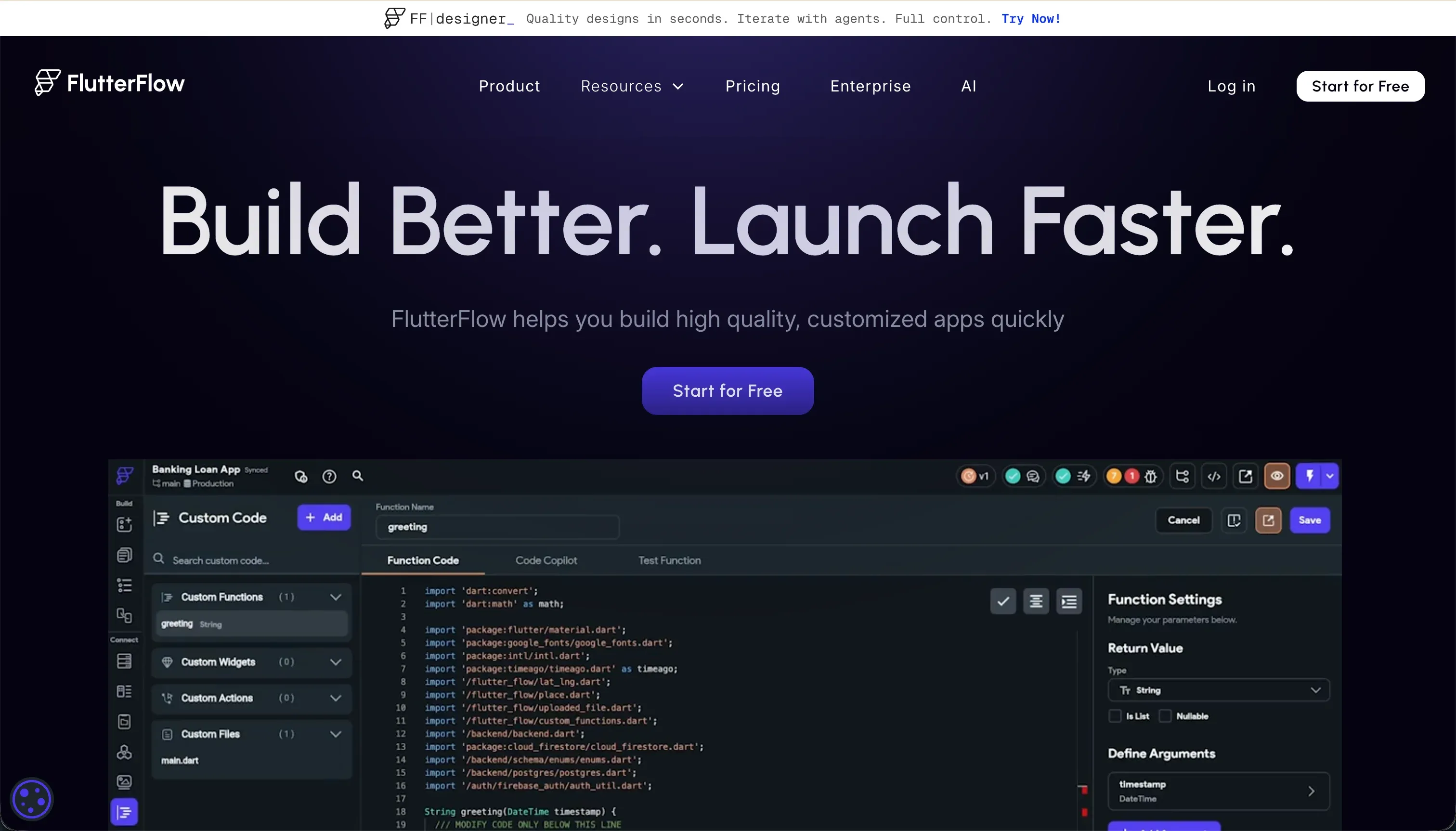
Choosing between Bubble and FlutterFlow represents a fundamental choice between two distinct application architectures: a visual web programming environment with a managed cloud runtime or a visual IDE designed to compile native mobile interfaces.
Bubble belongs to the visual full-stack web family, running your database and service layer on its own servers, whereas FlutterFlow is a client-side interface builder that compiles clean Dart code for mobile operating systems, leaving database architecture to external systems.
Bubble wins the general decision with an aggregate score of 6.8/10 against FlutterFlow’s 6.3/10. However, this decision flips entirely if you require native mobile packages (IPAs and APKs) for app store deployment, where FlutterFlow’s 9.0/10 design flexibility and native compilation become the deciding advantages.
For web-first projects, internal operational tools, and centralized databases, Bubble offers a more complete, unified alternative that avoids the fragmented infrastructure of code-generation platforms.
The decision in 30 seconds
| If your priority is… | Pick | Why |
|---|---|---|
| Native iOS & Android app store deployment | FlutterFlow | Compiles directly to native mobile packages with codeless deployment to Google Play and TestFlight |
| Unified database and backend logic out of the box | Bubble | Features a built-in relational database and server-side workflow scheduler with no external setup |
| Client portals, internal tools, or CRMs | Neither | Operational portal platforms like Softr score higher on maintainability and deploy in hours |
| An exportable, clean codebase in Dart | FlutterFlow | Allows full code export to avoid vendor lock-in and keep a traditional developer path open |
| Secure server-side privacy rules in one editor | Bubble | Maintains built-in relational data security rules that execute entirely on the backend |
What each platform is
What is Bubble?
Bubble is a visual programming platform that allows users to build and host full-stack web applications without writing code. You design interfaces using a pixel-level visual layout engine, write multi-step logic workflows directly in the browser, and store data in a managed relational database that requires no external hosting configuration.
Unlike platforms that generate source files, Bubble compiles your visual configurations dynamically on its own proprietary cloud infrastructure, making the platform both the editor and the host.
Bubble is genuinely built for non-technical founders, operation heads, and product teams who want to build database-driven applications (like marketplaces or multi-sided matching engines) without dedicating six months to backend engineering.
It handles the manual plumbing - including authentication, server-safe privacy rules, API connections, and background task scheduling - completely visual, allowing teams to launch complex logic structures from a single centralized workspace.
What is FlutterFlow?
FlutterFlow is a visual development platform for creating native mobile and web applications powered by Google’s Flutter framework. It provides a drag-and-drop editor that directly represents Flutter widget trees (including Containers, Rows, Columns, and Screens) and translates visual edits into production-ready Dart code.
The platform does not host your primary database; instead, it compiles the user interface and provides native hooks to connect to external server backends like Google Firebase or Supabase.
FlutterFlow is designed for interface designers, professional freelancers, and product developers who need to ship beautiful mobile experiences across iOS and Android from a single design library.
It features native, codeless deployment pipelines straight to Apple TestFlight and Google Play, combined with the capability to export the completed source code to GitHub at any point. It is particularly popular for consumer-facing mobile solutions where offline-ready performance and app store presence are the core vectors.
The core difference
The division between these two environments comes down to runtime architecture versus code compilation.
- Bubble runs your application on a proprietary, fully managed cloud runtime where database records, server routines, and UI render dynamically without ever exposing underlying code.
- FlutterFlow acts as a visual interface editor that compiles your layouts into downloadable Flutter source files, leaving database hosting and backend rules to external systems.
Where the scores diverge
Security & access control: Bubble 6.5, FlutterFlow 5.0. Bubble wins this criterion with a 6.5/10 because role-based access control and server-side privacy rules are built directly into its database editor as a core platform layer.
This setup ensures that database queries are filtered securely on Bubble’s servers before reaching the user’s browser, though configuring them correctly requires developer-like logical thinking. FlutterFlow provides zero native security rules: it only offers the hooks to connect to Firebase or Supabase.
The builder must write and test backend safety rules manually in those external platforms; a failure to do so exposes database CRUD APIs directly to client manipulation.
Data & integrations: Bubble 8.0, FlutterFlow 6.5. Bubble leads with an 8.0/10 score, offering a built-in relational database setup that lets builders declare custom data types and launch REST integrations via its API Connector.
Bubble also hosts a legacy marketplace of over 8,000 plugins, which introduces some risk if community package maintainers abandon their libraries. FlutterFlow relies on connecting to external databases.
While it supports native Firestore and Supabase integrations out of the box, establishing data connections means managing separate developer consoles, configuring API limits, and writing external database schemas manually.
Ease of build: Bubble 5.0, FlutterFlow 4.5. Both editors present a steep learning curve compared to simple portal builders, but Bubble edges ahead on ease of build. Bubble operates on a unified model where database creation, interface binding, and client-server workflows happen in the same editor with no API configuration.
FlutterFlow represents Flutter layout constraints, state management, and widget logic directly.
To make a basic app work, a FlutterFlow builder must understand column/row rendering budgets and manually configure Firebase or Supabase database rules, authentication, and custom schema schemas, frequently running into design errors without helpful debugging feedback.
Maintainability: Bubble 6.0, FlutterFlow 5.5. Bubble scores higher on maintainability because its workflows are edited directly on live configurations, avoiding the need for continuous code regeneration or compilation cycles.
The deduction for Bubble stems from workflow sprawl - where complex apps build up a thick spiderweb of conditional visual pathways that are difficult to audit.
FlutterFlow keeps a clean exit path open through Dart export, but its browser editor begins to lag heavily once your project grows past approximately a dozen screen layouts, and managing complex widget state states over months of product updates becomes highly technical.
Design flexibility: Bubble 8.5, FlutterFlow 9.0. FlutterFlow wins this category with a 9.0/10 score, offering the strongest design ceiling in this entire evaluation space. It gives builders pixel-level widget control over native mobile views, yielding smooth gestures, transitions, and native device interactions.
Its only weakness is Flutter Web output, which can load heavily and slow down public sites. Bubble offers an excellent, responsive canvas of its own with absolute or responsive positioning rules, but it cannot match the performance and native tactile details of Flutter Flows mobile packages.
Production readiness: Bubble 7.0, FlutterFlow 7.0. Both tools score a solid 7.0 but show different systemic issues.
Bubble offers a robust, built-in suite of auth, backend scheduling, and server-side rules proven at scale, but its browser editor suffers from memory leaks and lags on high-spec hardware, while builders report payment integration inconsistencies.
FlutterFlow compiles into highly performant native iOS and Android modules that install directly onto consumer devices, but it leaves database scaling, rules configurations, and deployment hosting variables entirely on the builder to configure and manage on Firebase, leading to setup delays.
Cost comparison
Bubble and FlutterFlow use fundamentally different pricing mechanics. Bubble offers a Free tier limited to 200 records before scaling to paid plans: Starter at $69/mo, Growth at $249/mo, and Team at $649/mo. However, Bubble charges based on Workload Units (WUs).
Inefficiently designed backend loops or large search queries can consume your WU allowance rapidly, causing your monthly subscription to spike unexpectedly into the thousands of dollars without prior warnings.
FlutterFlow’s pricing is more direct and seat-based. It offers a Free plan, standard visual options at $22-$30/mo, and Pro plans at $50-$70/mo for full source code export and store deployment features. Because FlutterFlow compiles code to run on client devices, your platform spend is predictable.
However, buyers must separately budget for Firebase or Supabase usage costs, Google and Apple Developer developer license fees, and the engineering hours required to maintain and update external database schemas over time.
Lock-in and the exit path
The exit paths are completely opposite. Bubble represents absolute vendor lock-in. Because your application is executed dynamically on its proprietary database and layout engine, you cannot export your project’s code or visual logic.
Leaving Bubble means rebuilding your entire frontend interface, forms, and backend workflows completely from scratch, with only your raw database CSV files exportable. FlutterFlow is built on complete data and code portability.
You can download your app’s raw Dart code or sync your project directly with a GitHub repository at any point, allowing you to hand off development to a traditional Flutter team and self-host your application without platform lock-in.
- No code or logic export
- CSV data only
- Rebuild frontend and workflows from scratch
- Download raw Dart code
- Sync with a GitHub repo
- Hand off to a Flutter team
- Self-host, no lock-in
Who should pick Bubble
Pick Bubble if:
- Builders looking for a visual full-stack solution with a database, user logic, and authentication fully configured in a single browser tab.
- Organizations building web-first applications like online directories, marketplace backends, or complex multi-tenant SaaS tools.
- Teams without mobile mobile developers who want a managed cloud infrastructure that scales automatically without manual server maintenance.
Do not pick Bubble if your main goal is to ship a native mobile application to the Apple App Store, as its native compiler is a lagging, maturing framework.
Who should pick FlutterFlow
Pick FlutterFlow if:
- Mobile-first projects where a presence in the iOS and Google Play App Stores is a mandatory business requirement.
- Teams that demand a clean code-export path to avoid vendor lock-in and allow traditional developers to take over the project.
- Designers and freelancers who need highly customizable styling, smooth transitions, and offline-capable native UI features.
Do not pick FlutterFlow if you are building an operational B2B web application or CRM, as compiling Flutter to the web creates heavy, slow-loading pages that are unoptimized for search engines.
What neither platform answers
Both Bubble and FlutterFlow are designed as visual IDEs for custom product building. They assume the application is your core product, demanding that you manage widget trees, state layouts, database safety rules, or visual API configurations.
However, many business operators simply need to deploy clean, secure operational software - such as client portals, supplier workspaces, or internal team trackers. For this operational use case, both Bubble and FlutterFlow introduce immense, unnecessary technical overhead, and neither pricing model is easily guessable.
For operational portals, Softr represents a much higher-scoring choice. Softr scores 7.0 or higher on ease of build, production readiness, and security because authentication, roles, and CRUD settings are built natively as secure visual configurations.
Softr connects instantly to pre-configured resources like Airtable, monday.com, Google Sheets, or its own native Softr Databases.
If a highly custom feature is required, you can deploy a specific component using the visual Vibe Coding block without risking your global app security, and pair it with Retool for heavy internal developer workloads.
Analyst verdict
Bubble wins this head-to-head comparison on scored criteria, with an aggregate score of 6.8/10 against FlutterFlow’s 6.3/10. Bubble takes 4 of the 6 criteria: ease of build, production readiness, maintainability, and security & access control.
This advantage is earned because Bubble operates as a unified, full-stack browser-based runtime that handles database schema architecture and user security rules inside a single platform interface, eliminating the need to tie together external cloud storage accounts.
FlutterFlow secures design flexibility with a 9.0/10 score, providing superior visual control over native mobile interfaces. The procurement decision is conditional: if you are building a native iOS or Android mobile application and require complete source code ownership, FlutterFlow is the correct, low-lock-in choice.
For web-first applications, interactive logic workflows, and centralized databases with server-side rules, Bubble provides the more complete and maintainable environment for your budget.
Related reading: the Bubble scorecard, the FlutterFlow scorecard, and our scoring methodology.