

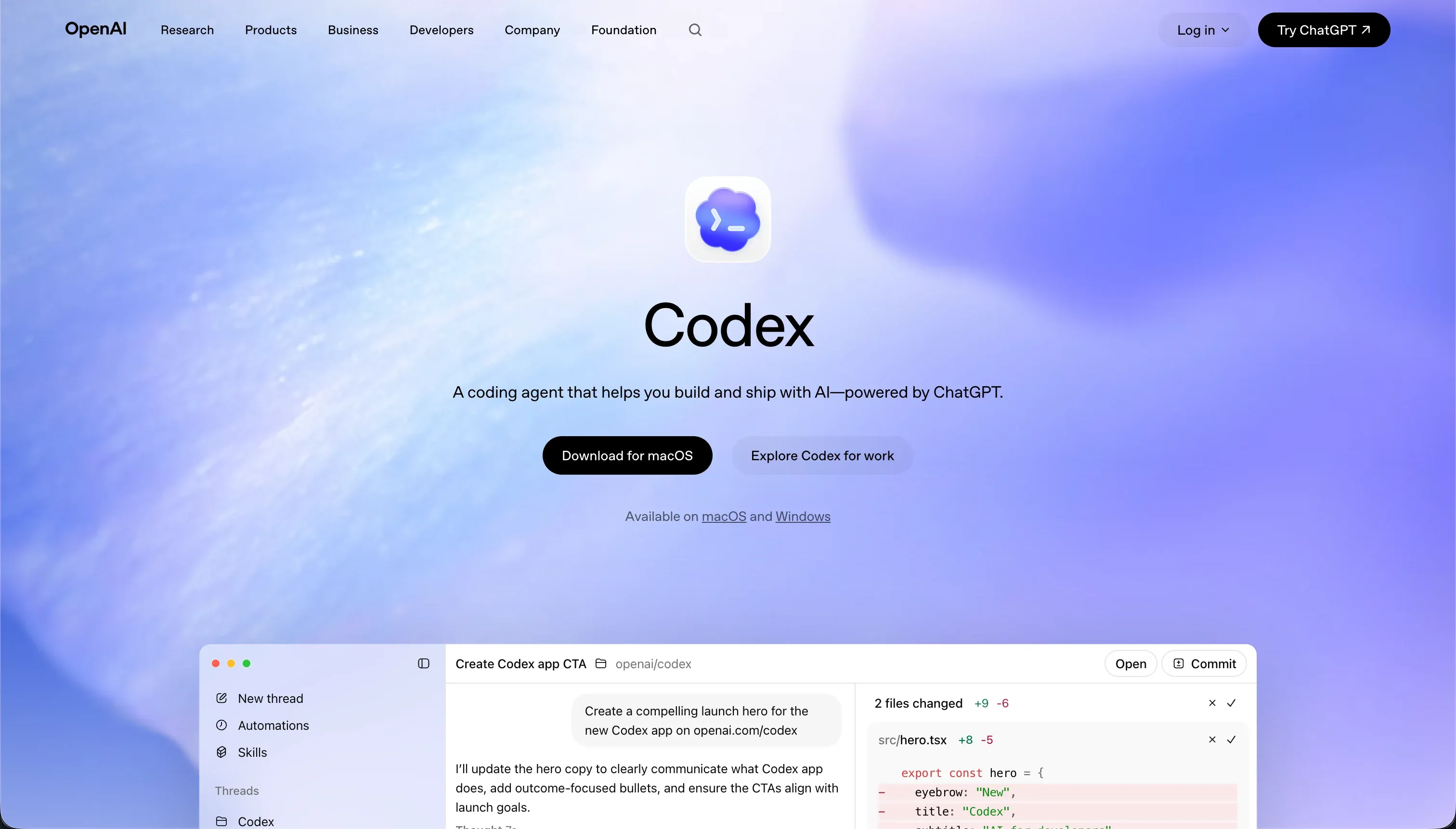

The procurement decision between Codex and v0 represents a fundamental choice between two distinct engineering workflows. Codex functions as a terminal-based AI coding agent operating directly inside a local repository, representing the command-line developer automation class.
v0 serves as an isolated frontend generation assistant, mapping natural-language inputs directly to React and Tailwind structures in a browser preview.
Codex wins the aggregate scorecard 7.1 to 5.8, taking the lead in five of the six criteria. It succeeds because it delivers code that is ready for human review inside real development pipelines with proper environment variables and tests. The choice only flips to v0 if your current bottleneck is draft interface assembly and you have an engineer waiting to plug raw frontend exports into a separate backend database.
The decision in 30 seconds
| If your priority is… | Pick | Why |
|---|---|---|
| Autonomous local repo changes & tests | Codex | runs natively in isolated CLI branches with git integration |
| Rapid UI layouts from design sketches | v0 | generates clean React and shadcn UI previews directly from images |
| Client access control & login flows | Neither | both require custom, developer-written authentication to reach production |
| Predictable software cost limits | Codex | bundled within flat standard ChatGPT subscription tiers |
| Clean Git-backed development logs | Codex | commits described files and manages branches locally out of the box |
What each platform is
What is Codex?
Codex is a command-line AI coding agent and desktop framework designed to operate natively within local git directories. Rather than presenting a drag-and-drop workspace, it reads existing repositories, sets up git worktrees, creates separate task branches, and runs terminal commands including local testing suites.
Iteration is run as individual coding tasks, showing logs and proposing modifications through standard pull requests.
Codex tracks parallel directory changes inside containerized environments, making it a targeted assistant for engineering teams managing legacy systems. Because there is no visual layout editor or visual component assembly, the tool is designed solely for developers who manage codebases within an established integrated development environment.
What is v0?
v0 is a browser-based frontend design companion created by Vercel that translates natural-language strings and flat screenshots into visual component layouts. The assistant builds clean React code integrated with Tailwind CSS and the shadcn/ui library, displaying real-time responsive previews of each element.
It offers rapid design adjustments through chat, allowing users to toggle themes, tweak colors, or copy specific React trees.
Developer workflows are supported via a CLI tool that exports generated React files directly into local directories, alongside one-click Vercel hosting. However, because it lacks an app-level runtime, database layer, or backend server, the tool is built primarily as an interactive design canvas to accelerate visual layout construction.
- CLI agent in local git repos
- Runs terminal commands and test suites
- Proposes changes via pull requests
- No visual editor
- For teams on legacy codebases
- Browser canvas by Vercel
- Text and screenshots to React layouts
- Tailwind CSS and shadcn/ui output
- CLI export plus one-click hosting
- No database or backend layer
The core difference
The primary structural difference between these platforms is the scale of their output.
- Codex acts as a deep repository manager modifying full-stack logic, configuration scripts, and unit tests directly in your repo.
- v0 acts as a lightweight frontend generator that produces isolated styling code with none of the underlying database or server plumbing.
Where the scores diverge
Ease of build: Codex 4.0, v0 7.5. v0 wins this criterion with a score of 7.5 against Codex’s 4.0. Generating a polished, modern interface with v0 from a simple screenshot or prompt takes seconds, making it accessible to team members with minimal frontend experience.
Codex, by contrast, operates entirely via terminal commands with no visual layout builder, representing an impossible hurdle for any non-technical user.
Data & integrations: Codex 8.5, v0 5.0. Codex scores 8.5 because it operates directly inside a developer’s codebase, allowing it to integrate with any database, pipeline, or API the language supports. v0 scores 5.0; although its GitHub synchronization and Vercel hosting integrations are stable, it provides no relational data model, native database tables, or data-binding capabilities.
Production readiness: Codex 7.0, v0 4.5. Codex scores a 7.0 for production readiness while v0 drops to 4.5.
Codex acts on full-stack repositories, runs testing scripts, and sets up real branches that can be integrated directly into live deployment setups by a developer. v0 only outputs isolated frontend code, meaning authentication, database storage, and operational backend logic must be constructed from scratch by an engineer before the app can go live safely.
Maintainability: Codex 8.0, v0 5.5. Codex scores an 8.0 on maintainability, its highest line, while v0 scores a 5.5.
Codex utilizes native git worktrees and descriptive commit histories across containerized runs, keeping refactors cleanly versioned and reviewable. v0 suffers from documented scale limits, where prompting past 5 to 10 chat cycles introduces buggy code, repeated visual elements, and bloated Tailwind classes that developers must spend hours cleaning manually.
Security & access control: Codex 6.0, v0 4.0. Codex leads with a 6.0 over v0’s 4.0. Codex runs its background agents within isolated containerized branches, though executing local scripts carries sandbox security risks that demand human review. v0 has no authentication or permission layer to score; access controls must be designed and verified in the backend logic that v0 does not provide.
Design flexibility: Codex 9.0, v0 8.5. Codex takes a 9.0 over v0’s 8.5. Because Codex produces raw, unconstrained code on any framework, your visual limits are bounded only by what your language can compile. v0 is highly flexible with shadcn schemas, but its design mode mostly manipulates Tailwind colors, meaning nuanced customization still rewards a designer’s eye.
Cost comparison
The financial cost of these tools depends on different consumption models.
Codex is bundled directly into standard ChatGPT subscription tiers starting at $20 per month for Plus, scaling to $200 per month for ChatGPT Pro to access advanced reasoning models with higher priority token volumes. v0 uses a credit allocation model starting with a limited free tier, moving to a $30 per month Team tier, and scaling to $100 per month for Business users, with usage rates calculated from model tokens.
Buyers must calculate the hidden labor and credit overage pipelines of each approach. v0 projects often run into prompt loops when debugging minor styling errors, consuming credit pools rapidly and forcing manual cleanup of bloated Tailwind code. With Codex, the primary cost is human review labor, as every git diff generated by parallel terminal agents requires experienced developers to inspect and merge branches.
Lock-in and the exit path
The exit path from both platforms is highly developer-friendly compared to traditional software frameworks. v0 exports standard React and TypeScript code that can be integrated into any framework, though local environment setup can suffer from version conflicts when running npm installs.
Codex works natively inside your standard files, so it creates zero proprietary lock-in. Codex provides the cleaner exit path because it leaves behind raw repository files that your engineering team already owns.
Who should pick Codex
Pick Codex if:
- Software engineering teams seeking an autonomous terminal agent to handle repetitive code templates and refactors
- Developers looking to manage multiple visual branches simultaneously through git worktree pipelines
- Teams using existing custom codebases who need an AI agent to execute local testing files natively
Do not pick Codex if you are a non-technical manager who cannot read git repositories or compile code, as terminal-centric execution will prevent you from building anything.
Who should pick v0
Pick v0 if:
- Front-end developers wanting to quickly generate React components integrated with Tailwind CSS
- Prototypers who need to translate napkin sketches or visual design screenshots into interactive browser states
- Teams that already have an established backend and only need to export clean shadcn UI structures to drop into visual layouts
Do not pick v0 if your product requires a database, authentication, or live business logic working out of the box, as none of these backend systems are included.
What neither platform answers
Both Codex and v0 are strictly developer tools. Codex operates inside raw code repositories via terminal commands, while v0 drops raw React files onto a designer’s digital scratchpad. Neither tool provides a running application out of the box.
If you are trying to deploy a customer portal, an internal reporting tool, or an operational database with user logins and visual permissions, both tools will demand significant engineering overhead to make the software functional.
For business-grade portals and internal directories, a unified platform like Softr scores far higher because the core software infrastructure is ready from day one. Softr handles authentication, native relational databases, and secure row-level permission groups natively, allowing business operators to build apps visually.
If your engineering team requires a fully custom application, then a dedicated builder like Retool is a stronger alternative for linking databases to visual dashboards.
Analyst verdict
Codex wins our aggregate comparison 7.1 to 5.8, successfully taking five of the six evaluation criteria. v0 remains the faster solution for front-end visual creation, scoring 7.5 on ease of build because it generates responsive web layout previews in a browser window from single prompts.
However, Codex wins where it matters for engineering teams, including maintainability at 8.0, production readiness at 7.0, and security at 6.0.
The final selection is conditional on your team’s technical capacity. If you have an established developer pipeline and need to accelerate full-stack updates directly in your repository, Codex is the more robust engineering purchase. If you are a frontend designer focusing strictly on static layout generation with plans to wire up other APIs later, then v0 provides the appropriate toolset.
Related reading: the Codex scorecard, the v0 scorecard, and our scoring methodology.