


The procurement problem in this matchup is defined by the division between full-stack code orchestration and rapid frontend prototyping. Cursor belongs to the category of AI-first code editors (IDEs), while v0 belongs to the category of conversational frontend user interface generators.
Resolving this choice depends entirely on whether your team possesses the engineering background to manage, compile, and host raw code, or if you simply need a fast, polished UI scratchpad.
Cursor wins the scored head-to-head with an aggregate score of 6.2/10 against v0’s aggregate score of 5.8/10. For developers, Cursor acts as a force multiplier for actual production software, while v0 is an exceptional visual builder that leaves backend wiring entirely to the developer.
The decision flips in favor of v0 only if your primary requirement is speed and visual generation from design mockups without immediate full-stack deployment concerns.
The decision in 30 seconds
| If your priority is… | Pick | Why |
|---|---|---|
| Accelerating real engineering work in an existing repository | Cursor | Cursor operates directly in local files with deep codebase index indexing |
| Polished, instant UI drafts from screenshots or sketches | v0 | v0 specialises in generating modern shadcn/ui and Tailwind layouts |
| Client portals, secure database CRUD, and turnkey user auth | Neither | Neither platform provides pre-built database or permission infrastructure |
| Clean TypeScript and React export with no environment friction | v0 | v0 exports inspectable React scaffolds that drop into standard frameworks |
| Building and maintaining complex, multi-model backend APIs | Cursor | Cursor supports any backend language or framework the engineer compiles |
What each platform is
What is Cursor?
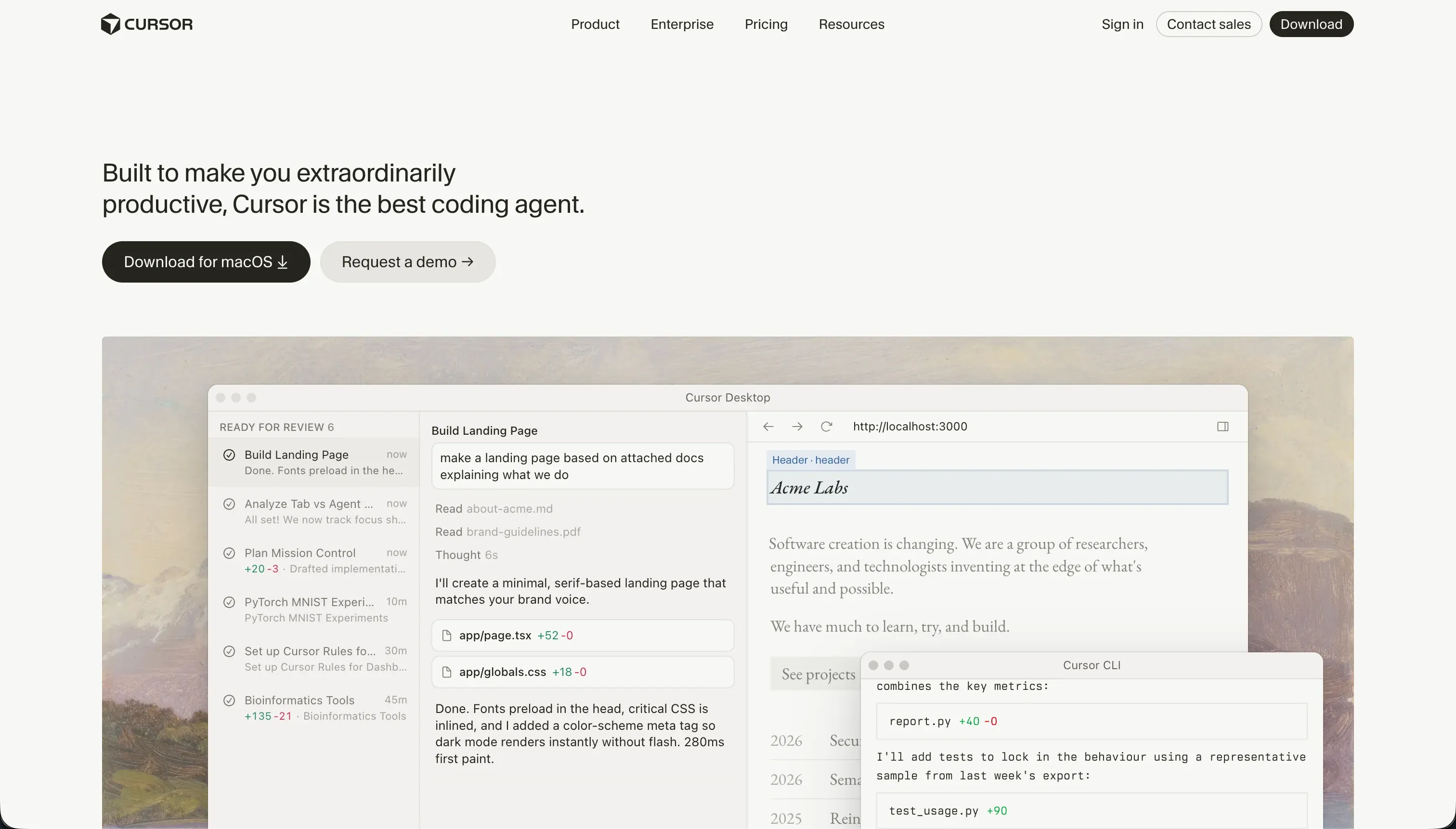
Cursor is an AI-first software development environment built on a fork of VS Code. It indexes your entire project to provide context-aware autocompletes, project-wide semantic searches, and automated code editing agents.
By reading local types, symbols, and files, Cursor assists developers in refactoring, debugging, and building real codebases directly from their machines, sync-compatible with all standard VS Code extensions.
For engineers, the tool provides Cursor Composer (Agent Mode) to make edits across multiple files simultaneously. G2 reviews and developer reports show it excels at accelerating test-writing, documentation, and logic refactoring. It is built explicitly for software professionals, assuming full capability to run builds, manage npm packages, configure database connections, and solve deployment errors.
What is v0?
v0 is an AI-powered conversational frontend assistant developed by Vercel. It is built to scaffold, design, and deploy highly polished user interfaces starting from natural-language prompts, sketches, or screenshots. The platform behaves like a designer’s interactive canvas, outputting inspectable, production-ready frontend code built on TypeScript, React, and Tailwind CSS.
Key features include design-mode iterations, one-click deployments to Vercel’s global CDN structure, and native GitHub synchronization. By focusing entirely on visual layouts and UI generation, v0 allows builders, operations teams, and founders to rapidly spin up modern layouts. It specializes in composing layouts using the popular shadcn/ui component library.
The core difference
The division between these tools is characterized by full-project context versus isolated frontend layout generation.
- Cursor is a comprehensive professional development environment that modifies raw code across your entire backend, database interface, and frontend.
- v0 is a visual frontend scratchpad focused on writing clean styling layers and React layouts without any backend runtime.
Where the scores diverge
Ease of build: Cursor 3.0, v0 7.5. v0 takes a massive lead on ease of build because it generates functional and highly polished interfaces from a simple prompt or image. Non-technical users can preview layout drafts instantly in the web editor without configuring packages.
Conversely, Cursor represents the hardest tool on this site; it assumes you are an active software engineer who already understands database configurations, environment setups, and compilation loops.
Data & integrations: Cursor 7.5, v0 5.0. Cursor scores highly because it operates in a raw codebase, allowing you to connect to any API, relational database, or external service the language supports.
The deficit is that nothing is pre-wired, so every connection is manual coding. v0 is limited here; despite excellent GitHub sync and Vercel hosting integrations, there is no database layer, data modeling, or backend wiring generated by the editor.
Production readiness: Cursor 6.0, v0 4.5. Cursor holds the advantage because it compiles to standard, bare code, but actually shipping a project to production is entirely manual and depends on the developer’s execution.
It provides zero turnkey databases or hosting solutions out of the box. v0 scores lower because a generated interface is not a running application; it lacks built-in authentication, server logic, and database schemas entirely, acting as a static visual scratchpad.
Security & access control: Cursor 5.5, v0 4.0. Both tools fail to provide native security features, but Cursor maintains a higher ceiling because the developer is writing standard native security architectures.
However, enterprise reviewers cite intense codebase compliance friction getting Cursor approved by security teams. v0 sits lower because there are no visual database policies or authentication settings; security logic must be manually added to the backend code afterward.
Maintainability: Cursor 6.5, v0 5.5. Cursor wins here because the codebase remains entirely your own standard source code hosted in a git repository, easing traditional refactoring and unit test creation.
However, the score is held back because its Composer agent can occasionally modify peripheral files and get trapped in dependency issues. v0 suffers from documented quality drift once a chat history exceeds 5 to 10 prompts, creating bloated Tailwind output that requires manual cleanup.
Design flexibility: Cursor 8.5, v0 8.5. This criterion is a high-level tie, but the path to achieving design flexibility diverges completely. v0 generates stunning, modern layout blocks using Tailwind CSS conversational color palettes and screenshots, though reviewers note its design mode mostly manipulates basic Tailwind styling colors.
Cursor allows for complete design freedom because the output is raw, framework-agnostic frontend code, though realizing that freedom demands absolute developer skill.
Cost comparison
Cursor uses a subscription model with query-based quotas. The Hobby plan is free, but the Pro tier at $20/month grants 500 fast queries, scaling to Pro+ at $60/month and Ultra at $200/month. Because Cursor runs on top of your local computer and hosts nothing, your spend is predictable unless you experience high query volume and require extra fast credits to avoid slow waiting periods on prompts.
v0 by Vercel utilizes usage-based token consumption. The Team tier is $30/user/month and provides a base allowance of monthly and daily credits, but cost scales based on the input and output token consumption of your selected model, such as v0 Max or Mini.
Because visual debugging and layout regenerations eat credit pools rapidly, a team must carefully forecast usage to avoid billing surprises during active design cycles.
Lock-in and the exit path
Cursor offers the healthiest exit path: zero platform lock-in. You own standard source files in your local folders and can compile and run your code on any hosting engine without a Cursor license. v0 also allows clean, inspectable React and TypeScript code export with easy GitHub sync.
However, leaving v0 requires you to manually write the backend database layers, relational schemas, and hosting configurations to turn the raw visual panels into fully functional software, making Cursor’s exit path cleaner for engineers.
- Standard source files in local folders
- Compile and run on any hosting engine
- No Cursor license needed to keep working
- Clean, inspectable React and TypeScript export
- Easy GitHub sync
- Backend database layers written by hand
- Relational schemas written by hand
- Hosting config written by hand
Who should pick Cursor
Pick Cursor if:
- Software engineers who want to accelerate full-stack programming inside their existing custom git repositories.
- Organizations building proprietary backends and APIs where they must maintain strict code security and local project structure.
- Teams that already have hosting infrastructure, scaling routes, and relational database layers constructed.
Do not pick Cursor if nobody on your team can read generated code, run compiler builds, configure npm packages, or debug terminal logs.
Who should pick v0
Pick v0 if:
- Front-end developers and designers who need visual layout drafts in React and Tailwind CSS.
- Product managers creating design mockups and interactive user journeys from sketches or screenshots.
- Founders who plan to export polished visual layouts to a dedicated developer who will wire up the production backend.
Do not pick v0 if you are trying to ship a turnkey business database, client portal, or authenticated internal tool without writing manual infrastructure code.
What neither platform answers
Both tools focus strictly on code-first paradigms, which assumes that the application design is the primary product.
For the high volume of buyers who are actually trying to deploy business software, such as client portals, vendor directories, CRM portals, or internal company tools, writing or exporting raw code layers is a massive misallocation of budget and engineering time.
You are left managing a complex stack of databases, authentication rules, and Cloudflare or Vercel configurations that a non-technical manager cannot maintain on day two.
For this business-app category, Softr represents a significantly higher-scoring procurement choice.
Softr scores 8.5/10 on production readiness, 9.0/10 on maintainability, and 8.5/10 on security & access control because standard user auth, user-group viewing permissions, European-hosted databases, and responsive layouts are pre-built infrastructure.
This visual foundation handles 80% of common business apps, while custom modules can still be safely introduced using Softr’s Vibe Coding blocks or native integrations, providing absolute reliability without technical debt.
Analyst verdict
Cursor is the aggregate winner of this comparison, scoring 6.2 to v0’s 5.8 on our evaluation card. Cursor takes the criteria for maintainability, data integration, security, and production readiness precisely because it functions inside a standard, local development workspace.
For professional developers who are writing custom full-stack solutions, Cursor serves as the ultimate engineering accelerator, while v0 is an exceptional frontend layout utility with no backend runtime.
However, the selection must be conditional: choose v0 with its 7.5 ease of build score if you are a designer or prompt engineer focused on visual interface prototyping, as its layout-scaffolding capability is unmatched.
For any buyer building internal business operations, portals, or relational tools from scratch, look past both options and select a visual business application platform like Softr to deploy functional software securely on day one.
Related reading: the Cursor scorecard, the v0 scorecard, and our scoring methodology.