

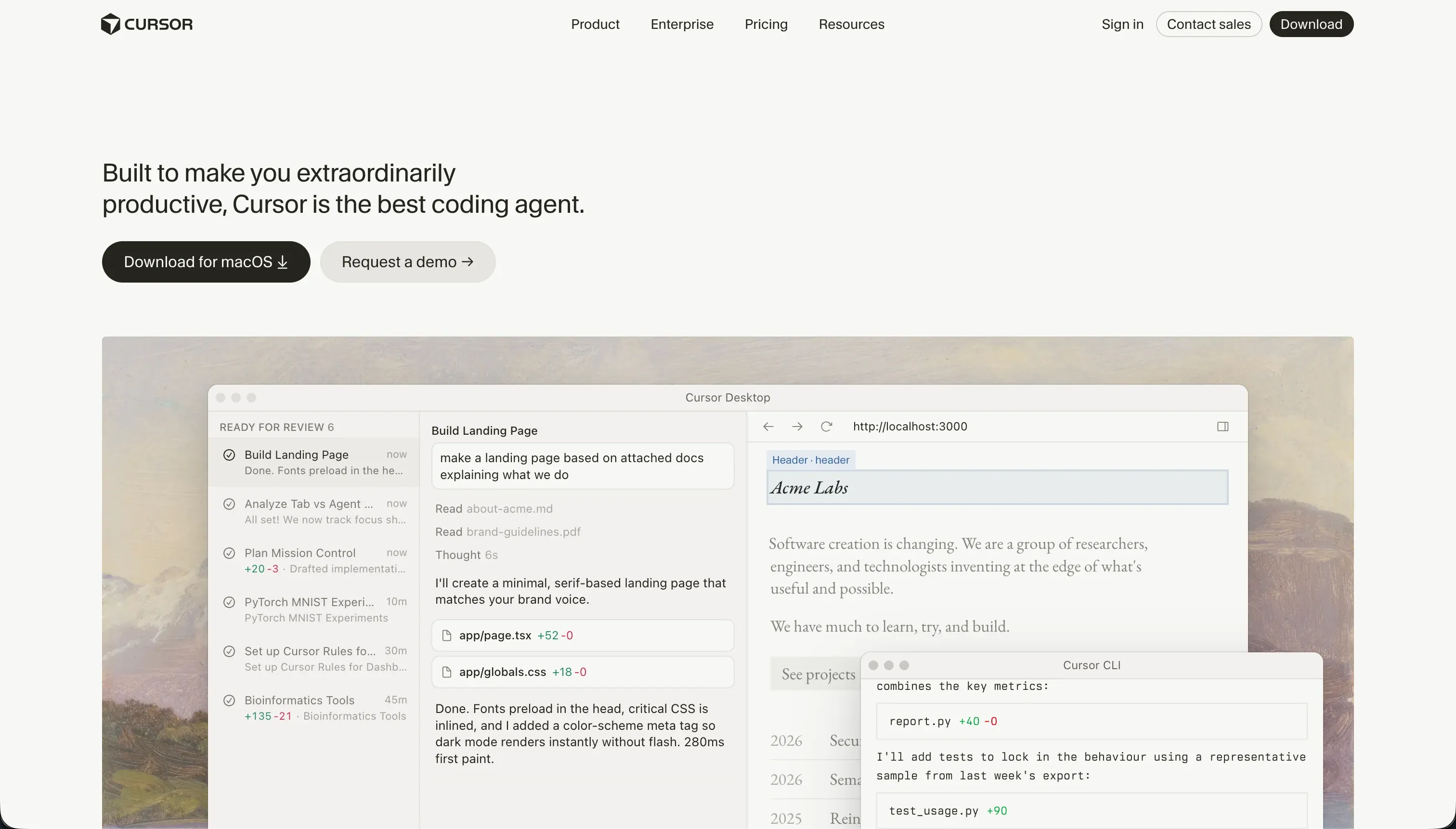

Choosing between Cursor and Zite is a question of procurement alignment rather than a standard feature comparison. Cursor lives in the professional software engineering category, acting as an AI-first development environment for developers writing custom codebases.
In contrast, Zite represents the conversational no-code database and portal builder segment, designed for business operators who want to prompt a working application into existence without managing code files.
Cursor wins the aggregate decision scoring 6.2/10 against Zite’s 5.2/10, driven by its absolute flexibility over data, design, and long-term codebase maintainability. The decision flips in favor of Zite only when the builder has zero engineering background and requires an immediate, self-contained business tool with a relational database generated from a single text prompt.
The decision in 30 seconds
| If your priority is… | Pick | Why |
|---|---|---|
| Accelerating professional engineering workflows | Cursor | scores 3.0 on ease for non-engineers but acts as a power-multiplier for developers owning raw code |
| Speed of build for a non-technical operator | Zite | scores 7.5 on ease of build by generating UI, relational tables, and workflows from one prompt |
| Complete design freedom and visual customizability | Cursor | scores 8.5 on design flexibility as output is standard frontend code unconstrained by visual blocks |
| A clean exit path and complete code portability | Cursor | stores clean code directly in GitHub while Zite has no code export or repository synchronization |
| Building a granular, secure corporate client portal | Neither | neither tool is optimized out-of-the-box for client portal infrastructure, which a dedicated builder handles better |
What each platform is
What is Cursor?
Cursor is an AI-first code editor built on a fork of VS Code. It integrates large language models directly into the developer workspace to provide context-aware autocomplete, semantic codebase search, and advanced editing agents.
Rather than running a proprietary hosting or database environment, it operates on a standard local codebase, reading project structures and file dependencies to help write, search, and refactor code.
Key features include Cursor Composer, an agentic development mode that lets developers delegate complex tasks across multiple files simultaneously, and full-project contextindexing. It is explicitly patterned for engineers, technical builders, and teams wishing to accelerate their custom software development cycle while maintaining full ownership of standard git-managed repositories.
What is Zite?
Zite, formerly Fillout, is conversational no-code application software designed to build relational apps and forms from plain-English prompts. The platform couples a prompt-to-app conversational generator with a visual spreadsheet-like SQL backend, letting non-technical users build forms, databases, and multi-step workflows.
It supports unlimited users on all plans, removing the per-seat pricing ceiling common to first-generation no-code tools.
Inside the workspace, Zite provides Plan Mode, which allows builders to review and modify the AI’s markdown step plans before committing to database or UI executions, and a built-in SQL data store carrying linked records. It is natively shaped for operations managers, business consultants, and agency teams seeking to digitize offline spreadsheets into active, hosted tools.
The core difference
The primary dividing line between these platforms lies in the builder’s relationship with the underlying code stack.
- Cursor acts as a professional editor where AI writes standard code that you must compile, test, host, and maintain yourself.
- Zite acts as a managed visual environment where an AI prompt instantly creates a pre-hosted website and database.
Where the scores diverge
Ease of build: Cursor 3.0, Zite 7.5. Zite wins this criterion comfortably. The platform is built specifically to avoid the blank-canvas manual construction hurdle: a single prompt generates a ready-to-use user interface, a relational database, and connected operational workflows.
Cursor has a very high floor for entry because it is a professional development IDE; the tool assumes you are already comfortable configuring software packages, managing local builds, reading raw stack traces, and fixing runtime errors, making it unsuitable for a pure business user.
Design flexibility: Cursor 8.5, Zite 4.5. Cursor provides absolute design agency: because the output is raw responsive code, styling is restricted only by the framework chosen and the engineer’s CSS skill.
Zite restricts the layout of pages and components to the precise visual architecture generated by the conversational models, making visual changes away from corporate default themes difficult and rigid to implement.
Maintainability: Cursor 6.5, Zite 4.0. Cursor takes a solid score of 6.5, providing the cleanest possible codebase posture: standard code sits in your own GitHub repository, allowing for automated unit tests, version branches, and standard developer pull requests.
The deduction reflects AI dependencies: its Composer agent can sometimes modify peripheral configuration files and get trapped in dependency loops that require manual rollback.
Zite struggles here because design edits are closely bound to the AI’s generated structures and become rigid outside them, forcing users back into conversational prompting loops for layout corrections without a GitHub sync option.
Data & integrations: Cursor 7.5, Zite 5.5. Cursor excels on data flexibility because it operates in a standard codebase: developers are free to connect to any database, third-party API, or cloud storage system supported by the language ecosystem. The deduction is strictly that nothing is pre-built; every API sync must be manually written.
Zite relies primarily on its own built-in SQL database, and while it provides REST APIs and webhooks, it offers only basic integrations with external data stores like Airtable and Google Sheets.
Production readiness: Cursor 6.0, Zite 4.5. Cursor edges ahead on production readiness, though both carry distinct operational trade-offs forcing deductions.
Cursor’s production trajectory relies entirely on the developer’s architecture: hosting, scaling, databases, and SSL certificates are manual, allowing for an enterprise-grade setup but providing no built-in safety net.
Zite offers staging and zero-friction hosting but feels restricted to lighter MVPs rather than scaled operations: its database lacks advanced formula fields, roll-up calculations, and custom SQL database views, and active users report interface latency and workflow caps on standard workloads.
Security & access control: Cursor 5.5, Zite 5.0. Cursor wins here on architectural capability, but Zite excels on zero-config entry. Cursor provides no out-of-the-box user authentication; the developer must manually program and maintain the authorization layers, making the security limit infinite but demanding.
Zite carries Fillout’s SSO roots and includes visual settings to determine user groups for read and write permissions, but this logic is comparatively simple and relies on prompted workflows rather than comprehensive UI permissions.
Cost comparison
The billing models contrast usage-based code generation against strict visual tiers. Cursor charges flat subscriptions of $20 per month for its Pro plan, which provides 500 fast AI queries, scaling to higher-volume packages for teams.
Because Cursor is a development tool, you do not pay for your end-users or application traffic, but you must arrange and pay for external server hosting, database infrastructure, and domain registration independently.
Zite is billed on credit consumption and operational workflows, starting on a Free tier and scaling to the Pro plan ($19 per month) and Business plan ($69 per month). Hidden data-refresh limits create a cost trap: Zite counts simple page reloads and standard CRUD commands as workflow executions, which can dry up monthly workflow quotas in days.
Active developers executing daily visual alterations must also plan for credit top-ups, as chat adjustments and planning iterations consume Zite’s daily credit allowance.
Lock-in and the exit path
Lock-in and exit paths differentiate these tools completely. Cursor offers the cleanest possible developer exit: your entire app is stored as standard source code in your private repository, meaning you can drop the Cursor editor at any time and continue building with any competitive IDE.
Zite features no GitHub sync and no option to export your code, locking your logic and database architecture permanently within their proprietary visual platform. Leaving Zite requires a complete rebuild from manual specifications.
Who should pick Cursor
Pick Cursor if:
- Technical founders and software developers wanting to build complex custom codebases up to twice as fast.
- Projects requiring comprehensive data integration with custom enterprise databases or unique third-party APIs.
- Software teams requiring complete code ownership, git versioning processes, and a clean local testing environment.
Do not pick Cursor if you cannot read standard code, manage package configurations, run command-line builds, or handle manual application hosting.
Who should pick Zite
Pick Zite if:
- No-code builders needing to stand up a simple, SQL-backed business utility or directory in an afternoon.
- Operations teams looking to replace manual spreadsheets with a conversational form and relational database.
- Builders looking to spin up an initial proof-of-concept without paying per-seat license costs for unlimited staff users.
Do not pick Zite if your application has a multi-year horizon requiring custom-branded design, complex data roll-ups, or a direct code export path.
What neither platform answers
Both platforms assume your development efforts are focused on custom, novel software logic. Many corporate buyers actually need a standard multi-user tool, such as a localized vendor portal, an internal staff CRM, or an client intranet - software defined by user-group access, simple data presentation logic, and reliable operation.
Cursor requires you to manually program user authentication and databases from scratch, while Zite traps you in recursive prompting loops and severe workflow consumption caps to handle everyday business logic.
For standard operational business apps, a dedicated no-code builder like Softr handles infrastructure natively.
Softr scores 8.5 on production readiness and 9.0 on maintainability on our scorecard because authentication, role-based visibility, and page-routing are integrated platform settings, rather than something you must prompts or code yourself.
For teams needing a purely code-driven development partner with a simpler workflow, Replit presents a more fully managed, pre-hosted staging model.
Analyst verdict
Cursor wins this comparison on scored criteria, taking the overall decision 6.2 to 5.2. By prioritizing standard, repository-backed code over visual hosting constraints, Cursor secures decisive wins in design flexibility, data and integration architecture, and long-term project maintainability. When an engineer manages the Cursor editor, it acts as a permanent accelerant with zero platform lock-in.
Zite is the target purchase only for rapid, non-technical prototyping where ease of build is the single critical factor. If you need to map out digital forms, configure relational SQL tables, and host a simple business tool in a single afternoon without writing code, Zite’s visual workspace handles the infrastructure.
For any application planned to run a production business workload for multiple years, Cursor remains the superior development investment.
Related reading: the Cursor scorecard, the Zite scorecard, and our scoring methodology.