






30 de julho de 2026
Cada criador de apps, avaliado em seis critérios
Avaliamos cada plataforma de criação de apps de 1 a 10 em facilidade de construção, prontidão para produção, manutenibilidade, segurança e controle de acesso, dados e integrações e flexibilidade de design. Leia um scorecard e saberá ler todos.
- 21plataformas avaliadas
- 6critérios, uma só escala
- 126notas, cada uma justificada
- 210comparações frente a frente
- 52rankings por caso de uso
As 21 plataformas, classificadas
O que importa mais?
Classificação pelos seis critérios, com o mesmo peso. Abra uma linha para ver as seis notas e o motivo de cada uma.
-
App builder no-code baseado em IA para apps de negócios, como portais de clientes e ferramentas internas.
- 9.0 Facilidade de construção Describe the app and the AI Co-Builder generates the database, pages, permissions, and navigation in minutes; everything it builds can also be configured manually in the visual editor, so you are never stuck re-prompting.
- 8.5 Prontidão para produção Authentication, user groups, row-level permissions, and hosting ship pre-built on every app, with SOC 2 Type II compliance and EU data hosting. The foundation a portal needs is platform infrastructure, not generated code.
- 9.0 Manutenibilidade There is no generated codebase to maintain. Apps are composed of native, battle-tested blocks with visual settings, and the AI has near-parity with manual editing, so any change can be made by hand without prompting or credits.
- 8.5 Segurança e controle de acesso Password, OTP, magic-link, and Google sign-in are toggles, user groups carry row-level data restrictions down to individual buttons, and database operations run server side. SSO is reserved for the enterprise Custom plan, which costs the half point.
- 8.0 Dados e integrações Native Softr Databases plus external sources including Airtable, Google Sheets, and Notion; SQL and REST API connections sit on the Business plan, which costs the score half a point.
- 5.5 Flexibilidade de design A global theme engine sets colors, fonts, sizing, and border radius, with block-level styling, custom CSS, and an AI Vibe Coding block for custom components. The ceiling is real: apps are composed from native blocks, not pixel-perfect freeform layouts.
-
Ambiente de desenvolvimento em nuvem com um agente de IA autônomo que constrói e implanta código real.
- 6.5 Facilidade de construção The Agent scaffolds and deploys working apps from prompts in one place, which is genuinely fast for a code-producing tool; it still assumes a technical baseline for managing secrets, reading errors, and debugging deploys, which keeps it short of the no-code leaders.
- 8.0 Prontidão para produção Autoscaling deployments, managed PostgreSQL with rollbacks, and custom domains are genuine production infrastructure rather than a preview sandbox, the strongest line on this card; the deductions are reported deployment-to-editor mismatches and agent-introduced bugs.
- 7.5 Manutenibilidade The output is real, version-controlled code you can edit by hand or hand to a developer, so it ages far better than prompt-only tools and never traps you in regeneration; agent debugging loops that reintroduce bugs and consume credits are the remaining deduction.
- 6.0 Segurança e controle de acesso Managed databases, secrets management, and standard auth libraries are available and proven, but roles and permissions still live in agent-written code, so verifying who can access what means reading it rather than checking a panel.
- 8.0 Dados e integrações Managed SQL databases plus the ability to integrate anything code can reach across 50+ languages, so the ceiling is the whole ecosystem; it sits at the level of the strongest platforms here, held just short only because managing schemas requires Postgres knowledge.
- 8.5 Flexibilidade de design Real code in 50+ languages means any interface a developer could build, Replit can host: custom frontends, dashboards, and APIs without template constraints.
-
Agente de codificação baseado em terminal da OpenAI que lê seu repositório, escreve código e abre pull requests.
- 4.0 Facilidade de construção The agent works autonomously inside a repo, creating branches and running tests, which lifts it slightly above an assistive IDE; but it is a terminal tool with no visual interface and is documented as unusable for non-technical users, so a non-engineer gets nowhere.
- 7.0 Prontidão para produção Codex produces real code on real stacks, runs tests, and opens pull requests, so a competent team can ship production software with it; the deduction is that every diff needs human review, and users report the agent overcomplicating scope and forgetting project nuances.
- 8.0 Manutenibilidade Native git branches, descriptive commits, and pull-request workflows mean changes are version-controlled and reviewable, and parallel containerized tasks plus low token overhead make large refactors tractable. The strongest line on this card for a technical team.
- 6.0 Segurança e controle de acesso Parallel work runs in isolated containerized branches, which helps, but granting a terminal agent permission to run local scripts carries real sandboxing risk, and any app-level auth or permissions are code the engineer must write and verify.
- 8.5 Dados e integrações Operating directly in a codebase, Codex can reach any database, API, or service the language supports, with native GitHub integration. The ceiling is the whole ecosystem; it sits just below the top because every connection is code you write, not a pre-wired connector.
- 9.0 Flexibilidade de design The output is raw code, so interface freedom is bounded only by the engineer and the framework, matching the most flexible tools on this site. The freedom is the developer's to realize rather than the tool's to grant.
-
Construtor full-stack visual com fluxos de lógica personalizados e banco de dados gerenciado.
- 5.0 Facilidade de construção The editor is deep but dense. Database design, workflow conditionals, privacy rules, and API connections take a significant time investment to master; Trustpilot reviewers describe a developer-like conceptual understanding as the real entry requirement.
- 7.0 Prontidão para produção Auth, server-side privacy rules, and a backend scheduler are built in and proven at scale; the point deductions come from configuration being entirely on you, editor RAM and stability complaints, and reported payment integration inconsistencies.
- 6.0 Manutenibilidade Logic lives in visual workflows you edit directly, so changes never require regeneration. The deductions: complex apps accumulate workflow sprawl that is hard to audit, and builders report editor RAM problems on large projects.
- 6.5 Segurança e controle de acesso Server-side privacy rules and role-based access are built in and proven, but configuration is entirely on the builder. Trustpilot reviewers describe secure privacy rules as requiring developer-like understanding, and a missed rule fails silently.
- 8.0 Dados e integrações Managed relational database with custom data types, an API Connector for any REST service, and a marketplace of over 8,000 plugins. The half-step off a higher score reflects dependency risk on community plugins that can break or be abandoned.
- 8.5 Flexibilidade de design A pixel-level drag-and-drop editor with absolute or responsive positioning and a responsive design system. The strongest line on this card: among no-code platforms, only code-gen tools offer comparable interface freedom.
-
Construtor visual para ferramentas internas, com SQL e JavaScript realizando o trabalho pesado.
- 4.0 Facilidade de construção Retool is not a true no-code tool. Anything beyond a basic layout requires writing SQL queries, structuring data in JavaScript, and debugging API responses; Capterra reviewers describe it as primarily for developers and engineering leaders familiar with both languages.
- 7.5 Prontidão para produção Built for internal tools with version control, environment branching, and self-hosting on Enterprise. Deductions come from external auth flows having to be engineered by hand and Capterra reports of post-update UI bugs and a saving issue where SQL content disappeared.
- 6.0 Manutenibilidade Version control and release management help, but a G2 reviewer notes that apps get harder to maintain and keep organized as they grow, and one Capterra user reported keeping an external copy of all code after a save bug.
- 7.5 Segurança e controle de acesso Granular access controls on Business, SSO via SAML, plus audit logs and source control on Enterprise. The deduction is that external user login, signup, and permission flows are not native and must be built with custom code.
- 8.5 Dados e integrações Directly reads and writes SQL databases and REST or GraphQL APIs, ships a managed PostgreSQL database, and carries a broad connector library. This is the strongest line on the card and the reason engineers reach for it.
- 7.0 Flexibilidade de design Over 100 pre-built components plus custom JavaScript libraries give real control, but the library is tuned for data density. Reviewers note apps look like internal tools unless heavily customized, and client-facing polish takes significant development effort.
-
Ferramenta de linha de comando agentica da Anthropic que edita arquivos, executa testes e gerencia o git diretamente do seu terminal.
- 4.0 Facilidade de construção The agent edits files, runs tests, and manages git autonomously, which lifts it slightly above an assistive editor; but it lives entirely in the terminal with no visual interface, so a non-engineer who cannot set up an environment and read code gets nowhere.
- 6.0 Prontidão para produção It produces real code on real stacks and can run the tests that prove it, but the deduction is heavy: on larger repos documented context compaction drops project constraints and outputs incorrect logic, and reported latency on complex tasks slows the review loop the tool depends on.
- 6.5 Manutenibilidade Direct file editing, automated commits, and git history keep changes version-controlled in your own repo, but early context compaction makes the agent forget constraints set in project memory on large codebases, so long sessions need close supervision to stay coherent.
- 6.0 Segurança e controle de acesso Granular per-action permission prompts mean nothing runs without approval, a genuine access-control strength; the offset is that a terminal agent with system-level write access is risky if a destructive script slips through, and app-level auth is still code you write.
- 8.0 Dados e integrações Working in a real codebase, Claude Code can reach any database, API, or service the language supports, and it executes shell commands directly. The ceiling is the ecosystem; it sits below the top because every connection is code you write, not a pre-wired connector.
- 9.0 Flexibilidade de design The output is raw code, so interface freedom is bounded only by the engineer and the framework, matching the most flexible tools on this site. The freedom is the developer's to realize rather than the tool's to grant.
-
Um banco de dados relacional com a sensação de uma planilha e uma camada de Designer de Interface integrada.
- 8.5 Facilidade de construção The spreadsheet-relational interface is the most intuitive in the category for non-technical users to build and modify data schemas, and the drag-and-drop Interface Designer puts a usable app surface on top without code.
- 5.5 Prontidão para produção Interfaces work for internal collaborators, but they are desktop-focused, lack native external login and onboarding flows, and reviewers report performance degrading as bases grow and API rate limits around 5 requests per second per base causing sync delays.
- 7.0 Manutenibilidade Schema changes are direct edits in a familiar grid, which keeps day-to-day upkeep simple, but performance degrades as bases grow, formulas multiply, and automation steps increase, which complicates larger builds.
- 5.0 Segurança e controle de acesso Interface Designer relies on base-level roles, so access cannot easily be restricted down to the record, field, or page level for specific user types. External portal access is gated behind paid guest packs rather than a native auth model.
- 8.0 Dados e integrações Rich field types (linked records, lookups, rollups, formulas), multiple views, real-time multi-source sync, and an extensive native connector library with strong Zapier, Make, and API compatibility. A genuine strength of the platform.
- 4.0 Flexibilidade de design Interface Designer uses restricted, blocky layouts that force an admin-like aesthetic, does not translate well to smaller screens, and always carries Airtable branding with severely limited white-labeling.
-
Construtor low-code que transforma planilhas e bancos de dados em apps web e móveis refinados.
- 8.5 Facilidade de construção Instantly scaffolds structured app layouts from Google Sheets, Airtable, or Excel; even critics on Reddit call it very slick and easy to learn, with polished components that adapt to any screen automatically.
- 6.5 Prontidão para produção Pre-configured components are reliable and mobile-optimized, but a long-term user reports system lags 5 to 10 times a year with clients depending on the apps, and free-plan users get no human support.
- 6.5 Manutenibilidade Apps are maintained by editing components and data directly, which keeps day-two changes simple; the deductions come from users reporting features moving behind higher tiers mid-project and a hard ceiling once logic needs deepen.
- 5.5 Segurança e controle de acesso User access and row-level controls cover internal teams well, but the permission model is thinner than portal-focused platforms once you need granular visibility rules for external user groups.
- 7.0 Dados e integrações Connects to Google Sheets, Airtable, Excel, and its own Glide Tables with relations, rollups, and built-in AI columns; deeper backend or headless connections are where it thins out.
- 4.0 Flexibilidade de design Layouts conform to Glide's templates: polished and mobile-optimized, but with no free drag-and-drop and custom CSS reserved for top tiers. You ship Glide's look, not your brand's.
-
Construtor visual para apps móveis nativos com exportação completa de código Flutter.
- 4.5 Facilidade de construção Reviewers describe a steep learning curve requiring an understanding of Flutter layout logic, state management, and relational databases, plus debugging without useful error messages.
- 7.0 Prontidão para produção Compiles to native iOS and Android packages with codeless deployment pipelines to Google Play and TestFlight; auth and database rules still require manual Firebase or Supabase configuration.
- 5.5 Manutenibilidade Visual widget trees are edited directly and Dart export keeps a code path open, but the browser editor lags past roughly a dozen screens and state management complexity grows with the app.
- 5.0 Segurança e controle de acesso Authentication and database security rules live in the Firebase or Supabase backend and must be configured manually there; the platform provides the hooks, not the protection.
- 6.5 Dados e integrações Native Firebase and Supabase support plus customizable REST API integrations; connecting them means manually configuring database rules, authentication services, and API structures.
- 9.0 Flexibilidade de design Widget-level visual control over genuinely native iOS and Android interfaces, the strongest mobile design ceiling in this roster; Flutter Web output is the one weak surface, loading heavily for public sites.
-
Um editor de código focado em IA, derivado do VS Code, que opera dentro de uma base de código real.
- 3.0 Facilidade de construção For an engineer, Cursor accelerates real work substantially. For a non-engineer it is the wrong tool: it assumes you can read code, run builds, configure packages, and debug errors. The score reflects the typical buyer comparing it to no-code builders, where it is the hardest entry on this site.
- 6.0 Prontidão para produção Whether a Cursor project ships to production depends entirely on the engineer using it, because the tool builds nothing turnkey: hosting, databases, auth, and scaling are all manual. Reviewers also report Agent mode making unintended multi-file changes that require careful rollbacks.
- 6.5 Manutenibilidade You own standard source code in your own repository, the healthiest possible exit path, and Cursor excels at refactoring and adding tests. The deduction: Composer can modify peripheral config files and get stuck in dependency loops, so AI-driven edits still need human review.
- 5.5 Segurança e controle de acesso There is no built-in auth or permission layer; the engineer architects the entire auth system, so the ceiling is unbounded but nothing is provided. Cursor itself adds a compliance question: enterprise reviewers cite difficulty getting codebase scanning approved by security teams even with privacy mode on.
- 7.5 Dados e integrações Operating in a real codebase, Cursor can connect to any database, API, or service the language supports, so the data ceiling is effectively the whole ecosystem. It is held below the top only because every connection is code the engineer writes; nothing is pre-wired.
- 8.5 Flexibilidade de design Because the output is raw frontend code, design freedom is bounded only by the engineer's skill and the framework, matching the most flexible tools on this site. The score sits here rather than higher because that freedom is entirely the developer's to realize, not the tool's to grant.
-
Construtor visual de frontend que se conecta a um backend externo fornecido e pago por você.
- 4.0 Facilidade de construção WeWeb has no built-in database, so before any app works the builder must configure and pay for a separate backend such as Xano, Supabase, or Airtable. Layouts, conditional routing, token-based auth, and API payloads all require a solid grasp of web development concepts.
- 6.0 Prontidão para produção A hybrid rendering engine produces SEO-friendly SPAs and staging environments arrive on Scale, but production depends on an external backend you wire up yourself, and a Product Hunt reviewer reported mobile performance lagging behind desktop.
- 6.0 Manutenibilidade Logic lives in a visual state editor you edit directly, but the decoupled stack means a change can span WeWeb and the external backend, and reviewers note documentation and tutorials that have not kept pace with updates.
- 5.5 Segurança e controle de acesso Authentication runs on token-based flows the builder configures against the external backend rather than a native auth layer, so access control is only as solid as the separate service behind it. Advanced SSO sits on Enterprise.
- 7.0 Dados e integrações Connects to standard external SQL or no-SQL databases and REST APIs, which is the core of the decoupled model. The deduction reflects that nothing is stored natively and a Capterra reviewer flagged weak headless-CMS integration.
- 8.5 Flexibilidade de design A visual layout engine with CSS flexbox, grids, and absolute positioning, plus an AI assistant that generates JavaScript and CSS for custom components. This is the strongest line on the card and the reason frontend teams choose it.
-
Construtor de IA mobile-first que cria apps nativos para iOS e Android a partir de prompts em linguagem natural.
- 7.0 Facilidade de construção Builds mobile apps from plain-English prompts with instant on-device testing and a mobile-first layout focus; larger apps hit a complexity wall where the AI can lose structure or break logic.
- 5.5 Prontidão para produção Provisions a backend, authentication, and cloud storage and packages directly to the App Store and Google Play, but generating a complex app entirely by prompt risks edge-case crashes and security gaps that fail store review without manual code checks.
- 5.5 Manutenibilidade Code export and SSH access on Pro and Max keep an exit path open, but the AI can lose context in larger codebases and produce messy, unoptimized code that is hard to manage over time.
- 5.0 Segurança e controle de acesso Ships built-in user authentication, but per-app security depends on AI-generated code that must be reviewed manually; unaudited generation can introduce gaps.
- 6.5 Dados e integrações Built-in database and cloud storage (VibeCode Cloud) plus API integrations to services like GPT, Gemini, weather, and maps, all metered through the plan's AI credits.
- 7.0 Flexibilidade de design Generates native smartphone layouts from prompts with instant mobile preview, though it offers less direct, pixel-level visual control than a widget-tree editor like FlutterFlow.
-
Gerador de UI via prompt da Vercel que entrega código em React, Tailwind e shadcn/ui de sua propriedade.
- 7.5 Facilidade de construção Generating a polished interface from a prompt or a screenshot is fast, and the output is real React and Tailwind. The half-step deduction reflects that a usable product still needs a developer to wire the UI to data and hosting; the generator stops at the frontend.
- 4.5 Prontidão para produção v0 ships no built-in auth, database, or backend logic. Reviewers on G2 and Product Hunt describe it as a designer's scratchpad that outputs code, with full-stack infrastructure left to the developer, so a generated UI is not a running application.
- 5.5 Manutenibilidade The exported React and TypeScript is inspectable and yours to edit, which helps. Deductions come from documented code quality drift past 5 to 10 prompts, bloated Tailwind output reviewers spend time cleaning up, and components built from scratch instead of reusing libraries.
- 4.0 Segurança e controle de acesso There is no authentication or permission layer to score; v0 generates interface code only. Any access control must be architected and built by the developer in the backend that v0 does not provide.
- 5.0 Dados e integrações GitHub sync and one-click Vercel deployment are real, and the clean export drops into standard frameworks. But there is no native database, relational model, or data binding; every data source is manual integration work after generation.
- 8.5 Flexibilidade de design Generating modern shadcn/ui and Tailwind layouts from prompts, sketches, or screenshots is the strongest line on this card. One caveat from reviewers: design mode mostly adjusts Tailwind colors, so achieving a refined result still rewards a designer's eye.
-
Construtor de apps com IA que transforma prompts em front-ends React e backends Supabase.
- 7.5 Facilidade de construção Prompt-to-app generation is genuinely fast for first versions, with Figma import and GitHub sync. The score caps here because iteration is prompt-only, and reviewers report regression loops where fixes reintroduce bugs.
- 4.0 Prontidão para produção Database security (Supabase RLS) must be configured rather than inherited, reviewers describe the final 30% of business logic as the wall, and long-term builders report platform updates breaking existing apps.
- 3.5 Manutenibilidade Iteration is prompt-only, and the community record is consistent: regression loops where fixes reintroduce bugs, schema debt from AI-designed databases by month six to nine, and platform updates that break existing apps.
- 3.5 Segurança e controle de acesso Database security depends on Supabase row-level security rules the builder must configure and audit; nothing is inherited, and a non-technical builder has no reliable way to verify what the generated code exposes.
- 6.5 Dados e integrações Supabase provides a real PostgreSQL backend with auth, and GitHub sync connects to a standard toolchain; integration breadth beyond that stack depends on what you prompt the AI to wire up.
- 8.0 Flexibilidade de design Generated React frontends can take any form you can describe, with Figma import for design-led builds; the deduction reflects that getting the last details right means re-prompting rather than direct manipulation.
-
Construtor de apps com IA que gera aplicações web full-stack a partir de prompts, agora parte do Wix.
- 7.5 Facilidade de construção Database, auth, and hosting are scaffolded from a single prompt with zero setup, and a click-to-tweak editor handles UI changes. The conversational flow is genuinely fast for a first working version.
- 4.0 Prontidão para produção Users report servers going down roughly once a week and apps breaking in production for existing users. One builder describes the app becoming completely unusable after repeated feedback cycles.
- 3.5 Manutenibilidade The editing agent is reported to trigger regression loops where fixing one bug creates several more. Multiple users describe spending hours and hundreds of credits without resolving inherent flaws.
- 4.0 Segurança e controle de acesso Built-in auth exists but registration and login screens cannot be custom branded, and role permissions stay basic with no field-level or button-level control. Builders report it is not built for per-user data isolation.
- 5.5 Dados e integrações A managed PostgreSQL database ships out of the box, but connections run through LiteLLM, which imposes API limits, and reviewers flag significant PDF handling caps and latency on large datasets.
- 6.5 Flexibilidade de design Design tokens and the click-to-tweak editor cover common styling needs, though authentication screens and overall structure stay within Base44 defaults.
-
Builder de apps no-code AI-first, anteriormente Fillout, com banco de dados SQL integrado e saída voltada para mobile.
- 7.5 Facilidade de construção A single prompt generates UI, a relational database, and workflows, and Plan Mode lets users review the AI's markdown plan before it builds. Fillout's form roots make data capture fast.
- 4.5 Prontidão para produção Unlimited users and staging environments are real, but users say it feels great for quick MVPs and not fully there for scaling yet, and the database lacks advanced formula fields, roll-ups, and custom SQL views.
- 4.0 Manutenibilidade Design changes are tied to generated layouts and rigid outside them, so adjustments route back through prompting loops. There is no GitHub sync or code export, which makes later handoff and migration harder.
- 5.0 Segurança e controle de acesso User groups and roles control read and write access, and Fillout's SSO roots carry over, but access control is comparatively basic and relies on prompted workflows rather than granular visual configuration.
- 5.5 Dados e integrações The built-in SQL database supports linked records, REST API, and webhooks, but it is designed around its own data store with only basic Airtable and Sheets connections, and lacks advanced formula and roll-up fields.
- 4.5 Flexibilidade de design Layout changes are closely tied to the AI's generated structures and rigid outside them. Users also report the output skews corporate, which feels off for agency-style or custom-branded work.
-
Construtor prompt-to-app da StackBlitz que gera código React full-stack em um ambiente nativo do navegador.
- 5.5 Facilidade de construção Prompt-to-app generation produces a working preview in minutes, but Bolt is a browser IDE: connecting a backend, debugging build failures, and reading errors assume web development knowledge.
- 4.0 Prontidão para produção Bolt Cloud hosting and Netlify deploys exist, but users report container crashes, build failures, and out-of-memory errors on larger projects, plus a 'Project too large' wall that pauses prompts entirely.
- 3.5 Manutenibilidade Output is a real React codebase, but documented edit loops where the AI rewrites working code or reverts changes, plus token burn on those loops, make iterative maintenance costly without a developer.
- 3.5 Segurança e controle de acesso There is no visual permission layer; auth and row-level rules are configured by prompting the AI to write code, so verifying who can access what means reading that code.
- 6.0 Dados e integrações Bolt can generate PostgreSQL schemas and integrate anything code reaches, but there is no native database admin UI, so teams manage data through generated code or external platforms like Supabase.
- 8.0 Flexibilidade de design Generated React and Vite code carries no template ceiling, and Figma import plus npm and Storybook support mean any front-end a developer could build is reachable.
-
Construtor de web-apps de IA conversacional com agente baseado em chat e modelo de cobrança anual mais créditos.
- 7.0 Facilidade de construção The Cascade agent outlines, architects, and modifies features in plain language, and an interactive planning flow helps map schemas before generating. First builds are fast for non-technical users.
- 4.5 Prontidão para produção One-click deployment and custom domains exist, but reviewers describe it as early days with areas needing more polish, and flag a trade-off between speed and long-term maintainability for teams planning to scale.
- 4.0 Manutenibilidade There is no drag-and-drop builder, so every iteration returns to the AI chat, and reviewers warn of technical debt risk at scale. Code export exists as an exit path if a team outgrows the platform.
- 4.5 Segurança e controle de acesso Authentication templates and standard sign-in forms ship out of the box, but access control is comparatively basic and lacks field-level or button-level visibility logic.
- 5.5 Dados e integrações Generates relational database schemas, auth, and integrations such as Stripe payments, which covers common MVP needs, though the integration surface stays narrow compared with broader platforms.
- 5.0 Flexibilidade de design The AI works within predefined layout modules, so highly customized aesthetics are hard to reach, and fine visual tuning through chat can trigger repetitive prompting loops that burn credits.
-
Construtor de apps agentico que gera aplicações web e móveis full-stack a partir de linguagem natural.
- 7.0 Facilidade de construção A single prompt produces a functional backend schema, database routing, and UI in minutes, and revisions run through chat. The barrier to a first build is low for non-technical users.
- 3.5 Prontidão para produção Users report a gap where production does not equal preview, plus development containers throwing 'Error Waking Up Agent' messages. Blocked backend access during deployment issues is reported alongside slow support.
- 3.5 Manutenibilidade The edit agent reportedly fires on changes as small as two lines, and reviewers describe infinite debugging loops that fix the same bug five or more times. One user reported spending close to $10,000 AUD this way.
- 4.5 Segurança e controle de acesso Built-in auth ships with the scaffold, but permissions are generated rather than visually configured, and blocked backend access during container failures is reported, so verifying access controls is unreliable.
- 5.5 Dados e integrações Database routing and full-stack wiring are generated automatically, which is genuine breadth, but reviewers report the system breaking down once a codebase gets reasonably large.
- 6.0 Flexibilidade de design The agent produces custom web interfaces from prompts, though mobile deployments are described as less mature and unfinished compared with the core web experience.
-
Construtor visual no-code para apps nativos (mobile e web) com banco de dados integrado.
- 6.0 Facilidade de construção A drag-and-drop canvas and a built-in database give a lower learning curve than pro-code IDEs, and Adalo handles app-store packaging. The deduction: Capterra reviewers report basic features like forgot-password or multiple-image upload being tediously hard, so the gentle start does not hold through real builds.
- 3.5 Prontidão para produção Reviewers describe daily internal server errors hitting paying customers, unacceptable native Android performance, and one case of roughly 70 percent of a database disappearing. Multiple Capterra reviews say it is suitable for mockups and validation, not production.
- 4.0 Manutenibilidade Simple navigation and database-update workflows are manageable, but complex multi-step automation, conditional logic, and approval flows are hard to build and maintain. Reviewers also report fragile external API integration that often has to be rebuilt from scratch after a change.
- 4.0 Segurança e controle de acesso Adalo offers basic user roles only, with no centralized role-based access control. Building a multi-role app requires custom visibility filters on every screen element, and reviewers note it is not designed for secure external-facing portals needing record-level permissions.
- 5.0 Dados e integrações A relational built-in database plus connections to Airtable and REST APIs cover basic needs. The deduction: the internal database becomes a bottleneck at scale, external connections need workarounds with no native two-way sync, and reviewers call API integration clunky and fragile.
- 5.0 Flexibilidade de design A free-positioning canvas allows custom layouts, but apps are built on a fixed-width screen model. Reviewers report desktop web layouts that feel like stretched phone screens, since you build for one size and scale to others rather than designing responsively.
-
Ferramenta de IA que clona o design de um site a partir da URL e gera código editável em React e Tailwind.
- 5.0 Facilidade de construção Pasting a URL produces a styled React clone quickly, but conversational edits are fragile, and complex interactive state or nested grids need manual developer cleanup.
- 3.0 Prontidão para produção Same.new is a frontend prototyping tool with no native backend; users also report the Same.dev to Same.new rebrand leaving paid projects read-only or broken.
- 3.0 Manutenibilidade Users report simple prompts destroying working code, including one case of a section reorder wiping 1500+ lines, and the fork feature failing on larger files.
- 3.0 Segurança e controle de acesso There is no native authentication, user permissions, or backend, so any access control must be built entirely outside the tool in exported code.
- 4.0 Dados e integrações Same.new does not provide native databases or connect to enterprise data; it generates frontend code that a team must wire to a backend elsewhere.
- 6.5 Flexibilidade de design URL cloning into React and Tailwind handles simple layouts well, but it struggles with complex interactive state and nested grids, capping what it reliably reproduces.
Por dentro dos produtos
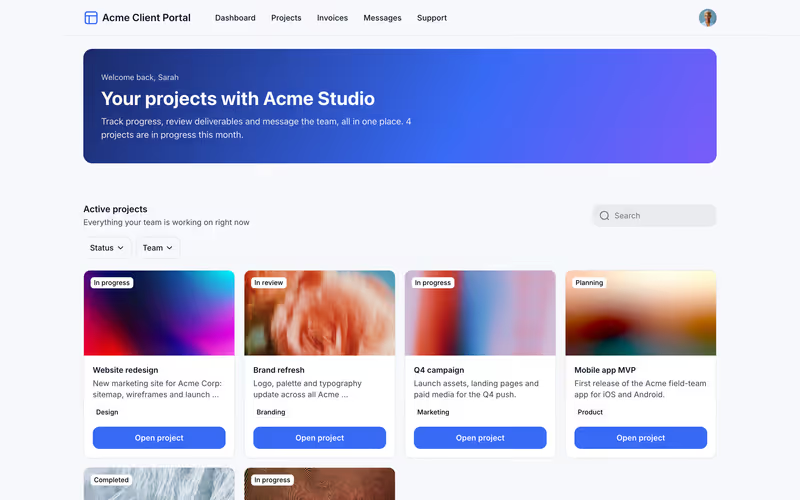
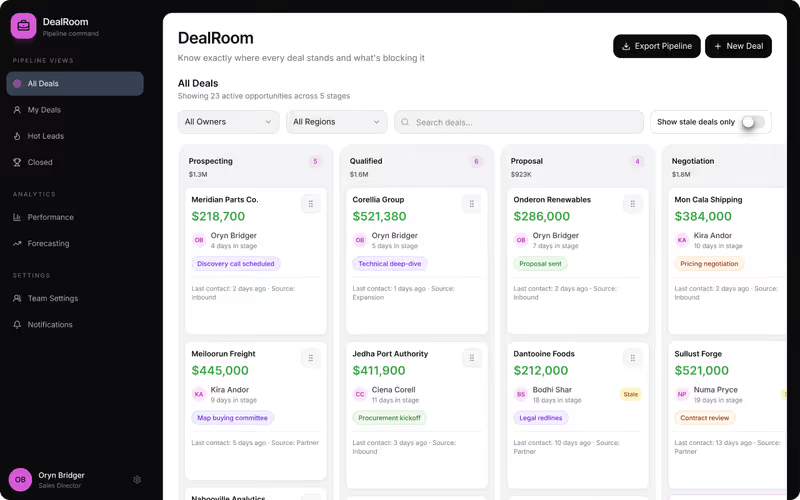
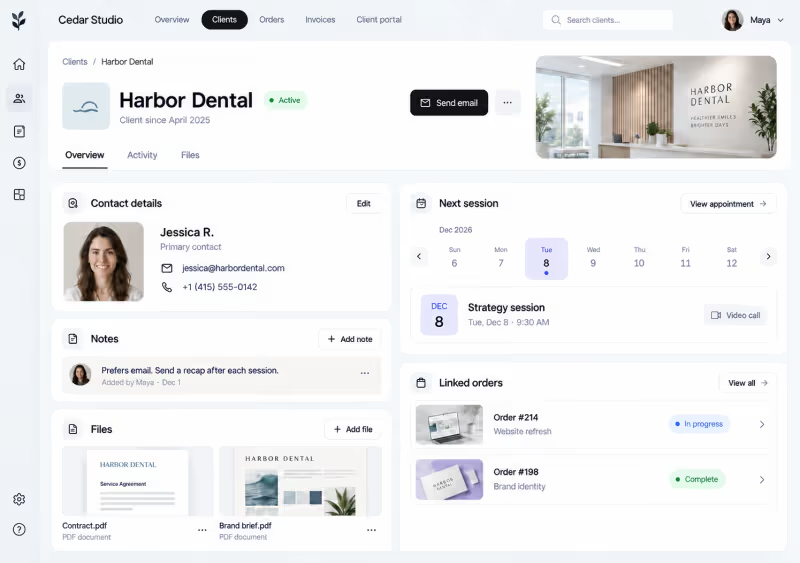
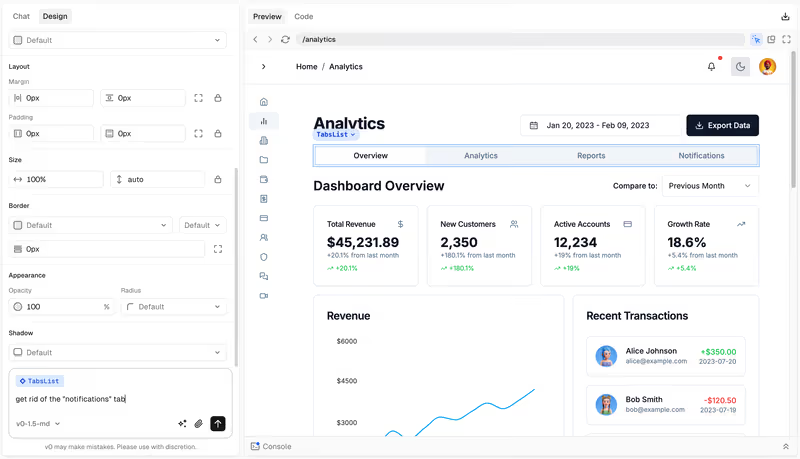
Telas reais da documentação e dos sites de cada fabricante, nunca maquetes. Cada página de plataforma mostra mais ao lado das notas.
Onde o mercado é fraco
A média das 21 plataformas em cada critério. Cada segmento é tão largo quanto a nota: o mercado cria apps bonitos e os protege pior do que tudo. Ler a metodologia
- 6.1 Facilidade de construção. Quão rápido alguém sem perfil de engenharia chega a um app funcional.
- 5.5 Prontidão para produção. Autenticação, permissões e confiabilidade com usuários reais.
- 5.5 Manutenibilidade. Quão seguro é evoluir o app depois do lançamento.
- 5.1 Segurança e controle de acesso. Funções, permissões e proteção de dados integradas, em vez de improvisadas.
- 6.7 Dados e integrações. Bancos de dados, fontes externas e APIs.
- 7.0 Flexibilidade de design. Até onde a interface vai além dos padrões da plataforma.
Melhores para
52 rankings por app, equipe, setor e porte. Cada um indica a primeira escolha.
Portais5
Equipes9
- Equipes de Customer Success Softr
- Equipes de engenharia Codex
- Equipes de finanças Softr
- Equipes de marketing Softr
- Equipes de Operações Softr
- Equipes de produto Softr
- Equipes de RH Softr
- Equipes de suporte ao cliente Softr
- Equipes de vendas Softr
Mobile e web4
- Apps móveis FlutterFlow
- Apps nativos iOS FlutterFlow
- Apps PWA Mobile Softr
- Web apps Softr
Setores6
- Agências Softr
- Empresas de serviços de campo Softr
- Empresas de serviços profissionais Softr
- Equipes de educação Softr
- Negócios imobiliários Softr
- ONGs e associações Softr
Apps e ferramentas internas25
- Aplicativos de gestão de documentos Softr
- Apps de base de conhecimento Softr
- Apps de feedback de clientes Softr
- Apps de fluxo de aprovação Softr
- Apps de gestão de aprendizagem Softr
- Apps de gestão de ativos Softr
- Apps de gestão de contratos Softr
- Apps de gestão de estoque Softr
- Apps de gestão de eventos Softr
- Apps de gestão de facilidades Softr
- Apps de gestão de pedidos Softr
- Apps de gestão de projetos Softr
- Apps de gestão de propriedades Softr
- Apps de help desk Softr
- Apps de membros e comunidades Softr
- Apps de onboarding de funcionários Softr
- Apps de portais de empregos Softr
- Apps de rastreamento de equipamentos Softr
- Apps de solicitação de serviço Softr
- CRMs Softr
- Dashboards internos e relatórios Retool
- Diretórios Softr
- Ferramentas Internas Softr
- Intranets de funcionários e apps de RH Softr
- Marketplaces Bubble
Comparações
Duas plataformas, critério por critério, com um vencedor definido no final.
- Bubble vs Softr O Softr vence na pontuação agregada (8,1 contra 6,8), levando a melhor em facilidade de construção, prontidão para produção, manutenção e segurança. O Bubble vence em flexibilidade de design e em casos onde a lógica totalmente personalizada é o requisito principal.
- Lovable vs Bubble O Bubble vence, levando 5 de 6 critérios: prontidão para produção, manutenibilidade, segurança e controle de acesso, profundidade de dados e flexibilidade de design. O Lovable mantém a liderança na velocidade de geração, o que só é decisivo para projetos de curto prazo com entrega planejada para um desenvolvedor.
- Glide vs Softr O Softr vence no agregado, 8,1 contra 6,3, levando a facilidade de construção, prontidão para produção, manutenibilidade, segurança e profundidade de dados. O Glide ainda é a compra certa quando seu app é basicamente um front-end polido para planilhas e esse modelo de construção restrito é justamente o objetivo.
- Retool vs Softr Softr vence na pontuação agregada, 8,1 contra 6,8, levando a facilidade de construção, prontidão para produção, manutenibilidade e segurança e controle de acesso. Retool é a escolha correta apenas quando gravações diretas no banco de dados, consultas SQL personalizadas e dashboards internos densos para desenvolvedores são o requisito central.
- Replit vs Lovable O Replit vence ao conquistar cinco dos seis critérios em nossa tabela, acumulando uma pontuação agregada de 7.4 contra 5.5 do Lovable. O Replit é a compra mais segura para softwares de nível de produção devido à sua infraestrutura nativa e manutenibilidade ao nível do código, a menos que você esteja limitado a um desenvolvedor não técnico que precise depender da pontuação de 7.5 em facilidade de construção do Lovable para prototipagem rápida.
- Bubble vs FlutterFlow Bubble vence, levando 4 de 6 critérios: facilidade de construção, prontidão para produção, manutenibilidade e segurança e controle de acesso. FlutterFlow mantém a flexibilidade de design com pontuação 9.0/10, tornando-o a escolha certa apenas para projetos onde um pacote de instalação nativo para iOS ou Android é um requisito inegociável.
Guias
Todos os guias →Perguntas frequentes
Como este site se diferencia do G2 ou do Capterra?
Não fazemos listagens patrocinadas, classificação por estrelas nem aquela sopa de sentimento de avaliações de usuários. Toda plataforma é avaliada segundo os mesmos seis critérios objetivos, com base em testes práticos e na documentação pública. Você recebe um relatório de nível de procurement, não um concurso de popularidade.
Quais são os seis critérios que vocês avaliam?
Avaliamos facilidade de construção, prontidão para produção, manutenibilidade, segurança, dados e integrações e flexibilidade de design. A média não conta a história toda, então detalhamos exatamente por que uma plataforma vai bem em design e mal em manutenibilidade.
Uma plataforma pode comprar uma nota mais alta?
Não. Não aceitamos posicionamentos pagos nem avaliações patrocinadas, e nenhum fornecedor pode pagar para mudar uma nota. Se uma plataforma lança uma grande atualização, reavaliamos as notas, mas são a documentação e as evidências que ditam os números.
Como devo usar essas notas para escolher uma plataforma?
Não escolha só pela maior média. Uma plataforma com 8,5 no geral pode ser totalmente inadequada se falha nos seus requisitos específicos de segurança. Mapeie as três principais prioridades do seu projeto para os nossos seis critérios e procure plataformas que lideram justamente nessas frentes.
Com que frequência os scorecards são atualizados?
Acompanhamos as atualizações mensalmente. Se uma plataforma lança recursos que resolvem uma limitação apontada, atualizamos o scorecard e reescrevemos a avaliação. A data da última revisão aparece no topo de cada scorecard.