






30 de julio de 2026
Cada creador de apps, puntuado en seis criterios
Puntuamos cada plataforma para crear aplicaciones del 1 al 10 en facilidad de construcción, preparación para producción, mantenibilidad, seguridad y control de acceso, datos e integraciones y flexibilidad de diseño. Si lees una ficha, las entiendes todas.
- 21plataformas puntuadas
- 6criterios, una sola escala
- 126puntuaciones, cada una justificada
- 210comparativas cara a cara
- 52rankings por caso de uso
Las 21 plataformas, clasificadas
¿Qué importa más?
Clasificación según los seis criterios, con el mismo peso. Abre una fila para ver sus seis puntuaciones y el motivo de cada una.
-
App builder no-code impulsado por IA para aplicaciones empresariales, como portales de clientes y herramientas internas.
- 9.0 Facilidad de construcción Describe the app and the AI Co-Builder generates the database, pages, permissions, and navigation in minutes; everything it builds can also be configured manually in the visual editor, so you are never stuck re-prompting.
- 8.5 Preparación para producción Authentication, user groups, row-level permissions, and hosting ship pre-built on every app, with SOC 2 Type II compliance and EU data hosting. The foundation a portal needs is platform infrastructure, not generated code.
- 9.0 Mantenibilidad There is no generated codebase to maintain. Apps are composed of native, battle-tested blocks with visual settings, and the AI has near-parity with manual editing, so any change can be made by hand without prompting or credits.
- 8.5 Seguridad y control de acceso Password, OTP, magic-link, and Google sign-in are toggles, user groups carry row-level data restrictions down to individual buttons, and database operations run server side. SSO is reserved for the enterprise Custom plan, which costs the half point.
- 8.0 Datos e integraciones Native Softr Databases plus external sources including Airtable, Google Sheets, and Notion; SQL and REST API connections sit on the Business plan, which costs the score half a point.
- 5.5 Flexibilidad de diseño A global theme engine sets colors, fonts, sizing, and border radius, with block-level styling, custom CSS, and an AI Vibe Coding block for custom components. The ceiling is real: apps are composed from native blocks, not pixel-perfect freeform layouts.
-
Entorno de desarrollo en la nube con un agente de IA autónomo que construye y despliega código real.
- 6.5 Facilidad de construcción The Agent scaffolds and deploys working apps from prompts in one place, which is genuinely fast for a code-producing tool; it still assumes a technical baseline for managing secrets, reading errors, and debugging deploys, which keeps it short of the no-code leaders.
- 8.0 Preparación para producción Autoscaling deployments, managed PostgreSQL with rollbacks, and custom domains are genuine production infrastructure rather than a preview sandbox, the strongest line on this card; the deductions are reported deployment-to-editor mismatches and agent-introduced bugs.
- 7.5 Mantenibilidad The output is real, version-controlled code you can edit by hand or hand to a developer, so it ages far better than prompt-only tools and never traps you in regeneration; agent debugging loops that reintroduce bugs and consume credits are the remaining deduction.
- 6.0 Seguridad y control de acceso Managed databases, secrets management, and standard auth libraries are available and proven, but roles and permissions still live in agent-written code, so verifying who can access what means reading it rather than checking a panel.
- 8.0 Datos e integraciones Managed SQL databases plus the ability to integrate anything code can reach across 50+ languages, so the ceiling is the whole ecosystem; it sits at the level of the strongest platforms here, held just short only because managing schemas requires Postgres knowledge.
- 8.5 Flexibilidad de diseño Real code in 50+ languages means any interface a developer could build, Replit can host: custom frontends, dashboards, and APIs without template constraints.
-
El agente de programación basado en terminal de OpenAI que lee tu repositorio, escribe código y abre pull requests.
- 4.0 Facilidad de construcción The agent works autonomously inside a repo, creating branches and running tests, which lifts it slightly above an assistive IDE; but it is a terminal tool with no visual interface and is documented as unusable for non-technical users, so a non-engineer gets nowhere.
- 7.0 Preparación para producción Codex produces real code on real stacks, runs tests, and opens pull requests, so a competent team can ship production software with it; the deduction is that every diff needs human review, and users report the agent overcomplicating scope and forgetting project nuances.
- 8.0 Mantenibilidad Native git branches, descriptive commits, and pull-request workflows mean changes are version-controlled and reviewable, and parallel containerized tasks plus low token overhead make large refactors tractable. The strongest line on this card for a technical team.
- 6.0 Seguridad y control de acceso Parallel work runs in isolated containerized branches, which helps, but granting a terminal agent permission to run local scripts carries real sandboxing risk, and any app-level auth or permissions are code the engineer must write and verify.
- 8.5 Datos e integraciones Operating directly in a codebase, Codex can reach any database, API, or service the language supports, with native GitHub integration. The ceiling is the whole ecosystem; it sits just below the top because every connection is code you write, not a pre-wired connector.
- 9.0 Flexibilidad de diseño The output is raw code, so interface freedom is bounded only by the engineer and the framework, matching the most flexible tools on this site. The freedom is the developer's to realize rather than the tool's to grant.
-
Constructor full-stack visual con flujos de lógica personalizada y base de datos gestionada.
- 5.0 Facilidad de construcción The editor is deep but dense. Database design, workflow conditionals, privacy rules, and API connections take a significant time investment to master; Trustpilot reviewers describe a developer-like conceptual understanding as the real entry requirement.
- 7.0 Preparación para producción Auth, server-side privacy rules, and a backend scheduler are built in and proven at scale; the point deductions come from configuration being entirely on you, editor RAM and stability complaints, and reported payment integration inconsistencies.
- 6.0 Mantenibilidad Logic lives in visual workflows you edit directly, so changes never require regeneration. The deductions: complex apps accumulate workflow sprawl that is hard to audit, and builders report editor RAM problems on large projects.
- 6.5 Seguridad y control de acceso Server-side privacy rules and role-based access are built in and proven, but configuration is entirely on the builder. Trustpilot reviewers describe secure privacy rules as requiring developer-like understanding, and a missed rule fails silently.
- 8.0 Datos e integraciones Managed relational database with custom data types, an API Connector for any REST service, and a marketplace of over 8,000 plugins. The half-step off a higher score reflects dependency risk on community plugins that can break or be abandoned.
- 8.5 Flexibilidad de diseño A pixel-level drag-and-drop editor with absolute or responsive positioning and a responsive design system. The strongest line on this card: among no-code platforms, only code-gen tools offer comparable interface freedom.
-
Constructor visual para herramientas internas, donde SQL y JavaScript hacen el trabajo real.
- 4.0 Facilidad de construcción Retool is not a true no-code tool. Anything beyond a basic layout requires writing SQL queries, structuring data in JavaScript, and debugging API responses; Capterra reviewers describe it as primarily for developers and engineering leaders familiar with both languages.
- 7.5 Preparación para producción Built for internal tools with version control, environment branching, and self-hosting on Enterprise. Deductions come from external auth flows having to be engineered by hand and Capterra reports of post-update UI bugs and a saving issue where SQL content disappeared.
- 6.0 Mantenibilidad Version control and release management help, but a G2 reviewer notes that apps get harder to maintain and keep organized as they grow, and one Capterra user reported keeping an external copy of all code after a save bug.
- 7.5 Seguridad y control de acceso Granular access controls on Business, SSO via SAML, plus audit logs and source control on Enterprise. The deduction is that external user login, signup, and permission flows are not native and must be built with custom code.
- 8.5 Datos e integraciones Directly reads and writes SQL databases and REST or GraphQL APIs, ships a managed PostgreSQL database, and carries a broad connector library. This is the strongest line on the card and the reason engineers reach for it.
- 7.0 Flexibilidad de diseño Over 100 pre-built components plus custom JavaScript libraries give real control, but the library is tuned for data density. Reviewers note apps look like internal tools unless heavily customized, and client-facing polish takes significant development effort.
-
La herramienta de línea de comandos agentica de Anthropic que edita archivos, ejecuta pruebas y gestiona git desde la terminal.
- 4.0 Facilidad de construcción The agent edits files, runs tests, and manages git autonomously, which lifts it slightly above an assistive editor; but it lives entirely in the terminal with no visual interface, so a non-engineer who cannot set up an environment and read code gets nowhere.
- 6.0 Preparación para producción It produces real code on real stacks and can run the tests that prove it, but the deduction is heavy: on larger repos documented context compaction drops project constraints and outputs incorrect logic, and reported latency on complex tasks slows the review loop the tool depends on.
- 6.5 Mantenibilidad Direct file editing, automated commits, and git history keep changes version-controlled in your own repo, but early context compaction makes the agent forget constraints set in project memory on large codebases, so long sessions need close supervision to stay coherent.
- 6.0 Seguridad y control de acceso Granular per-action permission prompts mean nothing runs without approval, a genuine access-control strength; the offset is that a terminal agent with system-level write access is risky if a destructive script slips through, and app-level auth is still code you write.
- 8.0 Datos e integraciones Working in a real codebase, Claude Code can reach any database, API, or service the language supports, and it executes shell commands directly. The ceiling is the ecosystem; it sits below the top because every connection is code you write, not a pre-wired connector.
- 9.0 Flexibilidad de diseño The output is raw code, so interface freedom is bounded only by the engineer and the framework, matching the most flexible tools on this site. The freedom is the developer's to realize rather than the tool's to grant.
-
Una base de datos relacional con apariencia de hoja de cálculo y una capa de diseñador de interfaces integrada.
- 8.5 Facilidad de construcción The spreadsheet-relational interface is the most intuitive in the category for non-technical users to build and modify data schemas, and the drag-and-drop Interface Designer puts a usable app surface on top without code.
- 5.5 Preparación para producción Interfaces work for internal collaborators, but they are desktop-focused, lack native external login and onboarding flows, and reviewers report performance degrading as bases grow and API rate limits around 5 requests per second per base causing sync delays.
- 7.0 Mantenibilidad Schema changes are direct edits in a familiar grid, which keeps day-to-day upkeep simple, but performance degrades as bases grow, formulas multiply, and automation steps increase, which complicates larger builds.
- 5.0 Seguridad y control de acceso Interface Designer relies on base-level roles, so access cannot easily be restricted down to the record, field, or page level for specific user types. External portal access is gated behind paid guest packs rather than a native auth model.
- 8.0 Datos e integraciones Rich field types (linked records, lookups, rollups, formulas), multiple views, real-time multi-source sync, and an extensive native connector library with strong Zapier, Make, and API compatibility. A genuine strength of the platform.
- 4.0 Flexibilidad de diseño Interface Designer uses restricted, blocky layouts that force an admin-like aesthetic, does not translate well to smaller screens, and always carries Airtable branding with severely limited white-labeling.
-
Constructor low-code que convierte hojas de cálculo y bases de datos en aplicaciones web y móviles pulidas.
- 8.5 Facilidad de construcción Instantly scaffolds structured app layouts from Google Sheets, Airtable, or Excel; even critics on Reddit call it very slick and easy to learn, with polished components that adapt to any screen automatically.
- 6.5 Preparación para producción Pre-configured components are reliable and mobile-optimized, but a long-term user reports system lags 5 to 10 times a year with clients depending on the apps, and free-plan users get no human support.
- 6.5 Mantenibilidad Apps are maintained by editing components and data directly, which keeps day-two changes simple; the deductions come from users reporting features moving behind higher tiers mid-project and a hard ceiling once logic needs deepen.
- 5.5 Seguridad y control de acceso User access and row-level controls cover internal teams well, but the permission model is thinner than portal-focused platforms once you need granular visibility rules for external user groups.
- 7.0 Datos e integraciones Connects to Google Sheets, Airtable, Excel, and its own Glide Tables with relations, rollups, and built-in AI columns; deeper backend or headless connections are where it thins out.
- 4.0 Flexibilidad de diseño Layouts conform to Glide's templates: polished and mobile-optimized, but with no free drag-and-drop and custom CSS reserved for top tiers. You ship Glide's look, not your brand's.
-
Constructor visual para aplicaciones móviles nativas con exportación completa de código Flutter.
- 4.5 Facilidad de construcción Reviewers describe a steep learning curve requiring an understanding of Flutter layout logic, state management, and relational databases, plus debugging without useful error messages.
- 7.0 Preparación para producción Compiles to native iOS and Android packages with codeless deployment pipelines to Google Play and TestFlight; auth and database rules still require manual Firebase or Supabase configuration.
- 5.5 Mantenibilidad Visual widget trees are edited directly and Dart export keeps a code path open, but the browser editor lags past roughly a dozen screens and state management complexity grows with the app.
- 5.0 Seguridad y control de acceso Authentication and database security rules live in the Firebase or Supabase backend and must be configured manually there; the platform provides the hooks, not the protection.
- 6.5 Datos e integraciones Native Firebase and Supabase support plus customizable REST API integrations; connecting them means manually configuring database rules, authentication services, and API structures.
- 9.0 Flexibilidad de diseño Widget-level visual control over genuinely native iOS and Android interfaces, the strongest mobile design ceiling in this roster; Flutter Web output is the one weak surface, loading heavily for public sites.
-
Un editor de código basado en IA, derivado de VS Code, que funciona dentro de una base de código real.
- 3.0 Facilidad de construcción For an engineer, Cursor accelerates real work substantially. For a non-engineer it is the wrong tool: it assumes you can read code, run builds, configure packages, and debug errors. The score reflects the typical buyer comparing it to no-code builders, where it is the hardest entry on this site.
- 6.0 Preparación para producción Whether a Cursor project ships to production depends entirely on the engineer using it, because the tool builds nothing turnkey: hosting, databases, auth, and scaling are all manual. Reviewers also report Agent mode making unintended multi-file changes that require careful rollbacks.
- 6.5 Mantenibilidad You own standard source code in your own repository, the healthiest possible exit path, and Cursor excels at refactoring and adding tests. The deduction: Composer can modify peripheral config files and get stuck in dependency loops, so AI-driven edits still need human review.
- 5.5 Seguridad y control de acceso There is no built-in auth or permission layer; the engineer architects the entire auth system, so the ceiling is unbounded but nothing is provided. Cursor itself adds a compliance question: enterprise reviewers cite difficulty getting codebase scanning approved by security teams even with privacy mode on.
- 7.5 Datos e integraciones Operating in a real codebase, Cursor can connect to any database, API, or service the language supports, so the data ceiling is effectively the whole ecosystem. It is held below the top only because every connection is code the engineer writes; nothing is pre-wired.
- 8.5 Flexibilidad de diseño Because the output is raw frontend code, design freedom is bounded only by the engineer's skill and the framework, matching the most flexible tools on this site. The score sits here rather than higher because that freedom is entirely the developer's to realize, not the tool's to grant.
-
Constructor visual de frontend que se conecta a un backend externo proporcionado y pagado por el usuario.
- 4.0 Facilidad de construcción WeWeb has no built-in database, so before any app works the builder must configure and pay for a separate backend such as Xano, Supabase, or Airtable. Layouts, conditional routing, token-based auth, and API payloads all require a solid grasp of web development concepts.
- 6.0 Preparación para producción A hybrid rendering engine produces SEO-friendly SPAs and staging environments arrive on Scale, but production depends on an external backend you wire up yourself, and a Product Hunt reviewer reported mobile performance lagging behind desktop.
- 6.0 Mantenibilidad Logic lives in a visual state editor you edit directly, but the decoupled stack means a change can span WeWeb and the external backend, and reviewers note documentation and tutorials that have not kept pace with updates.
- 5.5 Seguridad y control de acceso Authentication runs on token-based flows the builder configures against the external backend rather than a native auth layer, so access control is only as solid as the separate service behind it. Advanced SSO sits on Enterprise.
- 7.0 Datos e integraciones Connects to standard external SQL or no-SQL databases and REST APIs, which is the core of the decoupled model. The deduction reflects that nothing is stored natively and a Capterra reviewer flagged weak headless-CMS integration.
- 8.5 Flexibilidad de diseño A visual layout engine with CSS flexbox, grids, and absolute positioning, plus an AI assistant that generates JavaScript and CSS for custom components. This is the strongest line on the card and the reason frontend teams choose it.
-
Constructor de IA orientado a móviles que crea aplicaciones nativas para iOS y Android a partir de prompts en lenguaje sencillo.
- 7.0 Facilidad de construcción Builds mobile apps from plain-English prompts with instant on-device testing and a mobile-first layout focus; larger apps hit a complexity wall where the AI can lose structure or break logic.
- 5.5 Preparación para producción Provisions a backend, authentication, and cloud storage and packages directly to the App Store and Google Play, but generating a complex app entirely by prompt risks edge-case crashes and security gaps that fail store review without manual code checks.
- 5.5 Mantenibilidad Code export and SSH access on Pro and Max keep an exit path open, but the AI can lose context in larger codebases and produce messy, unoptimized code that is hard to manage over time.
- 5.0 Seguridad y control de acceso Ships built-in user authentication, but per-app security depends on AI-generated code that must be reviewed manually; unaudited generation can introduce gaps.
- 6.5 Datos e integraciones Built-in database and cloud storage (VibeCode Cloud) plus API integrations to services like GPT, Gemini, weather, and maps, all metered through the plan's AI credits.
- 7.0 Flexibilidad de diseño Generates native smartphone layouts from prompts with instant mobile preview, though it offers less direct, pixel-level visual control than a widget-tree editor like FlutterFlow.
-
Generador de UI mediante prompts de Vercel que produce código en React, Tailwind y shadcn/ui sobre el cual tienes la propiedad.
- 7.5 Facilidad de construcción Generating a polished interface from a prompt or a screenshot is fast, and the output is real React and Tailwind. The half-step deduction reflects that a usable product still needs a developer to wire the UI to data and hosting; the generator stops at the frontend.
- 4.5 Preparación para producción v0 ships no built-in auth, database, or backend logic. Reviewers on G2 and Product Hunt describe it as a designer's scratchpad that outputs code, with full-stack infrastructure left to the developer, so a generated UI is not a running application.
- 5.5 Mantenibilidad The exported React and TypeScript is inspectable and yours to edit, which helps. Deductions come from documented code quality drift past 5 to 10 prompts, bloated Tailwind output reviewers spend time cleaning up, and components built from scratch instead of reusing libraries.
- 4.0 Seguridad y control de acceso There is no authentication or permission layer to score; v0 generates interface code only. Any access control must be architected and built by the developer in the backend that v0 does not provide.
- 5.0 Datos e integraciones GitHub sync and one-click Vercel deployment are real, and the clean export drops into standard frameworks. But there is no native database, relational model, or data binding; every data source is manual integration work after generation.
- 8.5 Flexibilidad de diseño Generating modern shadcn/ui and Tailwind layouts from prompts, sketches, or screenshots is the strongest line on this card. One caveat from reviewers: design mode mostly adjusts Tailwind colors, so achieving a refined result still rewards a designer's eye.
-
Constructor de aplicaciones con IA que convierte prompts en front-ends de React y back-ends de Supabase.
- 7.5 Facilidad de construcción Prompt-to-app generation is genuinely fast for first versions, with Figma import and GitHub sync. The score caps here because iteration is prompt-only, and reviewers report regression loops where fixes reintroduce bugs.
- 4.0 Preparación para producción Database security (Supabase RLS) must be configured rather than inherited, reviewers describe the final 30% of business logic as the wall, and long-term builders report platform updates breaking existing apps.
- 3.5 Mantenibilidad Iteration is prompt-only, and the community record is consistent: regression loops where fixes reintroduce bugs, schema debt from AI-designed databases by month six to nine, and platform updates that break existing apps.
- 3.5 Seguridad y control de acceso Database security depends on Supabase row-level security rules the builder must configure and audit; nothing is inherited, and a non-technical builder has no reliable way to verify what the generated code exposes.
- 6.5 Datos e integraciones Supabase provides a real PostgreSQL backend with auth, and GitHub sync connects to a standard toolchain; integration breadth beyond that stack depends on what you prompt the AI to wire up.
- 8.0 Flexibilidad de diseño Generated React frontends can take any form you can describe, with Figma import for design-led builds; the deduction reflects that getting the last details right means re-prompting rather than direct manipulation.
-
Constructor de apps con IA que genera aplicaciones web full-stack a partir de prompts; actualmente forma parte de Wix.
- 7.5 Facilidad de construcción Database, auth, and hosting are scaffolded from a single prompt with zero setup, and a click-to-tweak editor handles UI changes. The conversational flow is genuinely fast for a first working version.
- 4.0 Preparación para producción Users report servers going down roughly once a week and apps breaking in production for existing users. One builder describes the app becoming completely unusable after repeated feedback cycles.
- 3.5 Mantenibilidad The editing agent is reported to trigger regression loops where fixing one bug creates several more. Multiple users describe spending hours and hundreds of credits without resolving inherent flaws.
- 4.0 Seguridad y control de acceso Built-in auth exists but registration and login screens cannot be custom branded, and role permissions stay basic with no field-level or button-level control. Builders report it is not built for per-user data isolation.
- 5.5 Datos e integraciones A managed PostgreSQL database ships out of the box, but connections run through LiteLLM, which imposes API limits, and reviewers flag significant PDF handling caps and latency on large datasets.
- 6.5 Flexibilidad de diseño Design tokens and the click-to-tweak editor cover common styling needs, though authentication screens and overall structure stay within Base44 defaults.
-
Constructor de aplicaciones no-code basado en IA (anteriormente Fillout), con base de datos SQL integrada y un enfoque de salida optimizado para móviles.
- 7.5 Facilidad de construcción A single prompt generates UI, a relational database, and workflows, and Plan Mode lets users review the AI's markdown plan before it builds. Fillout's form roots make data capture fast.
- 4.5 Preparación para producción Unlimited users and staging environments are real, but users say it feels great for quick MVPs and not fully there for scaling yet, and the database lacks advanced formula fields, roll-ups, and custom SQL views.
- 4.0 Mantenibilidad Design changes are tied to generated layouts and rigid outside them, so adjustments route back through prompting loops. There is no GitHub sync or code export, which makes later handoff and migration harder.
- 5.0 Seguridad y control de acceso User groups and roles control read and write access, and Fillout's SSO roots carry over, but access control is comparatively basic and relies on prompted workflows rather than granular visual configuration.
- 5.5 Datos e integraciones The built-in SQL database supports linked records, REST API, and webhooks, but it is designed around its own data store with only basic Airtable and Sheets connections, and lacks advanced formula and roll-up fields.
- 4.5 Flexibilidad de diseño Layout changes are closely tied to the AI's generated structures and rigid outside them. Users also report the output skews corporate, which feels off for agency-style or custom-branded work.
-
Constructor de aplicaciones mediante prompts de StackBlitz que genera código React full-stack en un entorno nativo del navegador.
- 5.5 Facilidad de construcción Prompt-to-app generation produces a working preview in minutes, but Bolt is a browser IDE: connecting a backend, debugging build failures, and reading errors assume web development knowledge.
- 4.0 Preparación para producción Bolt Cloud hosting and Netlify deploys exist, but users report container crashes, build failures, and out-of-memory errors on larger projects, plus a 'Project too large' wall that pauses prompts entirely.
- 3.5 Mantenibilidad Output is a real React codebase, but documented edit loops where the AI rewrites working code or reverts changes, plus token burn on those loops, make iterative maintenance costly without a developer.
- 3.5 Seguridad y control de acceso There is no visual permission layer; auth and row-level rules are configured by prompting the AI to write code, so verifying who can access what means reading that code.
- 6.0 Datos e integraciones Bolt can generate PostgreSQL schemas and integrate anything code reaches, but there is no native database admin UI, so teams manage data through generated code or external platforms like Supabase.
- 8.0 Flexibilidad de diseño Generated React and Vite code carries no template ceiling, and Figma import plus npm and Storybook support mean any front-end a developer could build is reachable.
-
Constructor de aplicaciones web de IA conversacional con un agente basado en chat y un modelo de cuota anual más créditos.
- 7.0 Facilidad de construcción The Cascade agent outlines, architects, and modifies features in plain language, and an interactive planning flow helps map schemas before generating. First builds are fast for non-technical users.
- 4.5 Preparación para producción One-click deployment and custom domains exist, but reviewers describe it as early days with areas needing more polish, and flag a trade-off between speed and long-term maintainability for teams planning to scale.
- 4.0 Mantenibilidad There is no drag-and-drop builder, so every iteration returns to the AI chat, and reviewers warn of technical debt risk at scale. Code export exists as an exit path if a team outgrows the platform.
- 4.5 Seguridad y control de acceso Authentication templates and standard sign-in forms ship out of the box, but access control is comparatively basic and lacks field-level or button-level visibility logic.
- 5.5 Datos e integraciones Generates relational database schemas, auth, and integrations such as Stripe payments, which covers common MVP needs, though the integration surface stays narrow compared with broader platforms.
- 5.0 Flexibilidad de diseño The AI works within predefined layout modules, so highly customized aesthetics are hard to reach, and fine visual tuning through chat can trigger repetitive prompting loops that burn credits.
-
Constructor de aplicaciones agentico que genera aplicaciones web y móviles full-stack a partir de lenguaje natural.
- 7.0 Facilidad de construcción A single prompt produces a functional backend schema, database routing, and UI in minutes, and revisions run through chat. The barrier to a first build is low for non-technical users.
- 3.5 Preparación para producción Users report a gap where production does not equal preview, plus development containers throwing 'Error Waking Up Agent' messages. Blocked backend access during deployment issues is reported alongside slow support.
- 3.5 Mantenibilidad The edit agent reportedly fires on changes as small as two lines, and reviewers describe infinite debugging loops that fix the same bug five or more times. One user reported spending close to $10,000 AUD this way.
- 4.5 Seguridad y control de acceso Built-in auth ships with the scaffold, but permissions are generated rather than visually configured, and blocked backend access during container failures is reported, so verifying access controls is unreliable.
- 5.5 Datos e integraciones Database routing and full-stack wiring are generated automatically, which is genuine breadth, but reviewers report the system breaking down once a codebase gets reasonably large.
- 6.0 Flexibilidad de diseño The agent produces custom web interfaces from prompts, though mobile deployments are described as less mature and unfinished compared with the core web experience.
-
Constructor visual no-code para aplicaciones web y móviles nativas con base de datos integrada.
- 6.0 Facilidad de construcción A drag-and-drop canvas and a built-in database give a lower learning curve than pro-code IDEs, and Adalo handles app-store packaging. The deduction: Capterra reviewers report basic features like forgot-password or multiple-image upload being tediously hard, so the gentle start does not hold through real builds.
- 3.5 Preparación para producción Reviewers describe daily internal server errors hitting paying customers, unacceptable native Android performance, and one case of roughly 70 percent of a database disappearing. Multiple Capterra reviews say it is suitable for mockups and validation, not production.
- 4.0 Mantenibilidad Simple navigation and database-update workflows are manageable, but complex multi-step automation, conditional logic, and approval flows are hard to build and maintain. Reviewers also report fragile external API integration that often has to be rebuilt from scratch after a change.
- 4.0 Seguridad y control de acceso Adalo offers basic user roles only, with no centralized role-based access control. Building a multi-role app requires custom visibility filters on every screen element, and reviewers note it is not designed for secure external-facing portals needing record-level permissions.
- 5.0 Datos e integraciones A relational built-in database plus connections to Airtable and REST APIs cover basic needs. The deduction: the internal database becomes a bottleneck at scale, external connections need workarounds with no native two-way sync, and reviewers call API integration clunky and fragile.
- 5.0 Flexibilidad de diseño A free-positioning canvas allows custom layouts, but apps are built on a fixed-width screen model. Reviewers report desktop web layouts that feel like stretched phone screens, since you build for one size and scale to others rather than designing responsively.
-
Herramienta de IA que clona el diseño de un sitio web a partir de su URL y genera código editable en React y Tailwind.
- 5.0 Facilidad de construcción Pasting a URL produces a styled React clone quickly, but conversational edits are fragile, and complex interactive state or nested grids need manual developer cleanup.
- 3.0 Preparación para producción Same.new is a frontend prototyping tool with no native backend; users also report the Same.dev to Same.new rebrand leaving paid projects read-only or broken.
- 3.0 Mantenibilidad Users report simple prompts destroying working code, including one case of a section reorder wiping 1500+ lines, and the fork feature failing on larger files.
- 3.0 Seguridad y control de acceso There is no native authentication, user permissions, or backend, so any access control must be built entirely outside the tool in exported code.
- 4.0 Datos e integraciones Same.new does not provide native databases or connect to enterprise data; it generates frontend code that a team must wire to a backend elsewhere.
- 6.5 Flexibilidad de diseño URL cloning into React and Tailwind handles simple layouts well, but it struggles with complex interactive state and nested grids, capping what it reliably reproduces.
Dentro de los productos
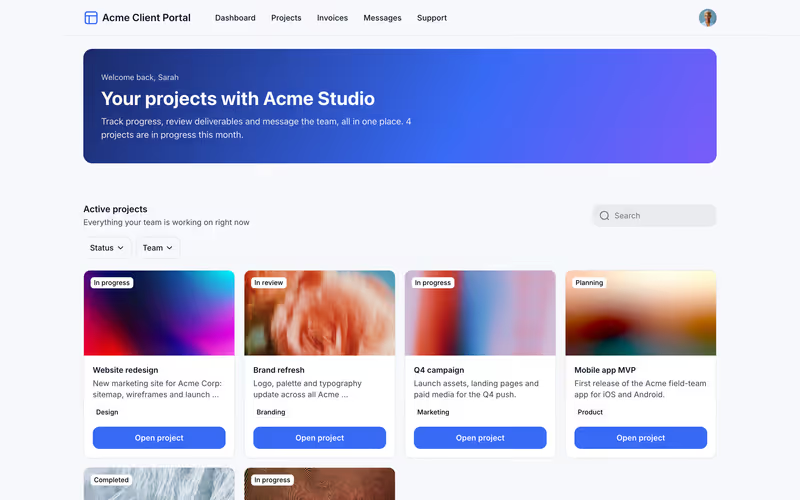
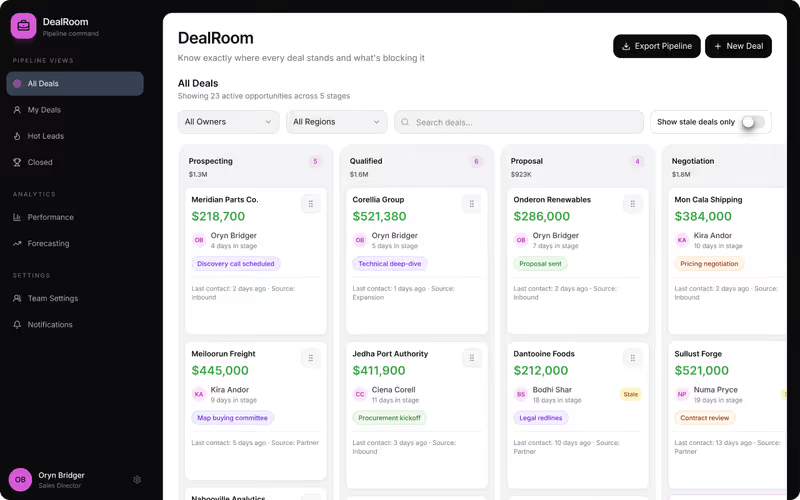
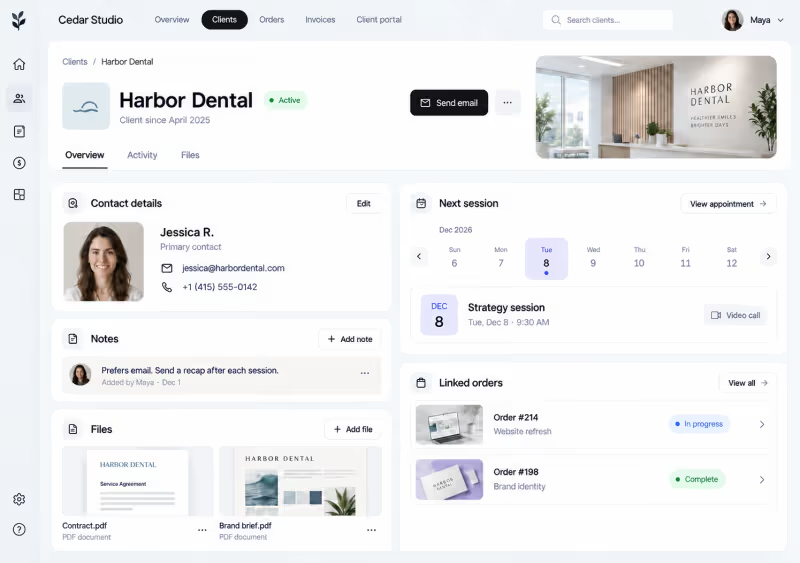
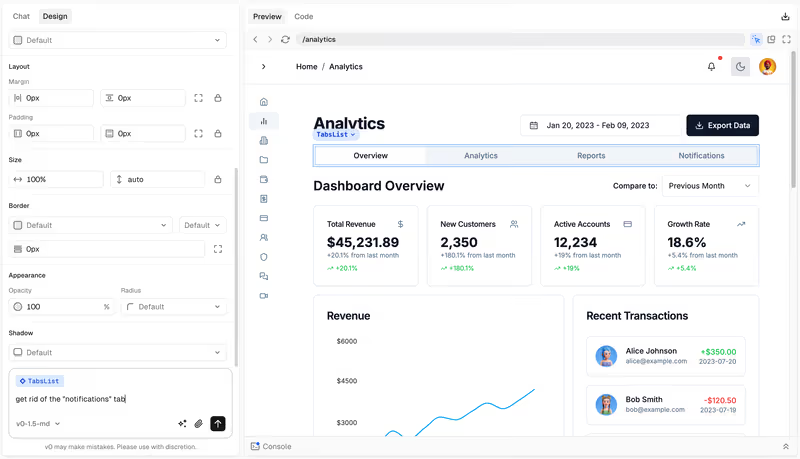
Pantallas reales de la documentación y los sitios de cada fabricante, nunca maquetas. Cada página de plataforma muestra más junto a sus puntuaciones.
Dónde flojea el mercado
La media de las 21 plataformas en cada criterio. Cada segmento es tan ancho como su puntuación: el mercado crea apps atractivas y las protege peor que nada. Leer la metodología
- 6.1 Facilidad de construcción. La rapidez con la que alguien no técnico llega a una app funcional.
- 5.5 Preparación para producción. Autenticación, permisos y fiabilidad con usuarios reales.
- 5.5 Mantenibilidad. Con qué seguridad evoluciona la app tras el lanzamiento.
- 5.1 Seguridad y control de acceso. Roles, permisos y protección de datos integrados frente a hechos a mano.
- 6.7 Datos e integraciones. Bases de datos, fuentes externas y API.
- 7.0 Flexibilidad de diseño. Hasta dónde puede ir la interfaz más allá de los valores predeterminados de la plataforma.
Mejores para
52 rankings por app, equipo, sector y tamaño. Cada uno nombra su primera opción.
Portales5
Equipos9
- Equipos de atención al cliente Softr
- Equipos de Customer Success Softr
- Equipos de ingeniería Codex
- Equipos de marketing Softr
- Equipos de operaciones Softr
- Equipos de producto Softr
- Equipos de RR. HH. Softr
- Equipos de ventas Softr
- Equipos financieros Softr
Móvil y web4
- Aplicaciones móviles FlutterFlow
- Aplicaciones web Softr
- Apps móviles PWA Softr
- Apps nativas de iOS FlutterFlow
Sectores6
- Agencias Softr
- Empresas de servicios profesionales Softr
- Empresas de servicios técnicos Softr
- Empresas inmobiliarias Softr
- Equipos educativos Softr
- Organizaciones sin fines de lucro y asociaciones Softr
Apps y herramientas internas25
- Aplicaciones de flujo de aprobación Softr
- Aplicaciones de gestión de instalaciones Softr
- Aplicaciones de gestión del aprendizaje (LMS) Softr
- Aplicaciones de gestión documental Softr
- Aplicaciones de portales de empleo Softr
- Aplicaciones de seguimiento de equipos Softr
- Apps de base de conocimientos Softr
- Apps de feedback de clientes Softr
- Apps de gestión de activos Softr
- Apps de gestión de contratos Softr
- Apps de gestión de eventos Softr
- Apps de gestión de inventarios Softr
- Apps de gestión de pedidos Softr
- Apps de gestión de propiedades Softr
- Apps de gestión de proyectos Softr
- Apps de help desk Softr
- Apps de incorporación de empleados Softr
- Apps de membresía y comunidad Softr
- Apps de solicitudes de servicio Softr
- CRM Softr
- Cuadros de mando internos e informes Retool
- Directorios Softr
- Herramientas Internas Softr
- Intranets corporativas y apps de RR. HH. Softr
- Marketplaces Bubble
Comparativas
Dos plataformas, criterio a criterio, con un ganador claro al final.
- Bubble vs Softr Softr gana en la puntuación agregada (8,1 frente a 6,8), destacando en facilidad de creación, preparación para producción, mantenibilidad y seguridad. Bubble gana en flexibilidad de diseño y es la opción ideal cuando la lógica totalmente personalizada es el requisito principal.
- Lovable vs Bubble Bubble gana, imponiéndose en 5 de los 6 criterios: preparación para producción, mantenibilidad, seguridad y control de acceso, profundidad de datos y, por un margen estrecho, flexibilidad de diseño. Lovable conserva la velocidad de generación, factor decisivo solo en proyectos de corto plazo con una entrega prevista a un desarrollador.
- Glide vs Softr Softr gana el global, 8.1 a 6.3, dominando en facilidad de construcción, preparación para producción, mantenibilidad, seguridad y profundidad de datos. Glide sigue siendo la compra correcta cuando tu aplicación es básicamente el front-end pulido de una hoja de cálculo y ese modelo de construcción restringido es precisamente lo que buscas.
- Retool vs Softr Softr gana en la puntuación agregada, 8,1 frente a 6,8, llevándose la facilidad de construcción, la preparación para producción, la mantenibilidad y la seguridad y control de acceso. Retool es la elección correcta únicamente cuando los requisitos principales son la escritura directa en bases de datos, consultas SQL personalizadas y paneles internos orientados a desarrolladores.
- Replit vs Lovable Replit gana al dominar cinco de los seis criterios de nuestra ficha, sumando una puntuación agregada de 7,4 frente al 5,5 de Lovable. Replit es la compra más segura para software de grado de producción gracias a su infraestructura nativa y mantenibilidad a nivel de código, a menos que dependas de un creador no técnico que necesite la puntuación de 7,5 en facilidad de construcción de Lovable para prototipado rápido.
- Bubble vs FlutterFlow Bubble gana, liderando en 4 de los 6 criterios: facilidad de construcción, preparación para producción, mantenibilidad y seguridad y control de acceso. FlutterFlow mantiene la flexibilidad de diseño con una puntuación de 9.0/10, lo que lo convierte en la compra correcta exclusivamente para proyectos donde un paquete de instalación nativo para iOS o Android sea un requisito innegociable.
Guías
Todas las guías →Preguntas frecuentes
¿En qué se diferencia este sitio de G2 o Capterra?
Aquí no hay listados patrocinados, valoraciones con estrellas ni sopa de opiniones de usuarios. Cada plataforma se puntúa con los mismos seis criterios objetivos, respaldados por pruebas prácticas y documentación pública. Obtienes un informe a nivel de compra, no un concurso de popularidad.
¿Cuáles son los seis criterios que evalúan?
Puntuamos la facilidad de construcción, la preparación para producción, la mantenibilidad, la seguridad, los datos e integraciones y la flexibilidad de diseño. Las medias no lo cuentan todo, así que desglosamos exactamente por qué una plataforma puntúa alto en diseño y bajo en mantenibilidad.
¿Una plataforma puede comprar una puntuación más alta?
No. No aceptamos posicionamientos pagados ni reseñas patrocinadas, y ningún proveedor puede pagar para cambiar una puntuación. Si una plataforma lanza una mejora importante, reevaluamos las puntuaciones, pero los números los dictan la documentación y la evidencia.
¿Cómo debería usar estas puntuaciones para elegir una plataforma?
No elijas sin más la media más alta. Una plataforma con un 8,5 global puede ser completamente inadecuada si no cumple tus requisitos concretos de seguridad. Asocia las tres prioridades principales de tu proyecto a nuestros seis criterios y busca las plataformas que lideran justamente en esos frentes.
¿Con qué frecuencia se actualizan las fichas de puntuación?
Revisamos las novedades cada mes. Si una plataforma incorpora funciones que resuelven una limitación señalada, actualizamos la ficha y reescribimos la evaluación. Puedes ver la fecha del último análisis en la parte superior de cada ficha.